36
Recording / Dubbing
EN
9 Press [DUBBING].
VCR to DVD duplication will start.
10
Press [STOP S] to stop the
recording.
Note for VCR to DVD duplication:
• After starting VCR to DVD duplication, the picture
may be distorted because of the auto tracking
function. This is not a malfunction. Be advised to
play back the tape until the picture is stabilised, then
set the starting point which you wish to start
recording, and start VCR to DVD duplication.
• This unit will automatically stop the duplication if
playback with no image detected for more than 3
minutes during VCR to DVD duplication.
• If the playback sound mode of VCR is set to
“STEREO”, “LEFT” or “RIGHT”, the sound mode
upon dubbing is automatically switched to
“STEREO”. If the playback sound mode is set to
“MONO”, the sound mode upon dubbing is also
“MONO”.
• If you set “External Input Audio” to “Stereo”, the
sound is recorded in “Stereo” (Video mode and VR
mode).
• While in Video mode, if you set “External Input
Audio” to “Bilingual”, the audio set in “Bilingual
Recording Audio” mode is recorded.
While in VR mode, if you set “External Input Audio”
to “Bilingual”, bilingual audio is recorded.
• The main and sub audio will be simultaneously
recorded (VR mode). You can select audio modes
during playback.
• If you want to watch the duplicated material, after
the VCR to DVD duplication, press [DVD ] first
then press [PLAY P].
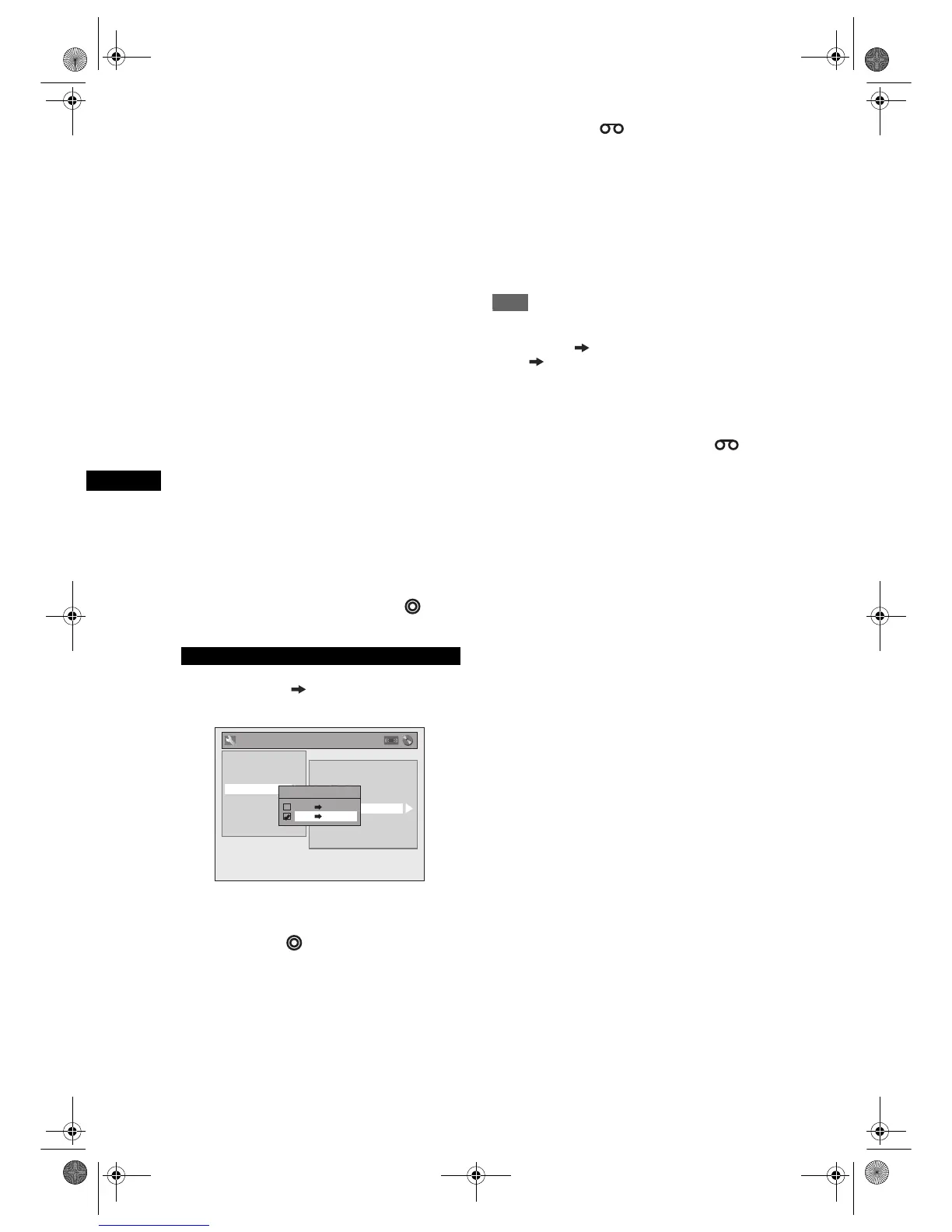
4 Select “DVD VCR” using [U / D],
then press [ENTER].
5 Press [SETUP] to exit the Setup
menu.
6 Press [DVD ].
7 Press [PLAY P], and then press
[PAUSE p] at the point you wish to
start recording.
8 Press [VCR ].
Make sure to select a recording speed using
[REC SPEED]. (See page 68.)
Rewind or fast forward the tape to the point where
you want to start recording.
9 Press [DUBBING].
DVD to VCR duplication will start.
10
Press [STOP S] to stop the
recording.
Note
• NTSC dubbing is prohibited in this unit.
• When you turn off the unit after setting the Dubbing
Mode to DVD VCR, the setting will be set to
VCR DVD automatically.
• Dubbing Mode is available only if the tape or disc is
not copy-protected.
• You cannot change the output mode during VCR to
DVD or DVD to VCR duplication.
• If you want to watch the duplicated material, after
the DVD to VCR duplication, press [VCR ] first
and then press [PLAY P].
DVD to VCR
General Setting
Auto Chapter
Recording Audio Select (1H)
Auto Finalise
Aspect Ratio (Video mode)
Dubbing Mode
Make Recording Compatible
Bilingual Recording Audio
External Input Audio
Playback
Display
Video
Clock
Channel
DivX
Reset All
Recording
Dubbing Mode
VCR DVD
DVD VCR
E9G04ED_EN.book Page 36 Tuesday, March 27, 2007 10:27 AM



 To Next Page