59
Editing
EN
Deleting Parts of Titles
You can delete a specific part of a title.
Even when a title is deleted from the Playlist, the
original title will remain as it is.
The available recording time on the disc will not
increase.
Press [DVD ] first.
1 Follow the steps 1 to 3 in “Editing
Title Name” on page 54.
2 Select “Scene Delete” using [U / D],
then press [ENTER].
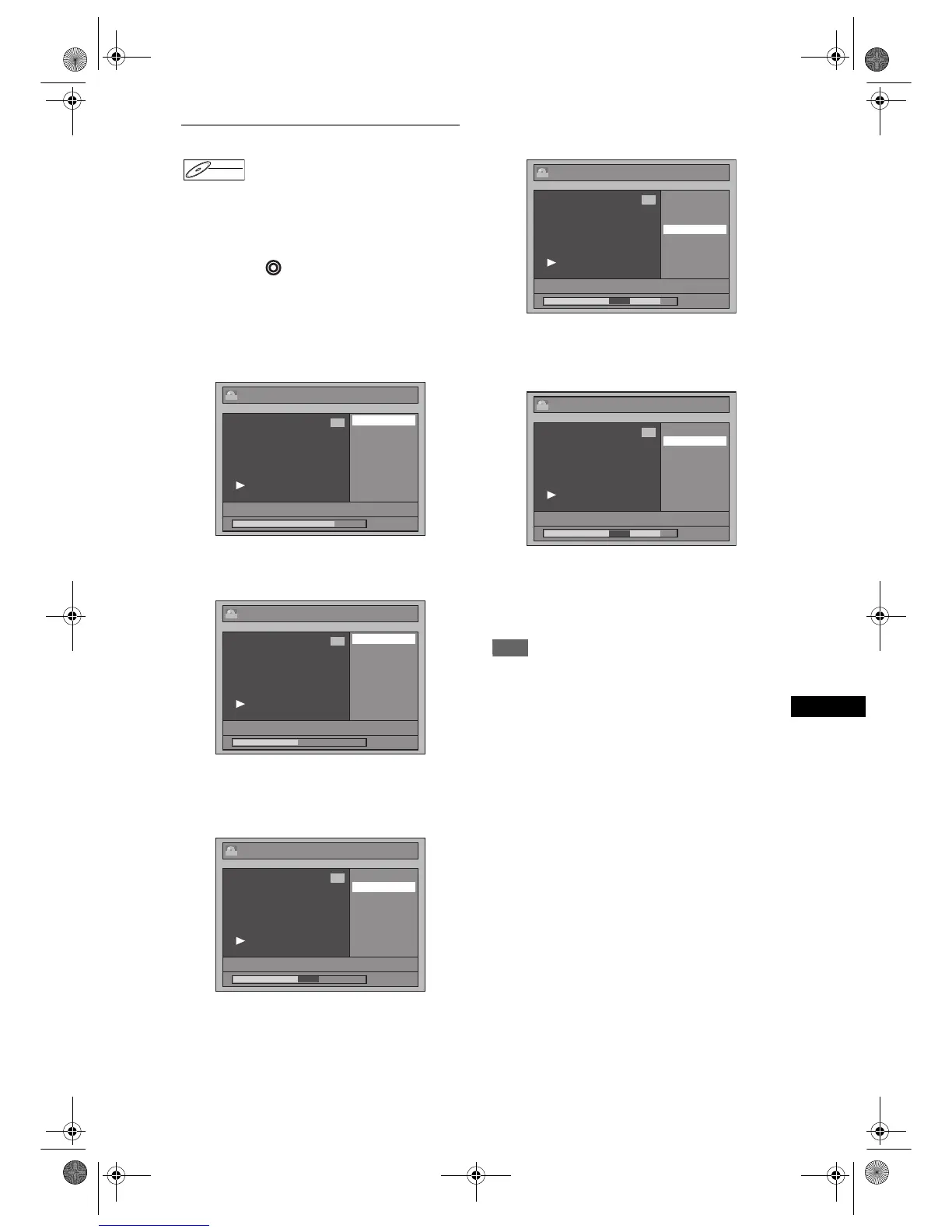
e.g.) VR mode DVD-RW disc Playlist
3 Use [SKIP B / F], [r], [f],
[PLAY P] and [PAUSE p] to find the
start point, then press [ENTER].
Then use [SKIP B / F], [r],
[f], [PLAY P] and [PAUSE p] again
to move to the end point, and press
[ENTER].
The cursor will move to “Preview”.
The bar at the bottom of the screen indicates the
total and the elapsed time of the title, and the area
selected for deletion is indicated in red.
You can check the preview by pressing [ENTER].
• Before and after 5 seconds of the deleted point
will be playback for preview.
4 Select “Delete” using [U / D], then
press [ENTER].
5 Select “Yes” using [U / D], then
press [ENTER].
“Are you sure?” will appear. Select “Yes” using
[U / D], and then press [ENTER].
The part of the title is deleted.
6 Press [RETURN R] and then
[RETURN R] or [STOP S] to exit.
Writing on the disc starts.
It may take awhile to write the data on a disc.
Note
• You cannot select “Scene Delete” if the number of
chapter markers in the Original or Playlist is more
than 900. (Depends on the content, there is a case
that you cannot select “Scene Delete” before the
number of chapter marks reaches 900.)
• The recordable disc space will not increase after
deleting parts of titles.
• When a scene is deleted from an original, the scene
on the playlist will also be deleted.
DVD-RWDVD-RW
VR
Edit
Scene Delete
Edit Title Name
Chapter Mark
Title Dividing
Title Combining
1 : 25 : 47
1
PL
01/01/07 12:00 P01 4H
Edit - Scene Delete
Start
End
Preview
Delete
1 : 00 : 00
1
PL
01/01/07 12:00 P01 4H
Edit - Scene Delete
Start
End
Preview
Delete
1 : 15 : 00
1
PL
01/01/07 12:00 P01 4H
Edit - Scene Delete
Start
End
Preview
Delete
01/01/07 12:00 P01 4H
1 : 40 : 00
1
PL
Edit - Scene Delete
Are you sure?
Yes
No
01/01/07 12:00 P01 4H
1 : 40 : 03
1
PL
E9G04ED_EN.book Page 59 Tuesday, March 27, 2007 10:27 AM



 To Next Page