37
Recording / Dubbing
EN
Setting a Disc to Protect
To prevent accidental over-recording, editing or
erasing of recordings, you can protect them using the
Setup menu.
Insert a recordable disc.
1 In stop mode, press [SETUP].
2 Select “DVD Menu” using [U / D],
then press [ENTER].
3 Select “Disc Protect OFF ON”
using [U / D], then press [ENTER].
4 Select “Yes” using [U / D], then
press [ENTER].
The disc is protected.
5 Press [SETUP] to exit.
Note
• The Disc Protect setting is available only when a
disc recorded in VR mode is inserted.
• You can select only “Disc Protect ON
OFF”
when a protected disc is inserted.
To cancel the disc protect:
• Select “Disc Protect ON OFF” at step 3, then
select “Yes”.
• If you insert a disc protected with this unit, “Disc
Protect ON
OFF” will appear instead of
“OFF ON”.
Finalising Discs
You will need to finalise discs to play them back in
other players.
Finalising may take from several minutes up to an
hour.
A shorter recording period on the disc will require a
longer time period for finalisation. Do not unplug the
mains cable during finalisation.
Insert a recordable disc before
finalising.
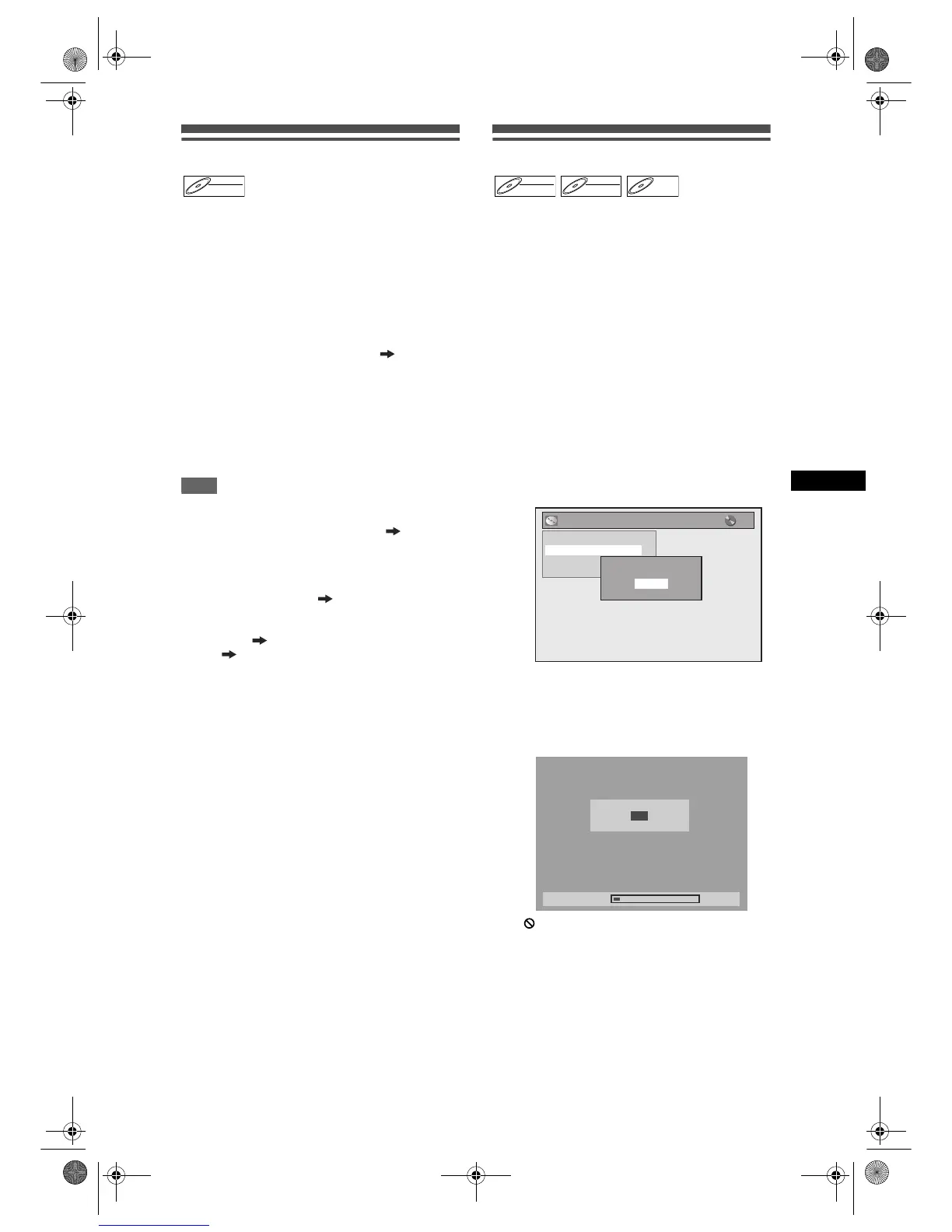
1 In stop mode, press [SETUP].
2 Select “DVD Menu” using [U / D],
then press [ENTER].
3 Select “Finalise” using [U / D], then
press [ENTER].
4 Select “Yes” using [U / D], then
press [ENTER].
e.g.) VR mode DVD-RW disc
Finalising will start.
To cancel finalising (DVD-RW discs only):
At step 4, press [STOP S]. Select “Yes” using
[U
/ D], then press [ENTER]. Finalising is
cancelled and the unit switches to stop mode.
If appears when [STOP S] is pressed, you
cannot cancel finalising because the finalising has
already reached at a critical point in its process.
If “No” is selected and [ENTER] or [RETURN R]
is pressed, finalising is continued.
You cannot cancel finalising a DVD-R disc once it
has started.
5 Finalising is complete.
DVD-RWDVD-RW
VR
DVD-RWDVD-RW
Video
DVD-RWDVD-RW
VR
DVD-RDVD-R
DVD Menu
Format
Finalise
Disc Protect OFF ON
Delete All Playlists
Finalise disc?
Yes
No
Finalising
10%
Do you want to cancel ?
Yes
No
E9G04ED_EN.book Page 37 Tuesday, March 27, 2007 10:27 AM



 To Next Page