12
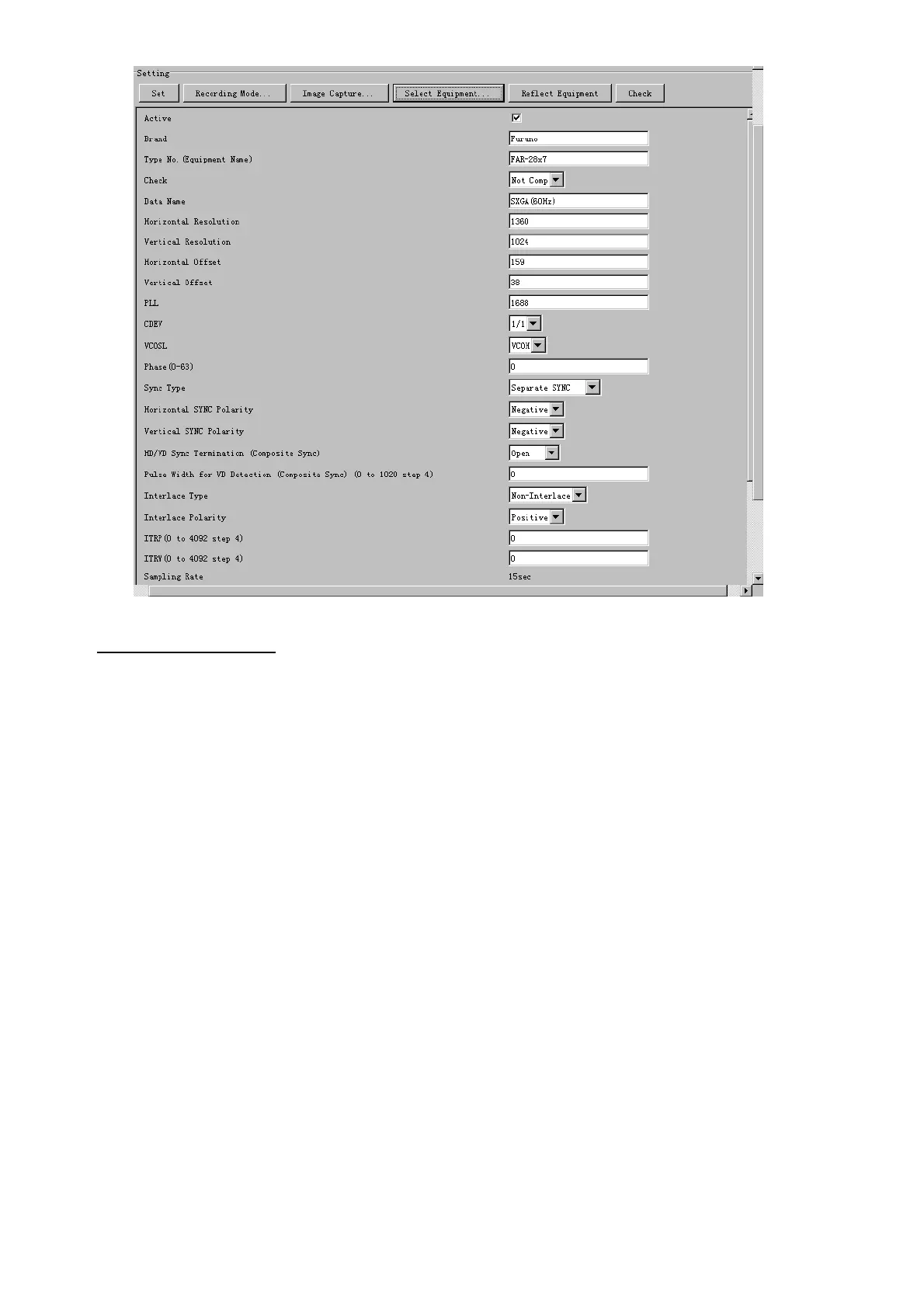
Items are as follows:
Active: Check a channel to activate it.
Brand: Enter brand name.
Type No.: Enter type no.
Check: Set and activate check.
Data Name: Enter data name.
Horizontal resolution: Set horizontal resolution.
Vertical resolution: Set vertical resolution.
Horizontal Offset: Move the picture horizontally.
Vertical offset: Move the picture vertically.
PLL: This sets the frequency of the PLL-oscillator.
CDEV: Set CDEV.
VCOSL: Set VCO Signal Lead.
Phase (0-63): Phase setting selects the phase of the sampling clock relative
to phase locked loop signal, in 64 steps of 5.625 degrees. If
Phase is not set correctly, any section of an image consisting
of vertical lines may show line “tearing”.
Sync Type: Select the type of video sync signal.
Horizontal sync polarity: Set the polarity of the horizontal sync signal.
Vertical sync polarity: Set the polarity of the vertical sync signal.
HD/VD Sync Termination: Sets horizontal and vertical synchronization point. When
using a composite signal, set to 75ohms.
Pulse Width for VD Detection (0-1020 Step4): Sets the pulse width for video signal
detection.
Interlace Type: When the video image is interlace, set “Interlace“ sampling
mode. In Interlace mode, the even pixels are sampled on one
frame and odd pixels are sampled on the other frame.


 To Next Page
 Loading...








