Title Replacing the Speed Sensor Battery
Identifier GUID-2A1551EB-30B7-44A0-AABC-37A8CFEAD52B
Language EN-US
Description
Version 2
Revision 3
Changes Added battery type.
Status Released
Last Modified 05/03/2019 15:24:44
Author cozmyer
Replacing the Speed Sensor Battery
The device uses one CR2032 battery. The LED flashes red to indicate a low battery level after two revolutions.
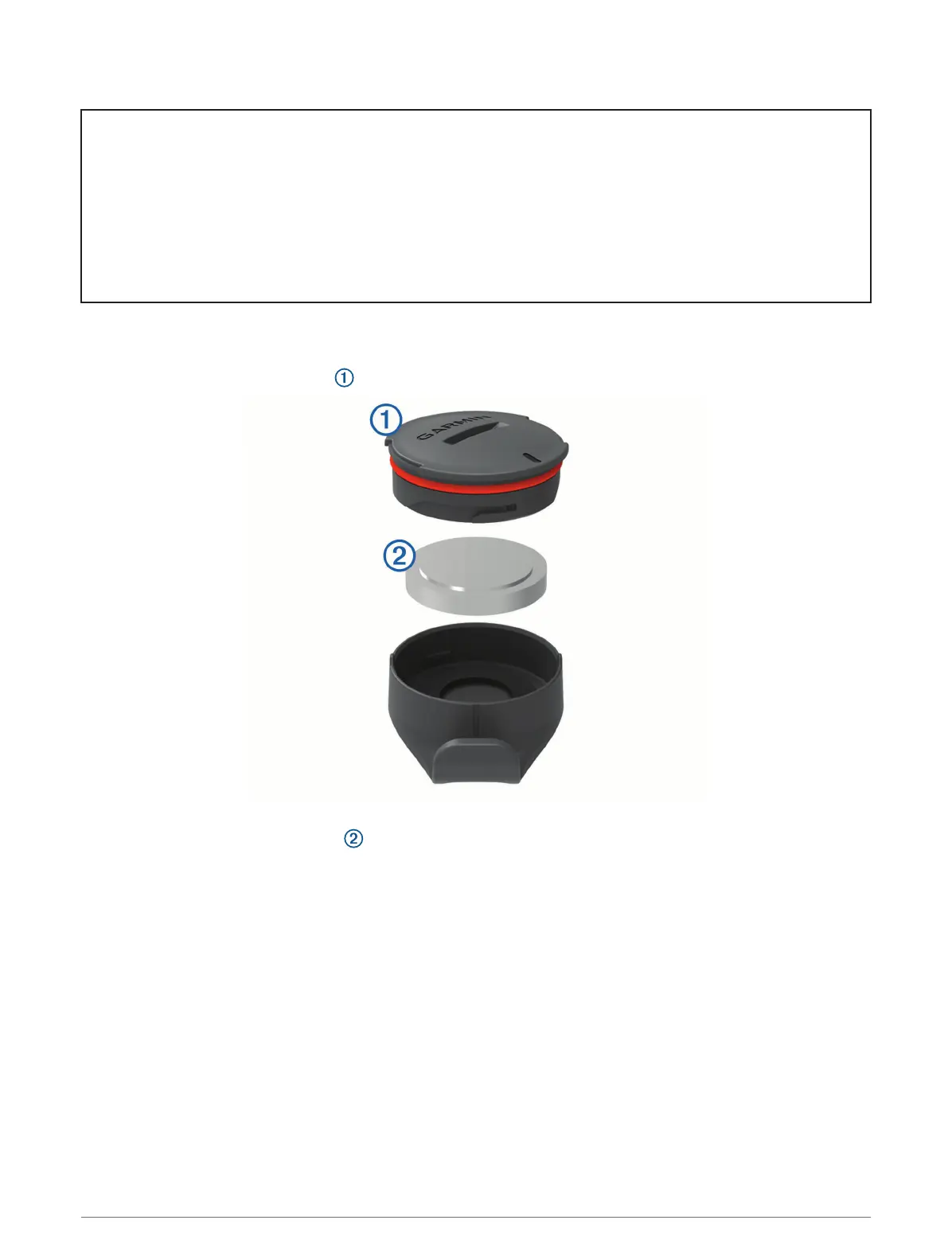
1 Locate the circular battery cover on the front of the sensor.
2 Twist the cover counter-clockwise until the cover is loose enough to remove.
3 Remove the cover and the battery .
4 Wait 30 seconds.
5 Insert the new battery into the cover, observing polarity.
NOTE: Do not damage or lose the O-ring gasket.
6 Twist the cover clockwise so that the marker on the cover aligns with the marker on the case.
NOTE: The LED flashes red and green for a few seconds after battery replacement. When the LED flashes
green and then stops flashing, the device is active and ready to send data.
Device Information 123















 To Next Page