Title Installing the Speed Sensor
Identifier GUID-E7E492A5-5342-4B27-875B-0C7B5D5F14E7
Language EN-US
Description
Version 1
Revision 11
Changes
Status Released
Last Modified 22/04/2017 23:00:50
Author gerson
Installing the Speed Sensor
NOTE: If you do not have this sensor, you can skip this task.
TIP: Garmin recommends you secure your bike on a stand while installing the sensor.
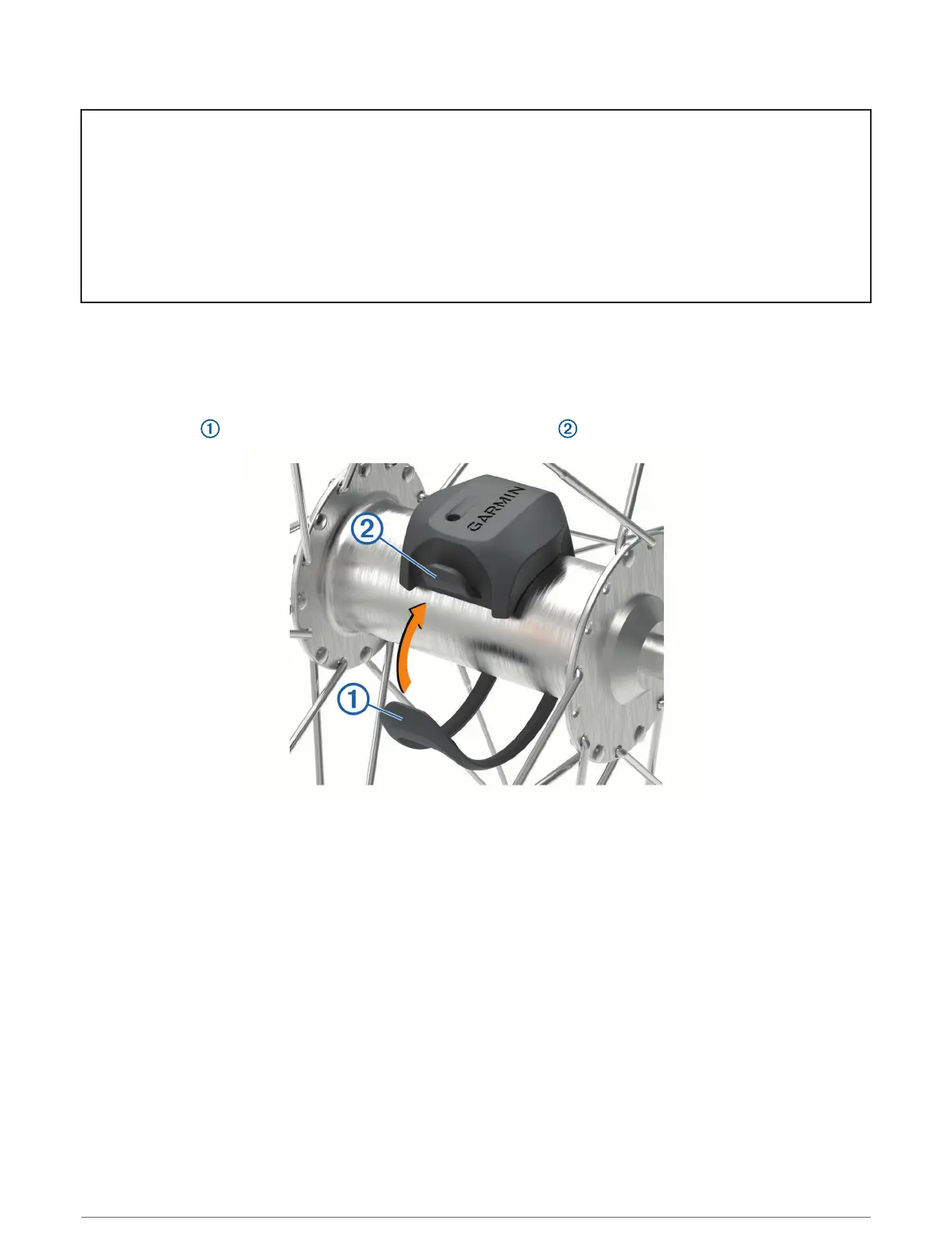
1 Place and hold the speed sensor on top of the wheel hub.
2 Pull the strap around the wheel hub, and attach it to the hook on the sensor.
The sensor may be tilted when installed on an asymmetrical hub. This does not affect operation.
3 Rotate the wheel to check for clearance.
The sensor should not contact other parts of your bike.
NOTE: The LED flashes green for five seconds to indicate activity after two revolutions.
Wireless Sensors 79















 To Next Page