Title Installing the Mountain Bike Mount
Identifier GUID-DF093A1F-2061-4C89-B565-7E097410033E
Language EN-US
Description
Version 3
Revision 1
Changes No English changes. This is to fix the RO glyph issue.
Status Released
Last Modified 17/06/2019 10:16:05
Author pullins
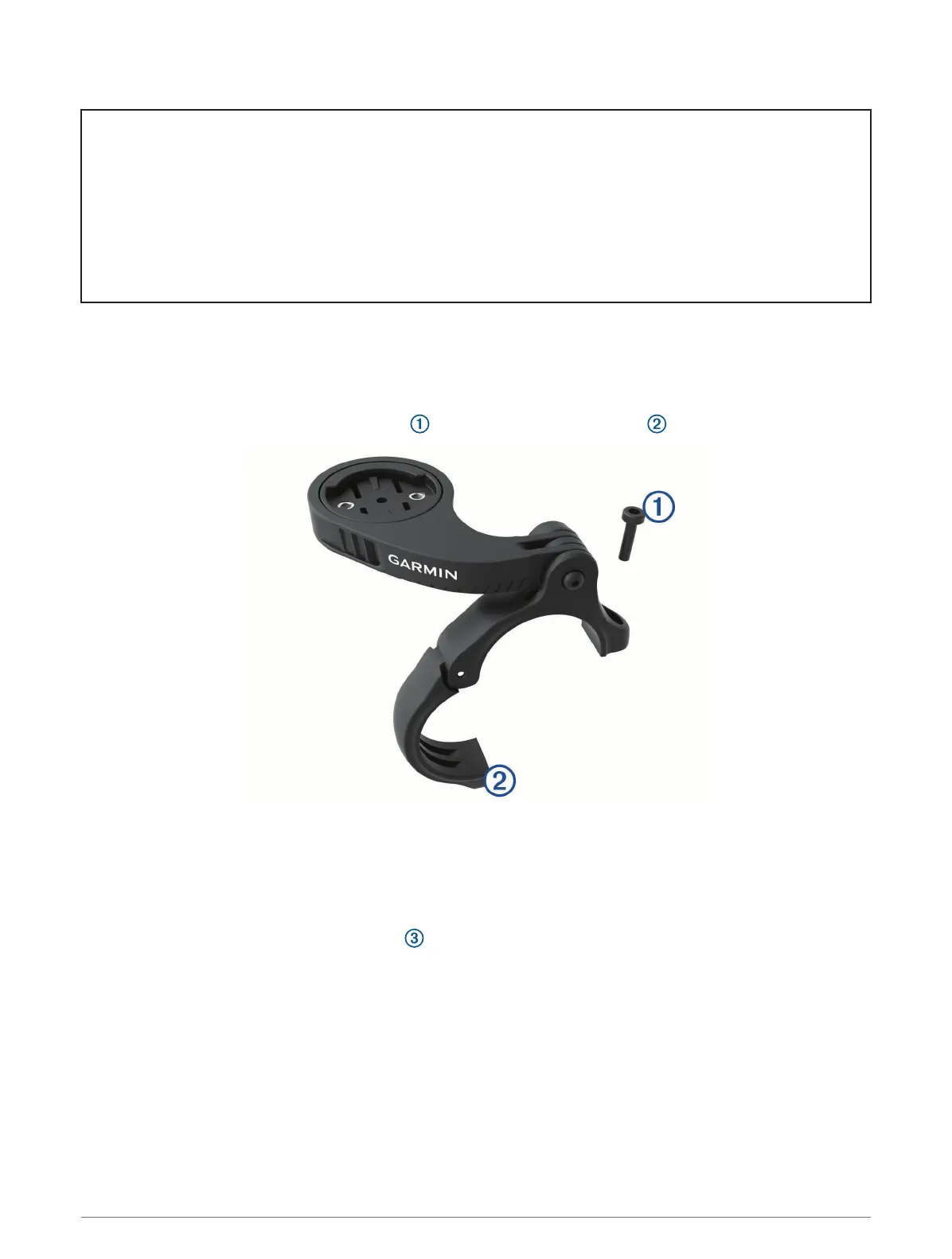
Installing the Mountain Bike Mount
NOTE: If you do not have this mount, you can skip this task.
1 Select a secure location to mount the Edge device where it does not interfere with the safe operation of your
bike.
2 Use the 3 mm hex key to remove the screw from the handlebar connector .
3 Select an option:
• If the handlebar diameter is 25.4 mm, place the thicker pad around the handlebar.
• If the handlebar diameter is 31.8 mm, place the thinner pad around the handlebar.
• If the handlebar diameter is 35 mm, do not use a rubber pad.
4 Place the handlebar connector around the handlebar, so that the mount arm is above the bike stem.
5 Use the 3 mm hex key to loosen the screw on the mount arm, position the mount arm, and tighten the
screw.
NOTE: Garmin recommends tightening the screw so the mount arm is secure, with a maximum torque
specification of 20 lbf-in. (2.26 N-m). You should check the tightness of the screw periodically.
12 Introduction















 To Next Page