Title Charging the Device (generic bike)
Identifier GUID-CE71E601-BA73-4807-8D30-84EDCC1CCBBA
Language EN-US
Description
Version 4
Revision 5
Changes Added a post req. from product support about closing the weather cap.
Status Released
Last Modified 27/06/2018 12:45:01
Author cozmyer
Charging the Device
NOTICE
To prevent corrosion, thoroughly dry the USB port, the weather cap, and the surrounding area before charging or
connecting to a computer.
The device is powered by a built-in lithium-ion battery that you can charge using a standard wall outlet or a USB
port on your computer.
NOTE: The device will not charge when outside the approved temperature range (Edge Specifications,
page 117).
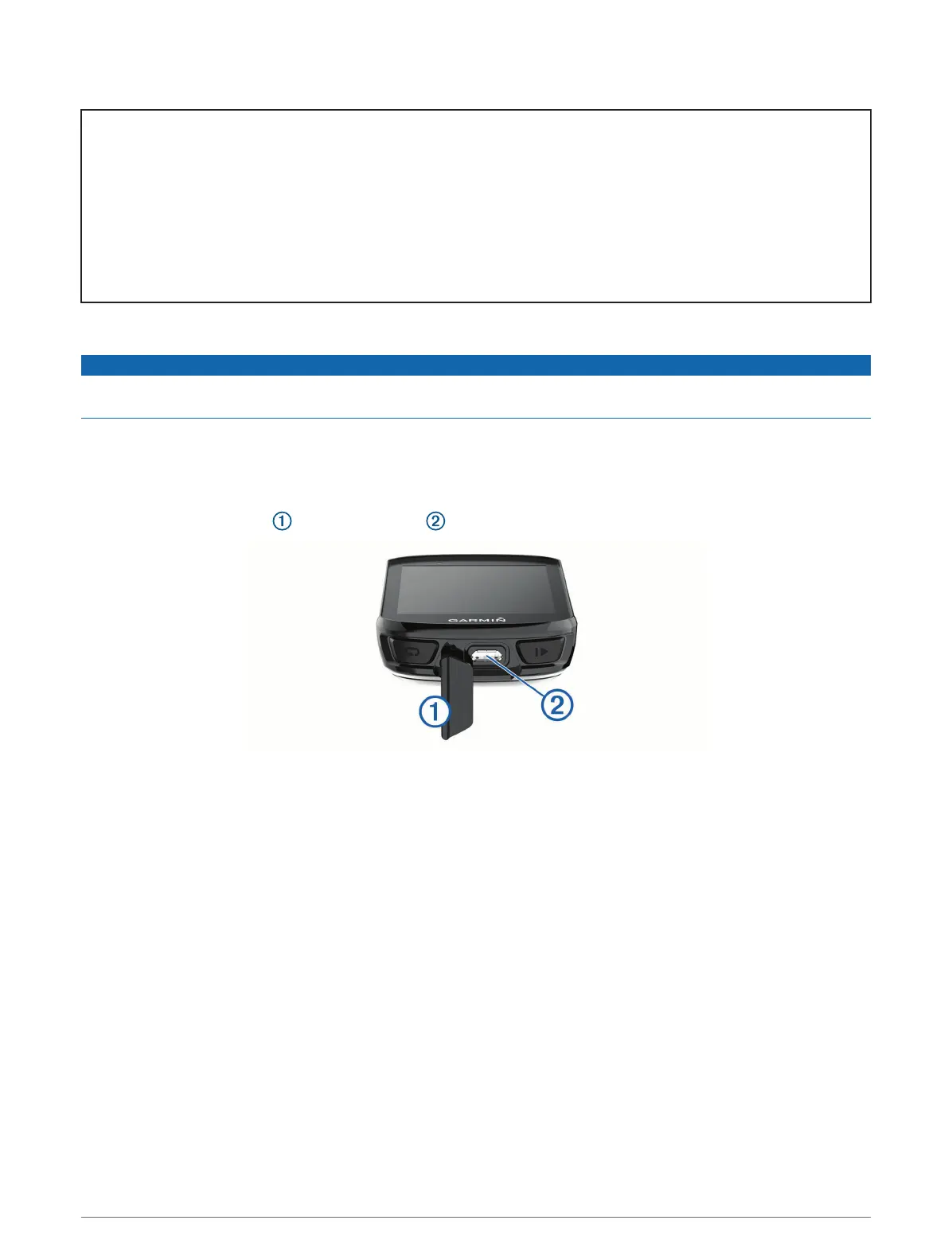
1 Pull up the weather cap from the USB port .
2 Plug the small end of the USB cable into the USB port on the device.
3 Plug the large end of the USB cable into an AC adapter or a computer USB port.
4 Plug the AC adapter into a standard wall outlet.
When you connect the device to a power source, the device turns on.
5 Charge the device completely.
After you charge the device, close the weather cap.
Introduction 7















 To Next Page