Title Starting a GroupTrack Session
Identifier GUID-0C183A1A-233D-4C26-ABEA-8DFBF6E2A57A
Language EN-US
Description
Version 5
Revision 3
Changes Updated GC menu path.
Status Released
Last Modified 16/10/2020 15:55:47
Author cozmyer
Starting a GroupTrack Session
Before you can start a GroupTrack session, you must have a smartphone with the Garmin Connect app paired to
your device (Pairing Your Smartphone, page 6).
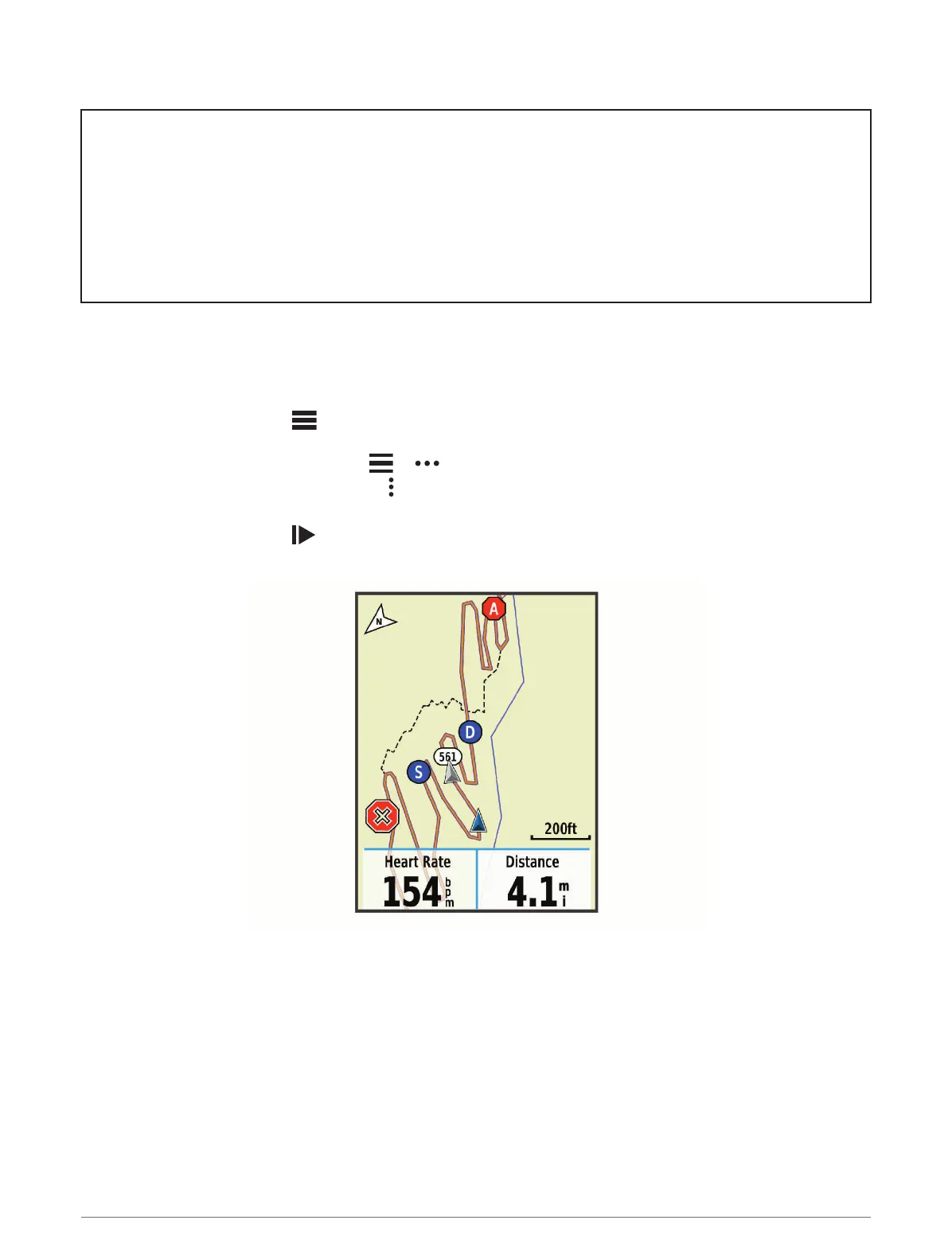
During a ride, you can see the riders in your GroupTrack session on the map.
1 On the Edge device, select > Safety & Tracking > GroupTrack to enable viewing connections on the map
screen.
2 From the Garmin Connect app, select or .
3 Select Safety & Tracking > LiveTrack > > Settings > GroupTrack > All Connections.
4 Select Start LiveTrack.
5 On the Edge device, select , and go for a ride.
6 Scroll to the map to view your connections.
You can tap an icon on the map to view location and heading information for other riders in the GroupTrack
session.
7 Scroll to the GroupTrack list.
You can select a rider from the list, and that rider appears centered on the map.
Connected Features 71















 To Next Page