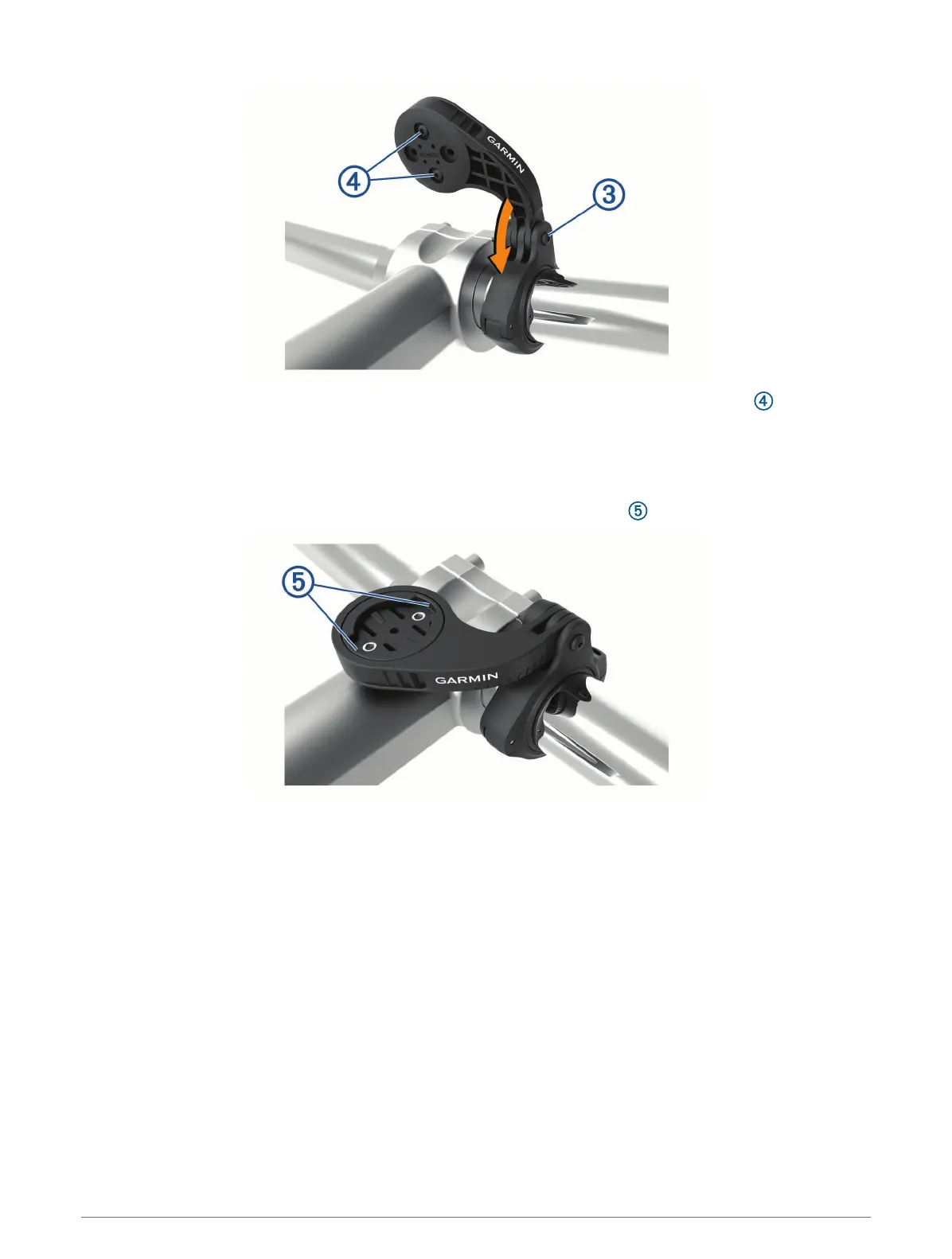
6 If necessary, use the 2 mm hex key to remove the two screws on the back side of the mount , remove and
rotate the connector, and replace the screws to change the orientation of the mount.
7 Replace and tighten the screw on the handlebar connector.
NOTE: Garmin recommends tightening the screw so the mount is secure, with a maximum torque
specification of 7 lbf-in. (0.8 N-m). You should check the tightness of the screw periodically.
8 Align the tabs on the back of the Edge device with the bike mount notches .
9 Press down slightly and turn the Edge device clockwise until it locks into place.
Introduction 13















 To Next Page