Garmin GPSMAP 695/696 Owner’s Manual
190-00919-00 Rev. G
Appendix D
217
Overview GPS Navigation Flight Planning Hazard Avoidance Additional Features Appendices Index
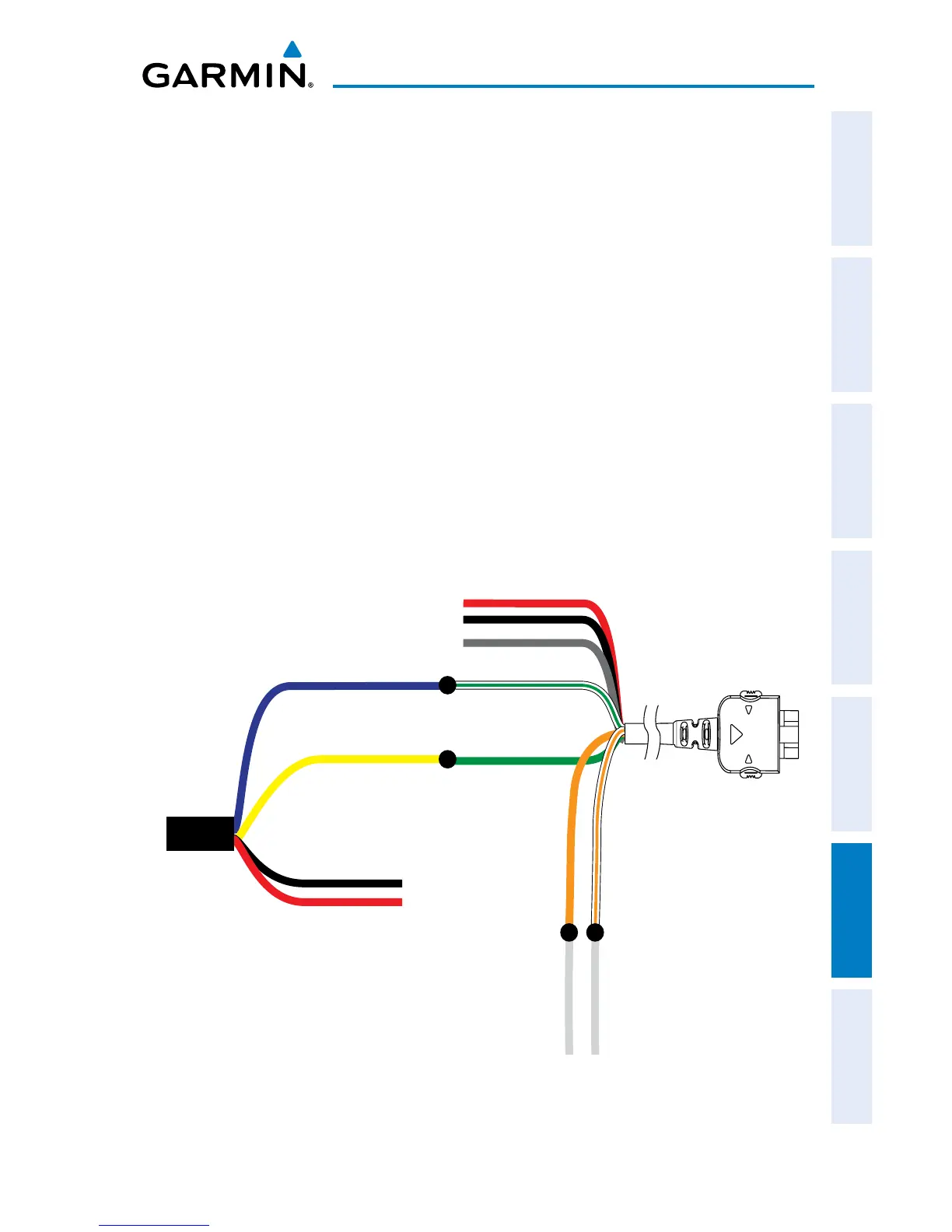
Configuring aera and GDL 39 for Serial Pass-Through:
1)
Connect the
GPSMAP 695/696
to the GDL 39 through bare wire
installation.
2)
Press the MENU Key twice to access the Main Menu.
3)
Select ‘System Setup...’ and press the ENT Key.
4)
Select ‘Interface’ and press the ENT Key.
5)
With the Serial Data Format field highlighted, turn the FMS Joystick to
select ‘Garmin Data Transfer’.
6)
Use the FMS Joystick to select the GDL39 PASS-THROUGH SERIAL FORMAT
(
‘NMEA Out’, ‘Aviation In’, ‘Aviation In/NMEA & VHF Out’, ‘GTX
TIS-A In’, ‘GTX TIS-A In/NMEA & VHF Out’, or ‘None’) to connect a
secondary serial device.
7)
If using one of the three options that includes NMEA, move the FMS
Joystick to highlight the ‘NMEA Output Mode’ field.
8)
Turn the FMS Joystick to select ‘Normal’ or ‘Fast’.
GPSMAP Tx
GPSMAP Rx
GDL 39 RxA
GDL 39 TxA
GDL 39 TxB GDL 39 RxB
Additional
Serial
Device Rx
Additional
Serial
Device Tx
GPSMAP
Bare Wire
Cable
GDL 39 Bare
Wire Cable
YellowYellow
BlueBlue
BlackBlack
RedRed
White/Green
GreenGreen
GrayGray
BlackBlack
RedRed
OrangeOrange White/OrangeWhite/Orange
(P/N 010-11206-15)
(P/N 010-11686-40)
GPSMAP695/695 to GDL 39 Bare Wire Installation














 To Next Page