Introduction
Thoroughly familiarize yourself with the routing
features of the Quest by practicing creating routes in
simulator mode.
2
Using the Quest in Simulator
Mode
Turning the Quest On and Off
Press and hold the power switch on the front of the unit to turn it ON or OFF. When turned on, the
Welcome page appears briefl y, followed by a Safe Driving Warning Message page. Press the unit’s OK key to
acknowledge the message, or wait briefl y until the Map page appears.
Adjusting the Speaker Volume
The volume for your Quest is located on the suction mount vehicle adapter, which includes an external
speaker. Adjust the volume control knob on the speaker to achieve your preferred sound level. Test the
sound level by pressing the SPEAK key . See Appendix C if you need additional instructions.
Turning off Satellite Reception for Indoor Use
You can set your Quest to indoor use which stops satellite reception. As a result, it conserves the battery
and speeds up the “fi nd” and mapping operations. Use this option when you are practicing basic functions
and features with the unit.
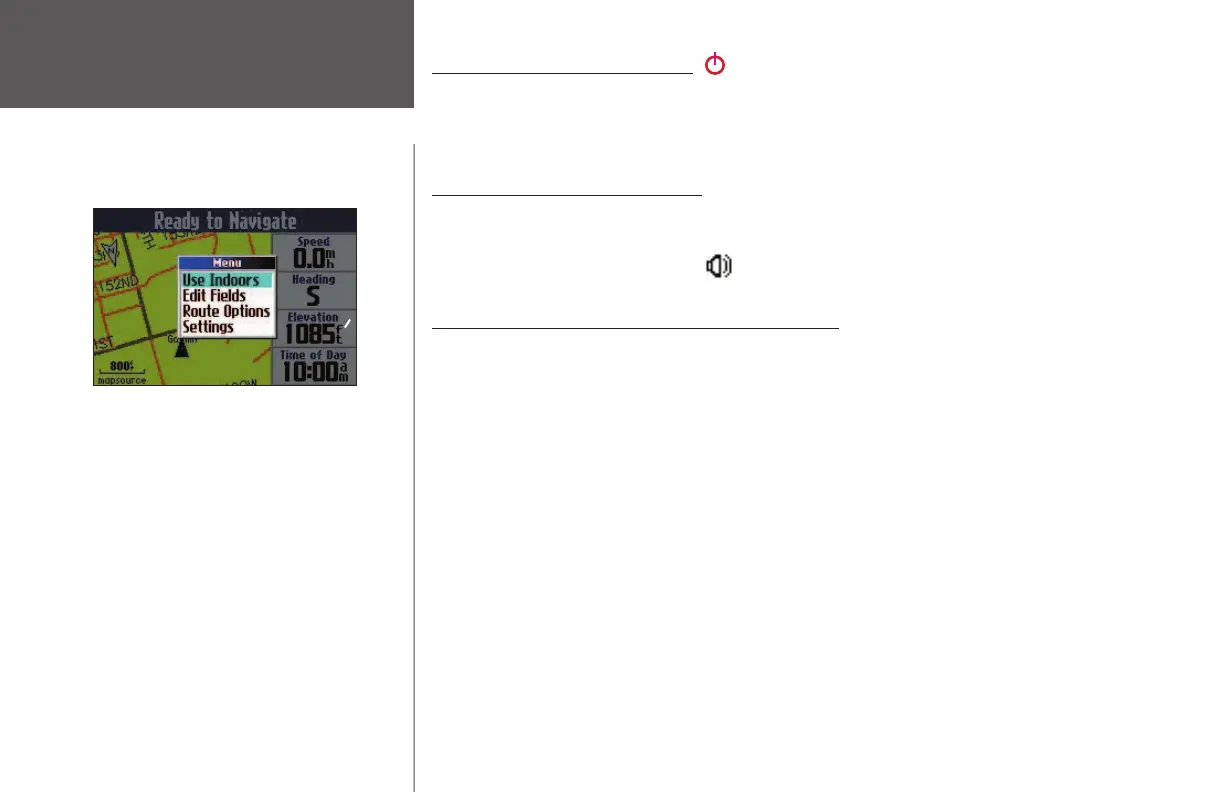
To turn off satellite reception, press the unit’s MENU key while you are on the Map page. A Menu
window appears. From this window, select Use Indoors and press the OK key on your Quest. The GPS func-
tion is disabled.
To turn on satellite reception, press the unit’s MENU key while you are on the Map page. Select Acquire
Satellites from the Menu window that appears and then press OK. The GPS function is enabled and your
Quest acquires satellites.
190-00323-00_0B.indd 2 8/20/2004, 11:07:58 AM



 To Next Page