Reference
28
Modifying a Route
In addition to planning and saving simple routes, you can also modify them to suit more specifi c needs.
Recalculating a Route
If you decide to temporarily part from your current route, you can select Recalculate from the Route
Options page to calculate a new route from your current location to your destination. The Quest recalculates
and updates your route.
Adding a Detour
While you are navigating a route, you might come to a roadblock or other obstruction that creates a
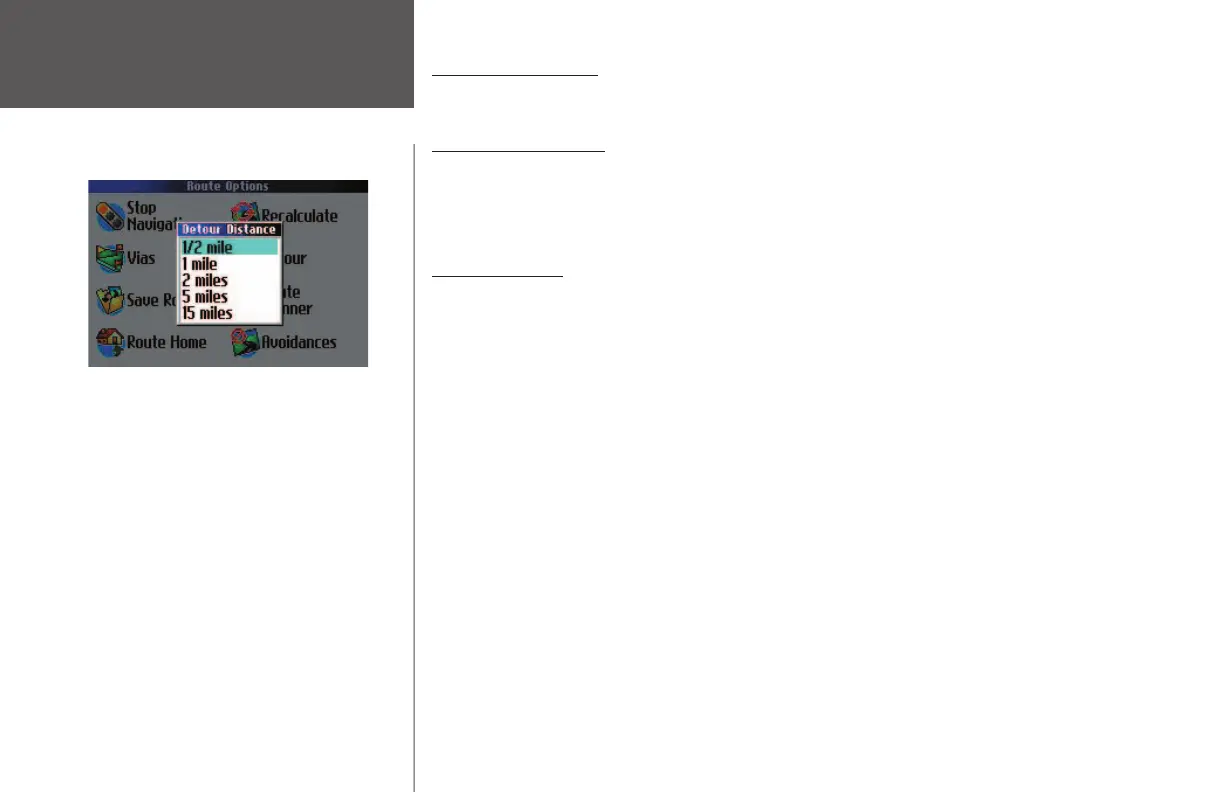
need for you to take a detour from your current route. When this happens, simply select Detour from the
Route Options page. A Detour Distance window appears. You can alter your route for either 1/2, 1, 2, 5, or
15 miles. If you are in New York City, for example, and you see that the next few blocks are unusually
congested with traffi c, you might want to opt for a 1/2-mile detour.
Once you select a distance, your Quest calculates a new route and provides you with new instructions.
Note that, on some routes, the route you are currently taking might be the only reasonable option. In this
case, you will not be able to take a detour. Also, your Quest makes every possible attempt to get you back
on the original route at your requested distance; however, the distance may be longer if no other roads exist
that can get you back to the original route.
Your Quest remembers detours until you stop the current navigation or until you turn off the unit.
Select a distance from which to detour from your
current route.
Creating Routes
190-00323-00_0B.indd 28 8/20/2004, 11:08:23 AM



 To Next Page