Introduction
1
Introducing the Quest
Power/Speaker
Connector
Connector for power
and speaker.
External Antenna
Connector
Connection for optional
external antenna.
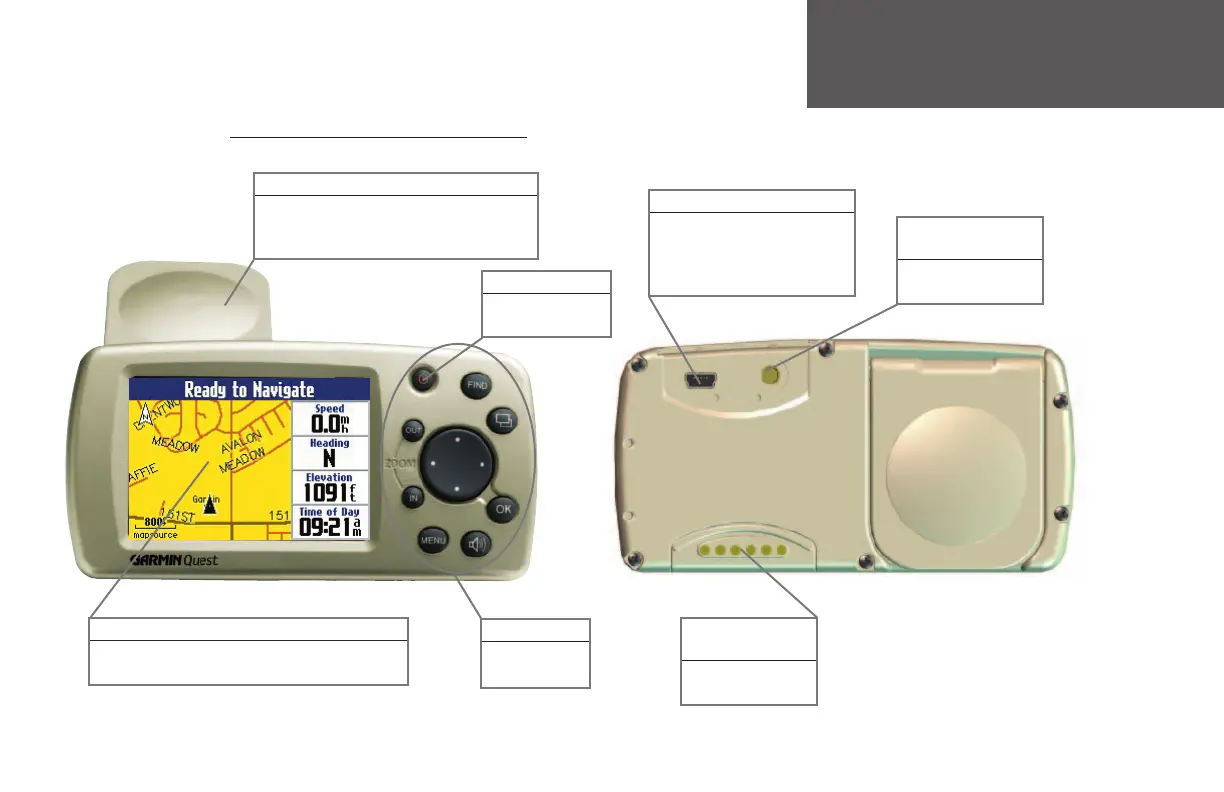
Back View
USB Connector
Interface unit with a PC to update
your detail map and/or add map-
ping software to the Quest, or to
upload software upgrades.
Power Key
Press and hold to
turn off or on.
Front View
Flip-Up Antenna
Receives signals from GPS satellites to deter-
mine position. Position the antenna so that
it is parallel to the surface of the road.
Keypad
Controls unit
operation.
Front and Rear View of the Quest
256-Color High Resolution TFT Display
Provides detailed, on-screen information.
190-00323-00_0B.indd 1 8/20/2004, 11:07:54 AM



 To Next Page