Reference
10
Both types of Map pages display a position icon which indicates your present position and direction of
movement as a triangular icon in the center of the map. Depending upon your map scale setting, you can
see a variety of geographic details such as lakes, rivers, highways, and towns.
If you would like to see more detail at your current driving position, or if you would like to see a
broader view of the area, you can change the map scale to zoom in to or out on your current position as the
Map page continues to follow the position icon. Simply press the IN or OUT key.
You can also “look ahead” on the Map page so that you can view
areas beyond your current position, but without interrupting the
function of the Map page. Simply use the rocker pad to “pan” across
the Map page. As in the example at right, the map pointer and dis-
tance bar appear. The Map page itself stays stationary until you move
(pan) the Map page. The position icon continues to move along your
route. To return to the non-panning page, press the PAGE key.
Next Turn Page
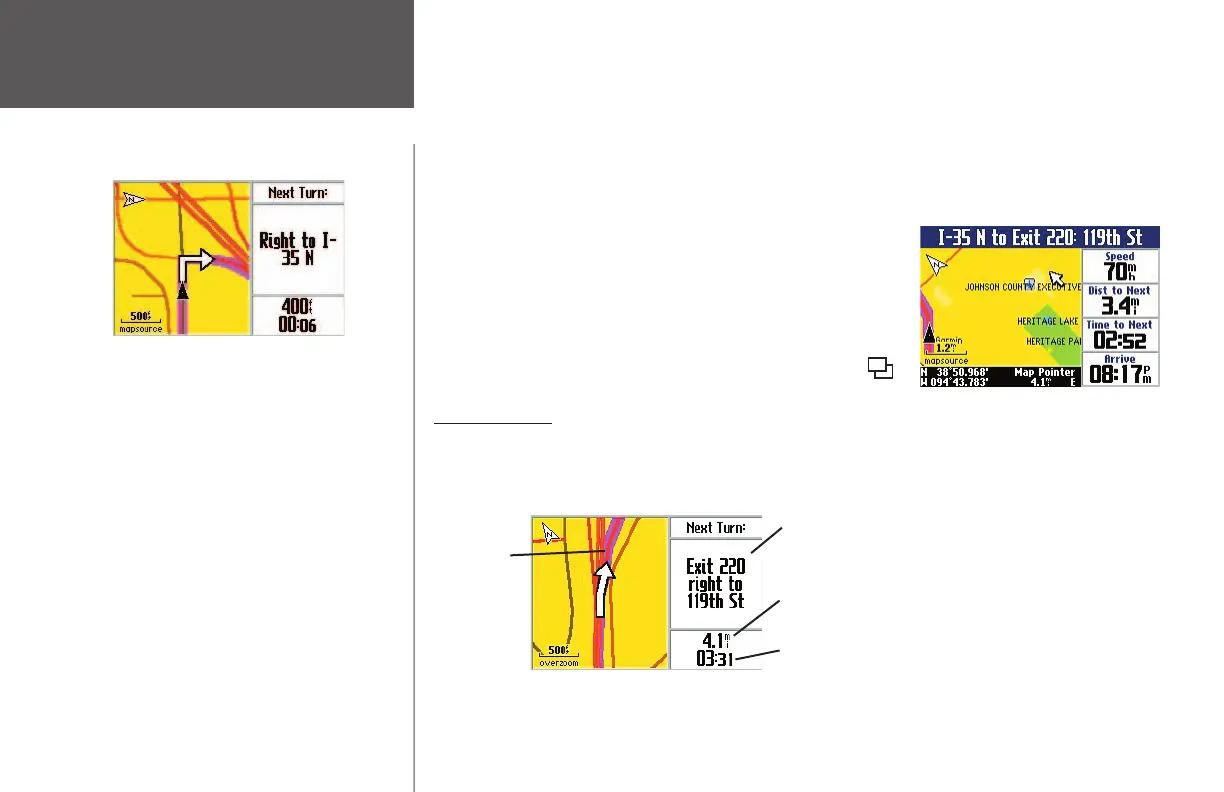
During an active route, the Map page continues to display in routing mode until your Quest alerts you
that you are near a turn. When this happens, a Next Turn page appears. It provides a graphic visual and
gives text instructions, as shown below:
Next Turn Page
The NEXT TURN page announces the same instructions
for an upcoming turn 3 times:
· Immediately after you make a turn, the Next Turn
page announces the next upcoming turn, as well as
the distance to that turn. Thus, if the next turn is not
for 20 miles, you do not need to worry about naviga-
tion instructions for quite a while.
· As you are close to approaching the upcoming turn,
the Next Turn page appears again. This message is
announced in order to alert you to change lanes if
necessary and start looking for signs in anticipation
of the upcoming turn.
· Just before the upcoming turn, the Next Turn page
appears one last time for that particular turn. You
should be in view of the turn.
You can ‘look ahead’ of
your route by panning.
An upcoming turn is placed here. This page disappears after
a few seconds. If you need to see it again, simply press the
SPEAK key and it reappears.
Shows how many miles until you reach the upcoming turn.
Shows the approximate time left until you reach the upcoming
turn.
Route Line
190-00323-00_0B.indd 10 8/20/2004, 11:08:06 AM



 To Next Page