Reference
15
Finding Restaurants
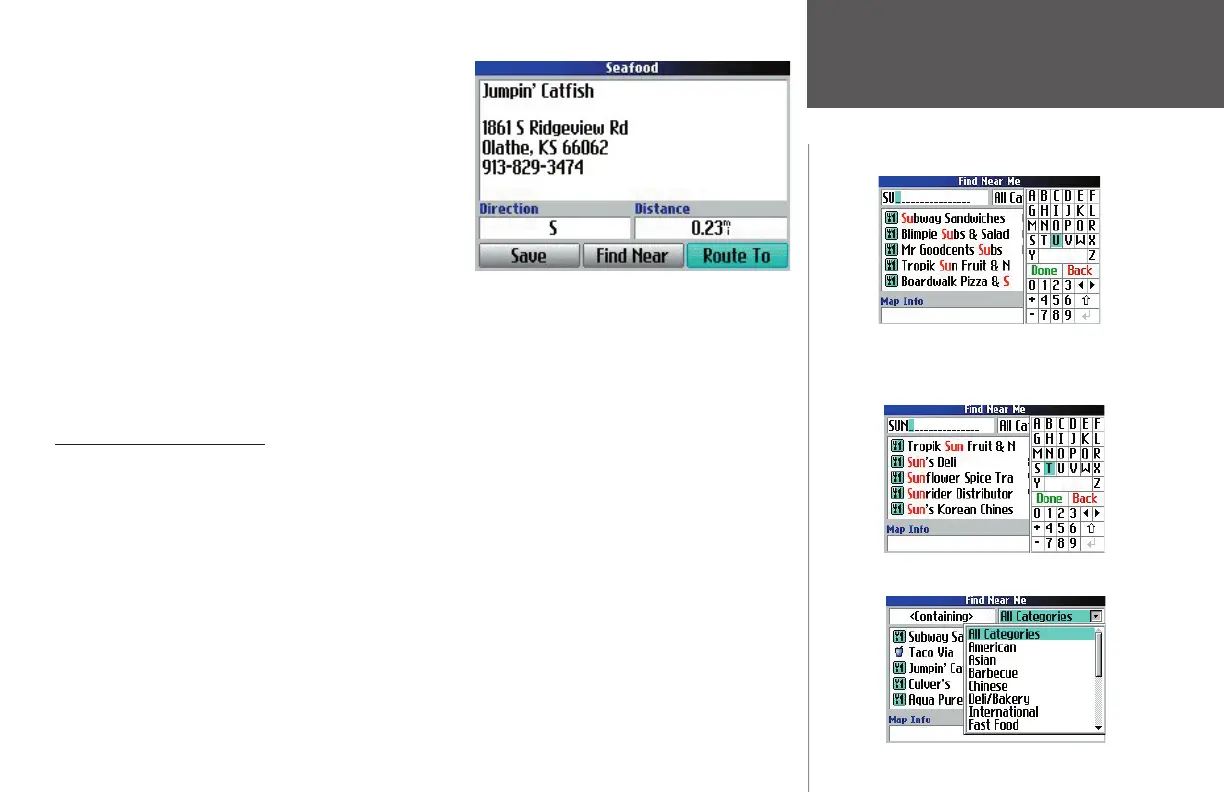
Move down the list and select the restaurant of your
choice. Then, press OK. An information page about that
restaurant appears, including address, telephone number,
direction from and distance to your current location.
To save this restaurant to your My Locations list, select
Save. In this way, you can locate the restaurant more
quickly in the future. To fi nd another place (such as a
hotel) near this restaurant, select Find Near. This feature is
useful when you are planning a trip and would like to see
what places are near each other. To create a route to this
restaurant, select Route To.
Advanced Options: While on the information page (as discussed above), press the MENU key to
reveal more options. For example, to see where your restaurant is located on the map, select Show Map. For
step-by-step directions from the restaurant to your current location, select Directions to Me.
Narrowing the Results List
Depending on your location, the list of restaurants can be quite long. Here are a variety of ways to
narrow your search:
• If you know the name of the restaurant you seek, press OK while the “<Containing>” box is selected
on the Find page. An onscreen keyboard appears. Use it to type the name of the restaurant you seek.
Note that the more fully you type the name, the more accurate your search results. For example,
typing “S-U” in order to fi nd Sun’s Deli returns restaurant names such as Subway and Tropik Sun.
Enter more of the restaurant name to return fewer results.
• If you would like to search for a type of food (such as Chinese, Deli, International, Fast Food), select
the All Categories box from the Find page and press OK. Select a food category and press OK. A new
list appears that matches your category option.
To narrow your search, select the <Containing>
fi eld and press OK. Then use the onscreen key-
board to enter the restaurant name. Your search
is narrowed as you enter more of the name.
You can also use categories to narrow
your search, as shown below.
190-00323-00_0B.indd 15 8/20/2004, 11:08:10 AM



 To Next Page