Introduction
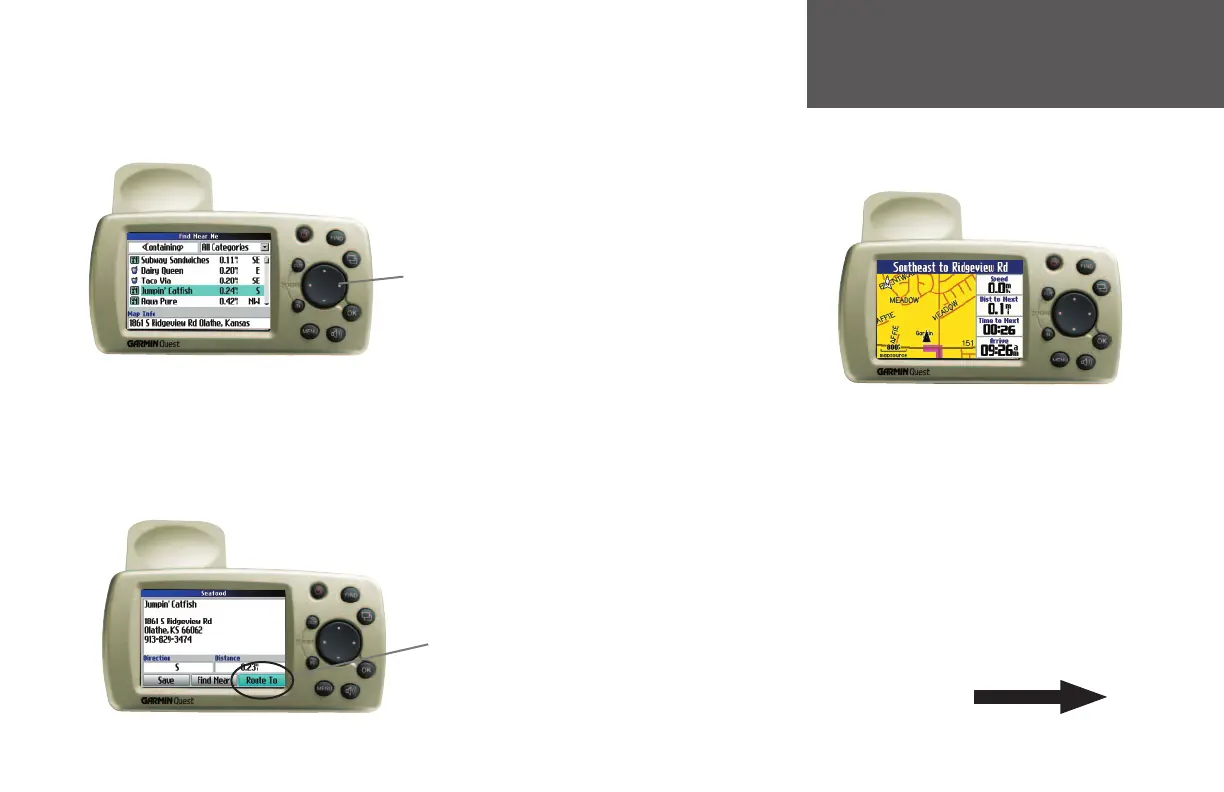
Step 4:
Move down the list of restaurants by pressing downward
on the rocker pad. When you see a restaurant you like, select it and
press the OK key on the Quest. Information about the restaurant
appears on a new page similar to the one shown below:
Step 3:
Select the Food & Drink icon located on the Find Near Me
menu (from Step 2) and press the OK key on the Quest. The list of
restaurants in your area appears on a page similar to the one shown
below:
Use the rocker
pad to select
a restaurant.
Then, press the
OK key.
Step 5:
To create a route to
this restaurant, select the
Route To button located at the
bottom of the page (in Step
4) and then press OK. Your
Quest calculates the route
and then provides directions:
What’s Next?
Read the manual to learn how to use your Quest
accurately, effi ciently, and responsibly.
Select ‘Route To’
to create a route
to this restaurant.
Then, press the
OK key.
Step 6:
Your Quest automatically defaults to US-Central
time zone. If your are not in this time zone, please see
page 40 for instructions on setting it to the correct zone.
v
190-00323-00_0B.indd v 8/20/2004, 11:07:50 AM



 To Next Page