Installation 5.4 Installing Options
Page 44 MDE-5411A ForeHB Islander Prime Installation Manual · October 2018
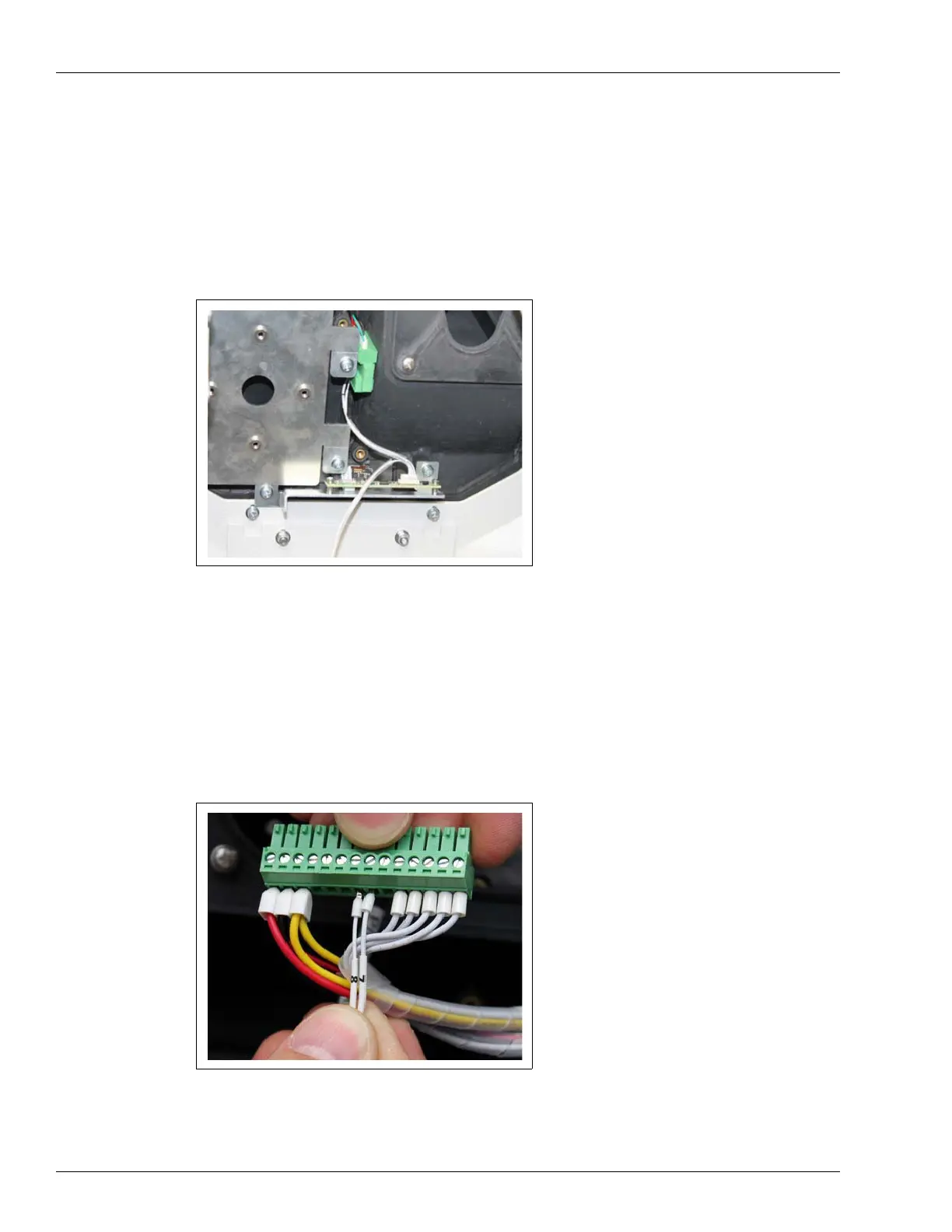
To install a barcode reader in the Islander Prime, proceed as follows:
1 Remove the opaque panel covering the glass window in the Islander Prime pole door.
2 Place the barcode reader inside the pole door lined up against the glass window in the door of
the Islander Prime pole (see Figure 23):
Figure 23: Barcode Reader in Islander Prime Pole Door
3 Use the screws provided in the installation kit to secure the barcode reader to the Islander
Prime.
4 Connect barcode harness P1 to the socket in the barcode reader.
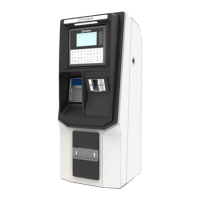
5 Remove the power harness from the OrPAY1000, and wire the barcode reader harness P2 to
the respective pins 7 and 8 in the OrPAY1000 power harness as follows (see Figure 24).
Figure 24: Barcode Reader Wiring to OrPAY1000


 To Next Page