121 232003110G (03)
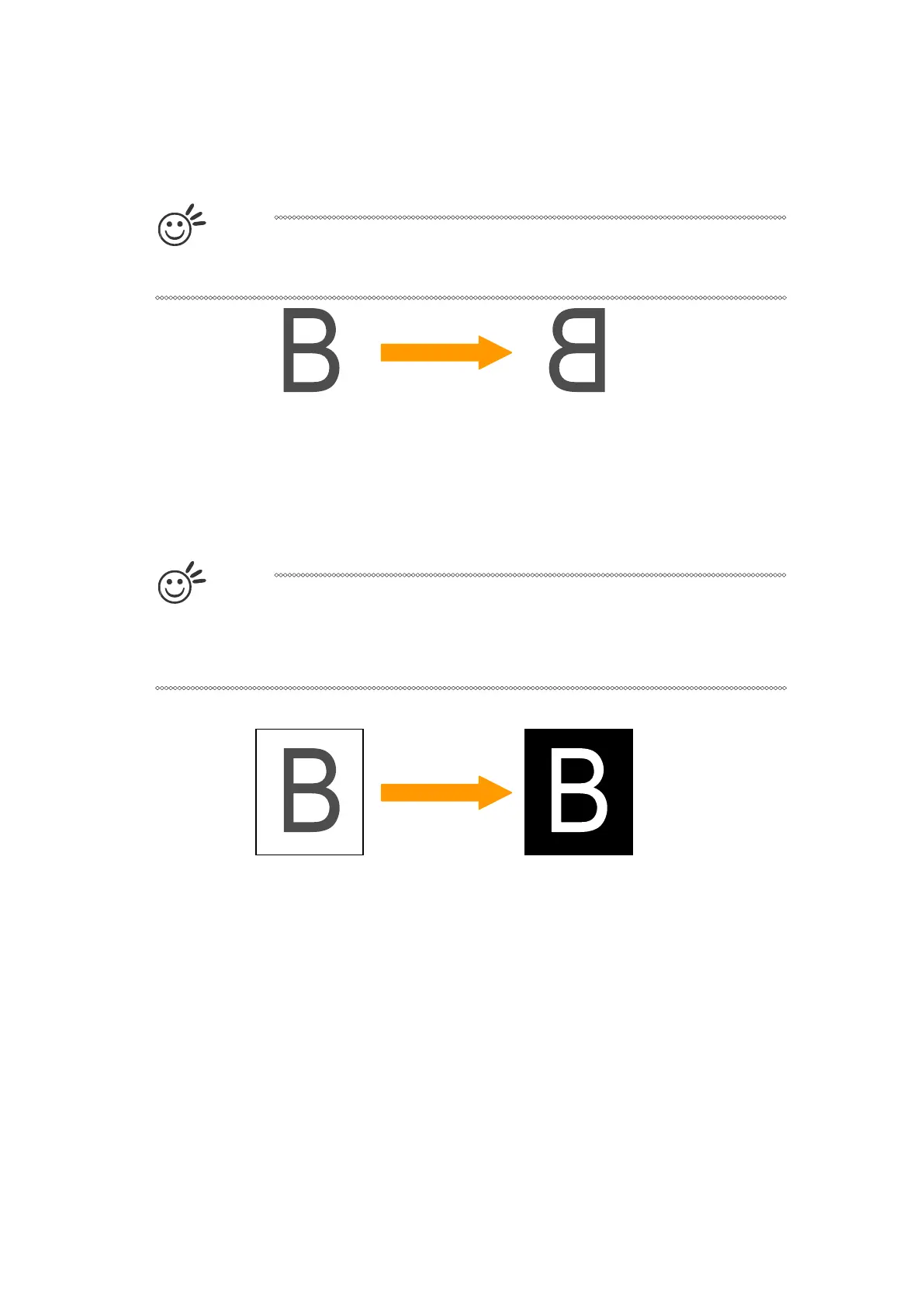
Mirror (Options Page) [DEFAULT SETTING: Unselected]
Checking this box will automatically engrave your image with a mirrored effect. This setting will
flip the image along the Y-axis from left to right and vice-versa.
T
i
p
When engraving a stamp, via the stamp mode, the stamp image needs to be
engraved in reverse (mirrored) for the final stamp to be correctly laid out.
Invert (Options Page) [DEFAULT SETTING: Unselected]
Checking this box automatically inverts / reverses the color of your image (the white areas
become black and vice versa). The Invert option is not available if disabled while Manual Color
File mode is selected.
T
i
p
Invert mode is useful when creating a stamp in Stamp Mode, as inverting your
normal image will set the negative space to be engraved out, with the remaining
positive space (your stamp design) protruding out.
Print Immediately (Options Page) [DEFAULT SETTING: Unselected]
Checking this will instruct the LaserPro S400 to immediately begin the laser engraving process,
when you select Print from your graphic software program. If Print Immediately is not checked,
then selecting Print will transfer the job file to the LaserPro S400 system and will need to be
initialized from the LaserPro S400 control panel.



 To Next Page