131 232003110G (03)
Vector Function (Advanced Page) [DEFAULT SETTING: Normal]
• Normal: This selection will not apply any special advanced vector function to your job. This is the
default Vector Function setting.
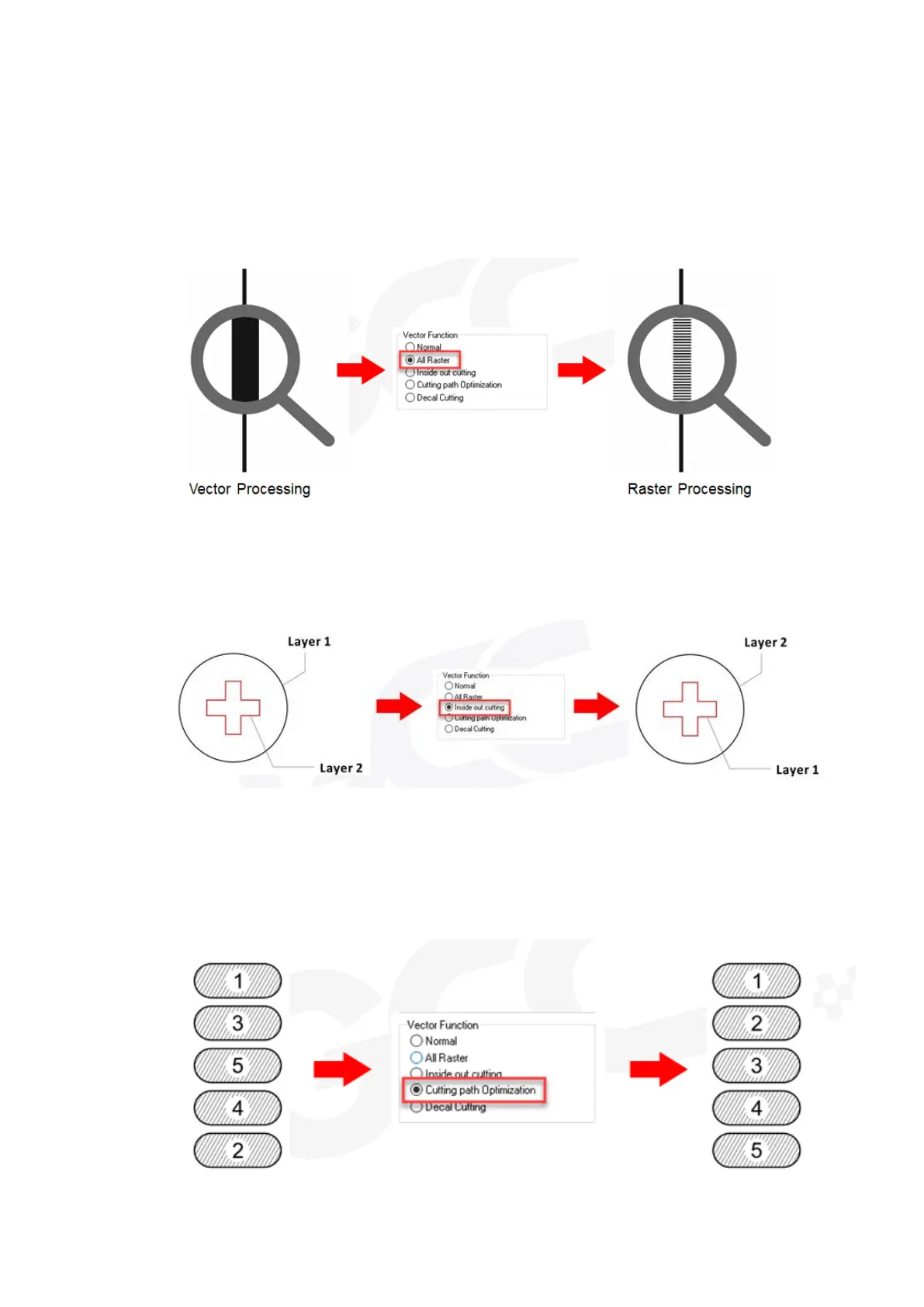
• All Raster Output: This selection will instruct the print driver to process your entire image as a
raster engraving. Any vector lines within the image will be treated as raster data and outputted as
a raster engraving, similar to a dot-matrix printer.
• Inside out Cutting: This setting will always automatically direct the laser to cut from the inner most
vector shape and move outwards.
• Optimization Sorting: This is a setting that will minimize your process time. When selected, the
print driver will analyze your image and automatically determine the most efficient processing
path to process your image.



 To Next Page