132 232003110G (03)
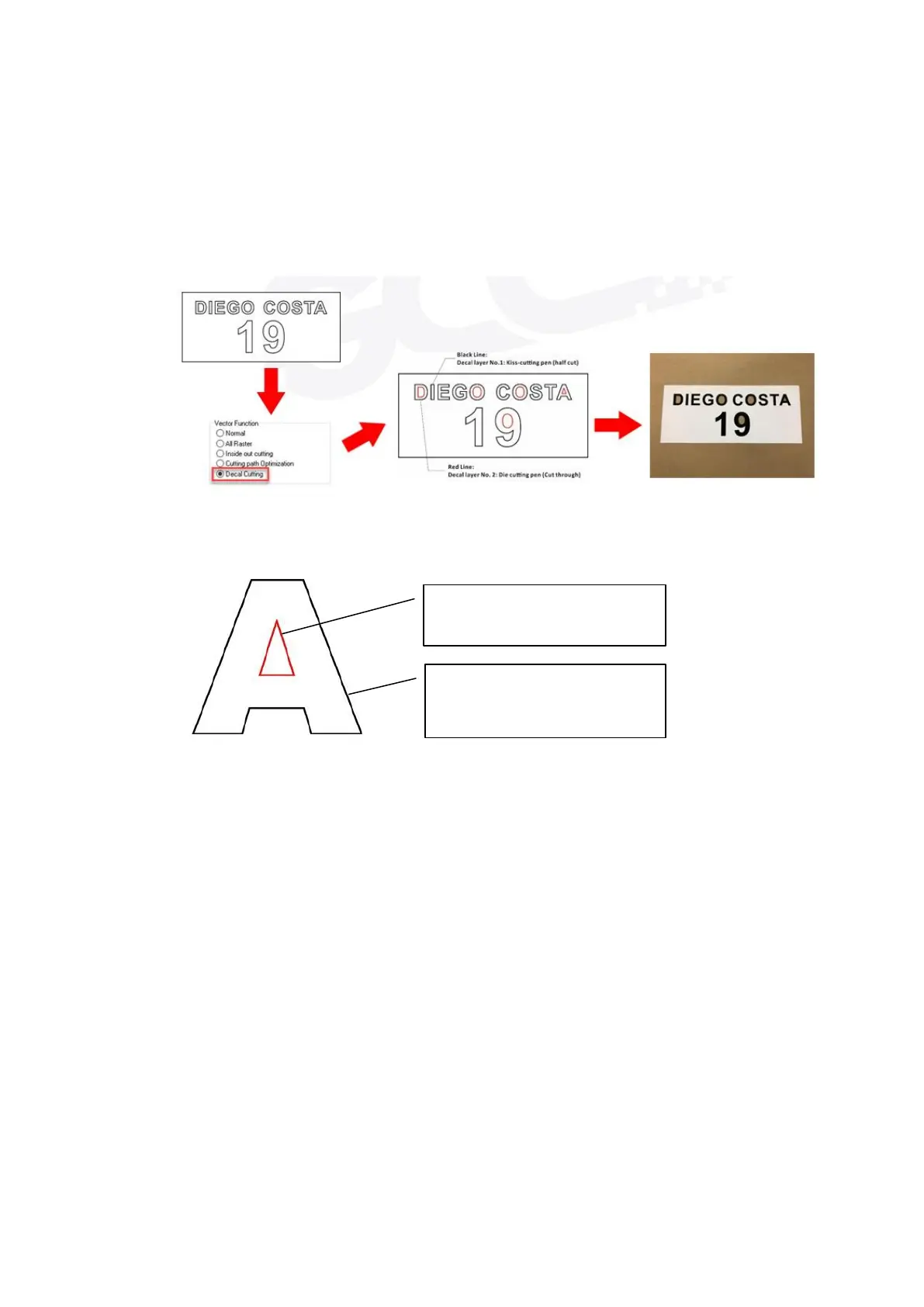
Decal Cutting: this function is developing to reduce material weeding job after laser cutting for
multiple layers adhesive material , such as lettering vinyl, heat transfer film, and twill film. This
function allows allocating different parameters for corresponding decal layer numbers to do
die cut (cut through media) for the unwanted parts, and kiss-cut (half cut) for the kept
material parts, after the laser cutting, users can just peel off the material to get rid of waste
parts.
You are welcome to visit below link for easy understanding:
https://www.youtube.com/watch?v=YgGTMHqtWqE&feature=youtu.be
Enhanced Vector Mode (Advanced Page) [DEFAULT SETTING: Unselected]
This setting allows you to improve the cutting quality at the expense of speed. Your engraving
speed will be dropped by 50%, to maximize the cutting power. We recommend that you enable
this function when cutting thicker material.
Decal layer No. 2:
Die cutting pen (Cut through)
Decal layer No.1:
Kiss-cutting pen (half cut)



 To Next Page