2.INSTALLING SR-1000 INTO THE PROJECTOR
2.1.2 Christie Projector Placement
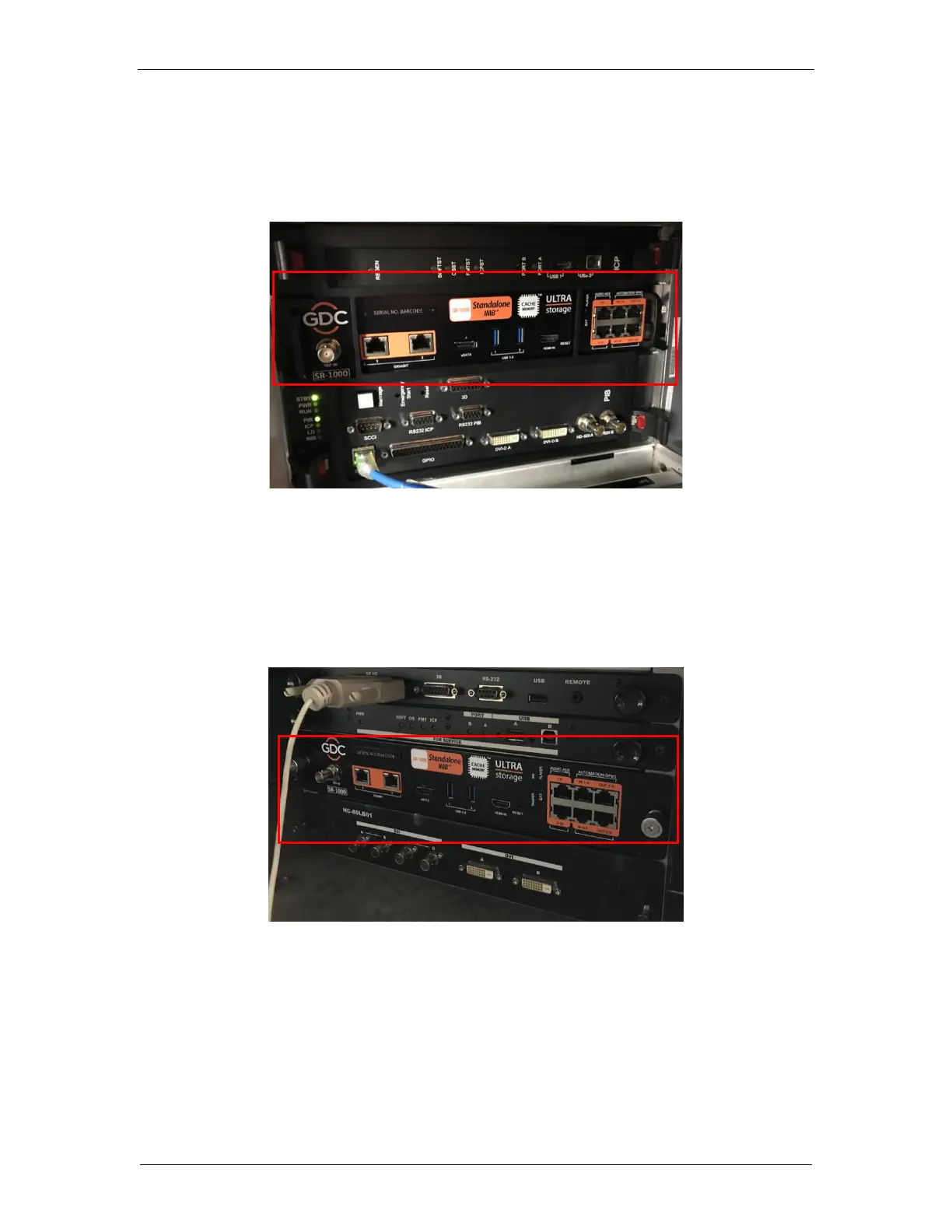
Figure 5 shows the location where the SR-1000 should be installed on a Christie projector.
Remove any existing interface boards or placeholder faceplates from this position before
installing the SR-1000.
Figure 5: SR-1000 Placement on Christie projector
2.1.3 NEC Projector Placement
Figure 6 shows the location where the SR-1000 should be installed on a NEC projector.
Remove any existing interface boards or placeholder faceplates from this position before
installing the SR-1000.
Figure 6: SR-1000 Placement on NEC projector
NOTE: When installing the SR-1000 into any NEC projector, it is recommended to install it
into the top slot of the projector. If the SR-1000 is installed into the bottom slot, the board
runs the risk of coming in contact with the IMB enclosure.
Please refer to the respective projector manuals for more details on preparing the projector
for SR-1000 installation.



 To Next Page