10. AUDIO SETUP
10 AUDIO SETUP
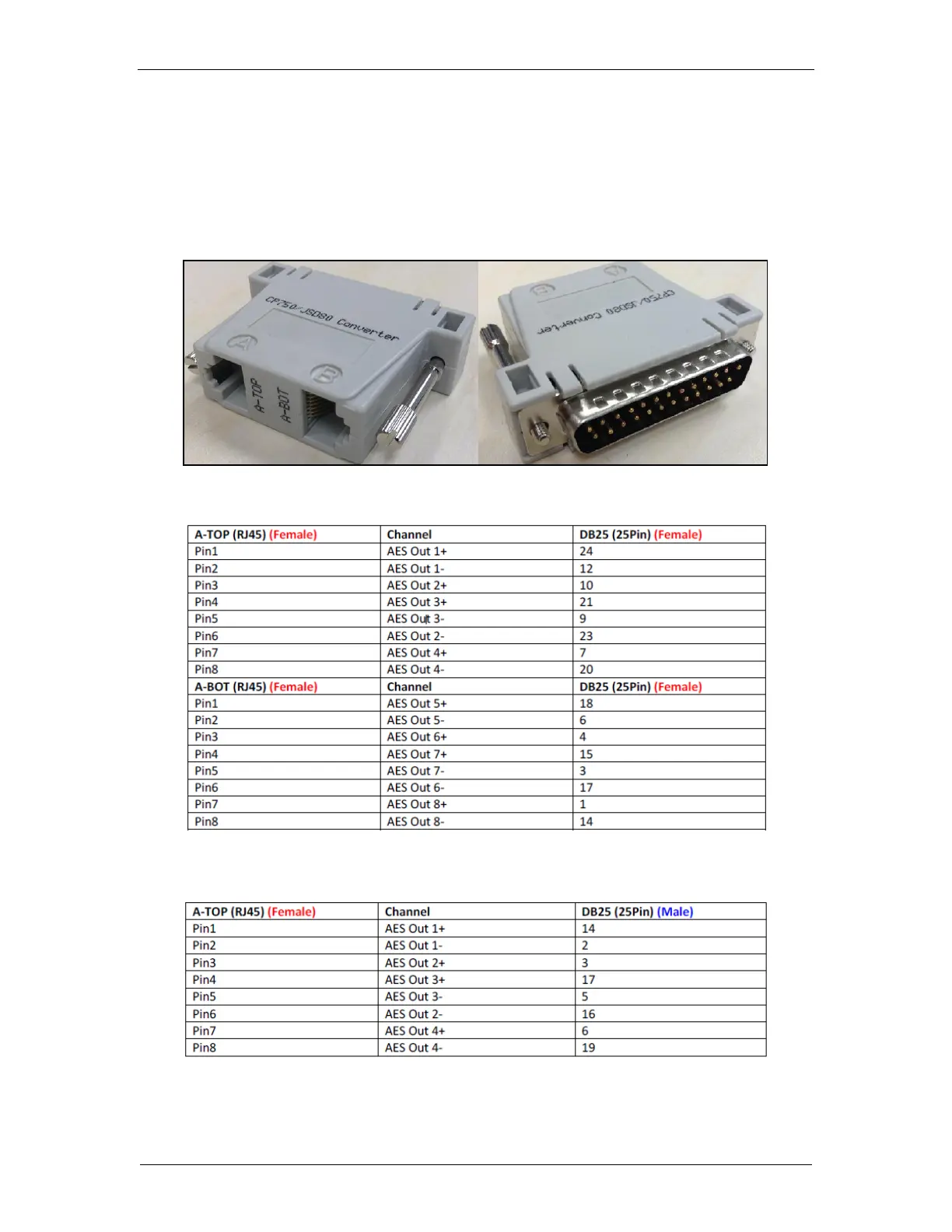
The SR-1000 features AES digital audio signal via two RJ45 Outputs. For compatibility with most
audio processors on the market, a standard RJ45 to DB25 connector is included in the packaging
(please refer to Figure 31).
Figure 31: RJ45→DB25 Audio Connector
Figure 32: RJ45→DB25 pinout (For traditional audio connector)
Figure 33: RJ45→DB25 pinout (For CP750/JSD80 audio connector)



 To Next Page