7. SERIES 2 PROJECTOR SETUP
7.3 NEC Series 2 Projector
In order to configure an NEC Series 2 projector to work with the SR-1000, the following steps
must be taken:
1. Switch on the projector so that it is in STANDBY mode.
2. Use the Digital Cinema Communicator for S2 Windows software provided by NEC to
connect to the projector.
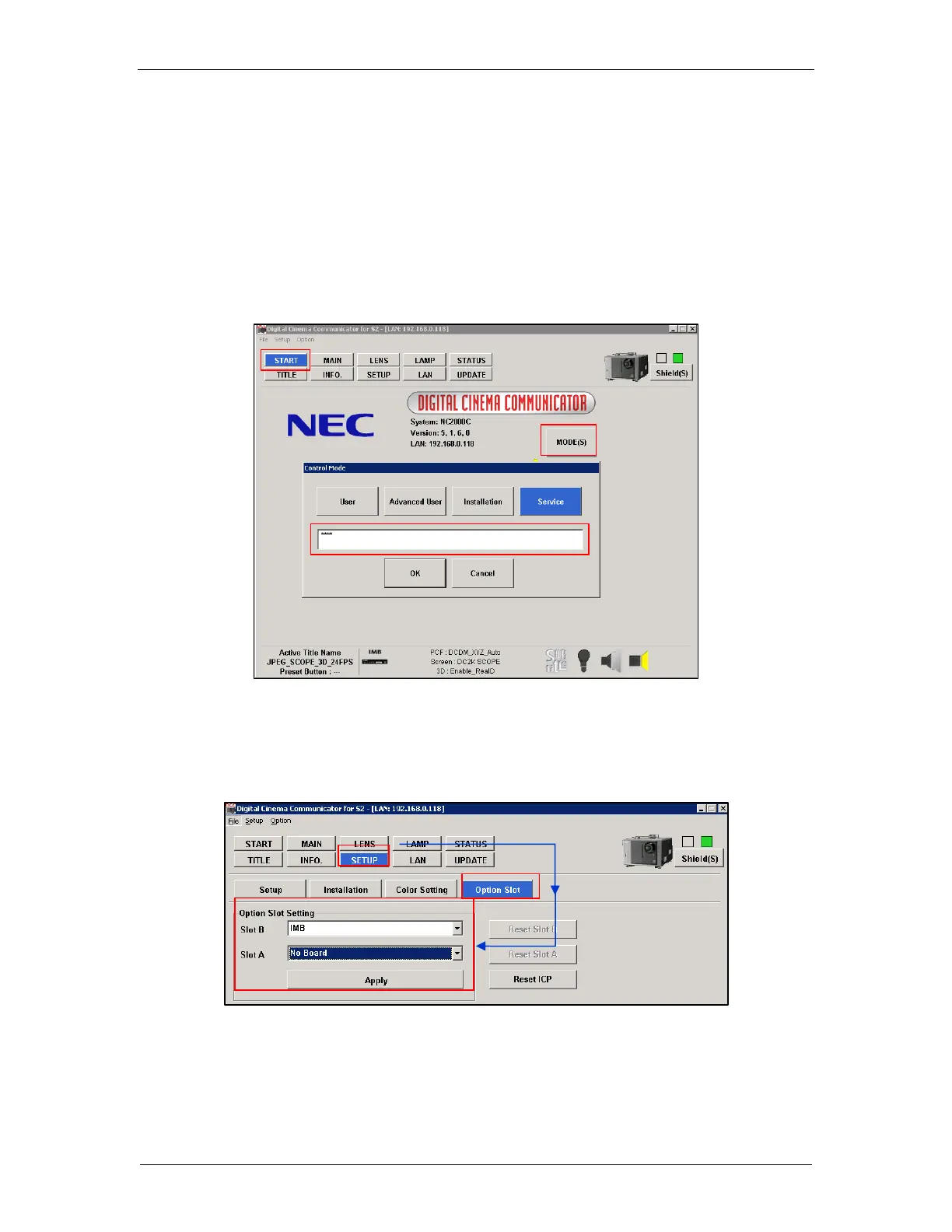
3. Select [Start] →[Mode] →[Service] and enter the Service password to activate service
mode operation (as shown in Figure 20).
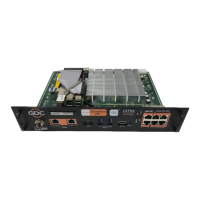
4. Select [Setup] →[Option Slot] on the Digital Cinema Communicator and select IMB for
Slot B in Option Slot Setting (as shown in Figure 21).
Figure 21: Option slot settings on NEC Digital Cinema Communicator
5. Select [Start] →[Power] →[On] to power on the projector.
6. Clear the Service Door/Marriage Tamper on the SR-1000.


 To Next Page