7. SERIES 2 PROJECTOR SETUP
7.5 3D settings for Series 2 projectors
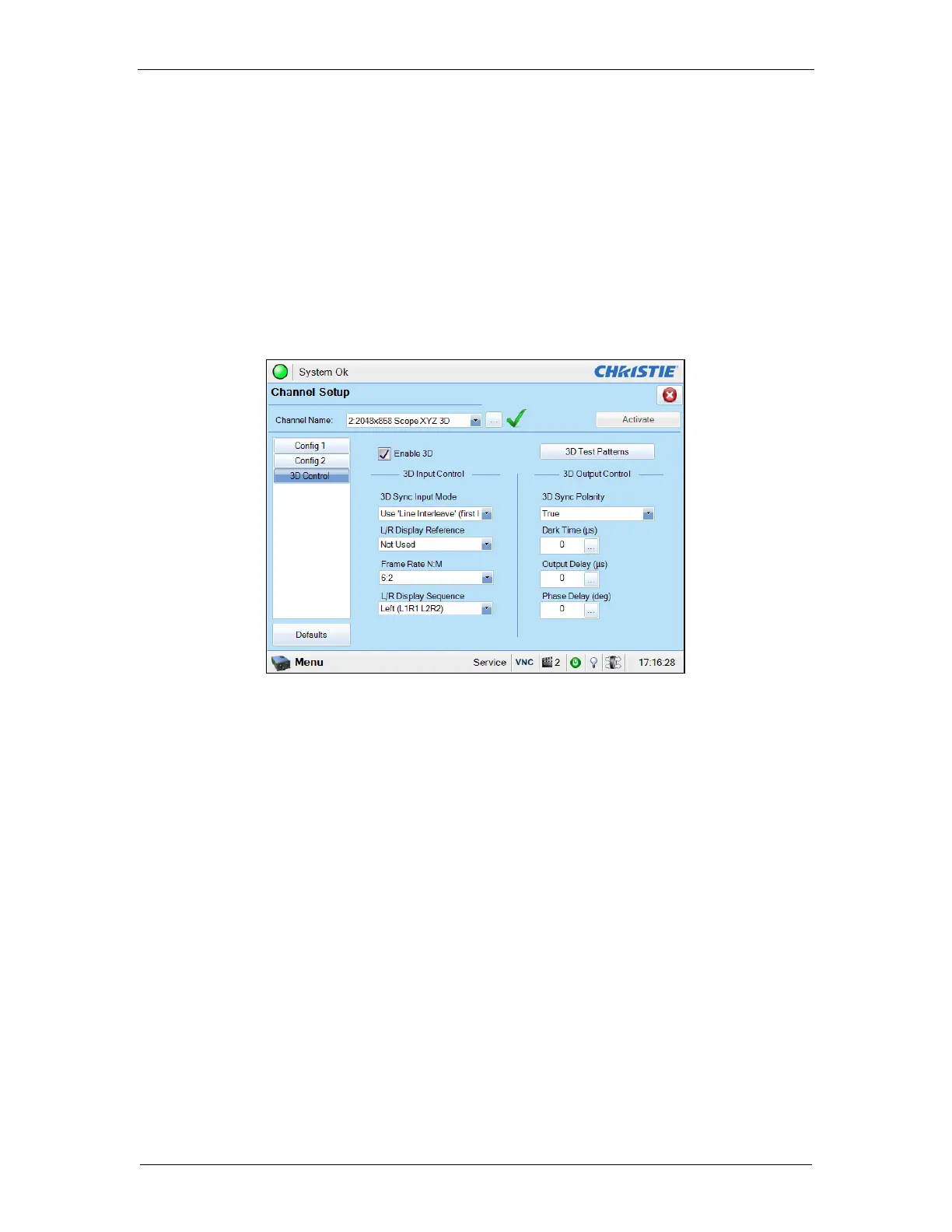
The 3D macros for Series 2 projectors should be configured with the following settings for “3D
Input Control”:
• 3D Sync Input Mode: Use ‘Line Interleave’ (first line=Left, second line=Right)
• L/R Display Reference: Not Used
• Frame Rate: 6:2
• L/R Display Sequence: Left (L1R1 L2R2)
The following shows 3D settings on a Christie projector as an example (refer to Figure 26).
Figure 26: 3D macro settings for Christie Series 2 projectors
The settings for 3D output control (‘3D Sync Polarity’, ‘Dark Time’, ‘Output Delay’ and ‘Phase
Delay’) should be customized according to the type of 3D system used (RealD, XpanD or
Dolby3D).



 To Next Page