7. SERIES 2 PROJECTOR SETUP
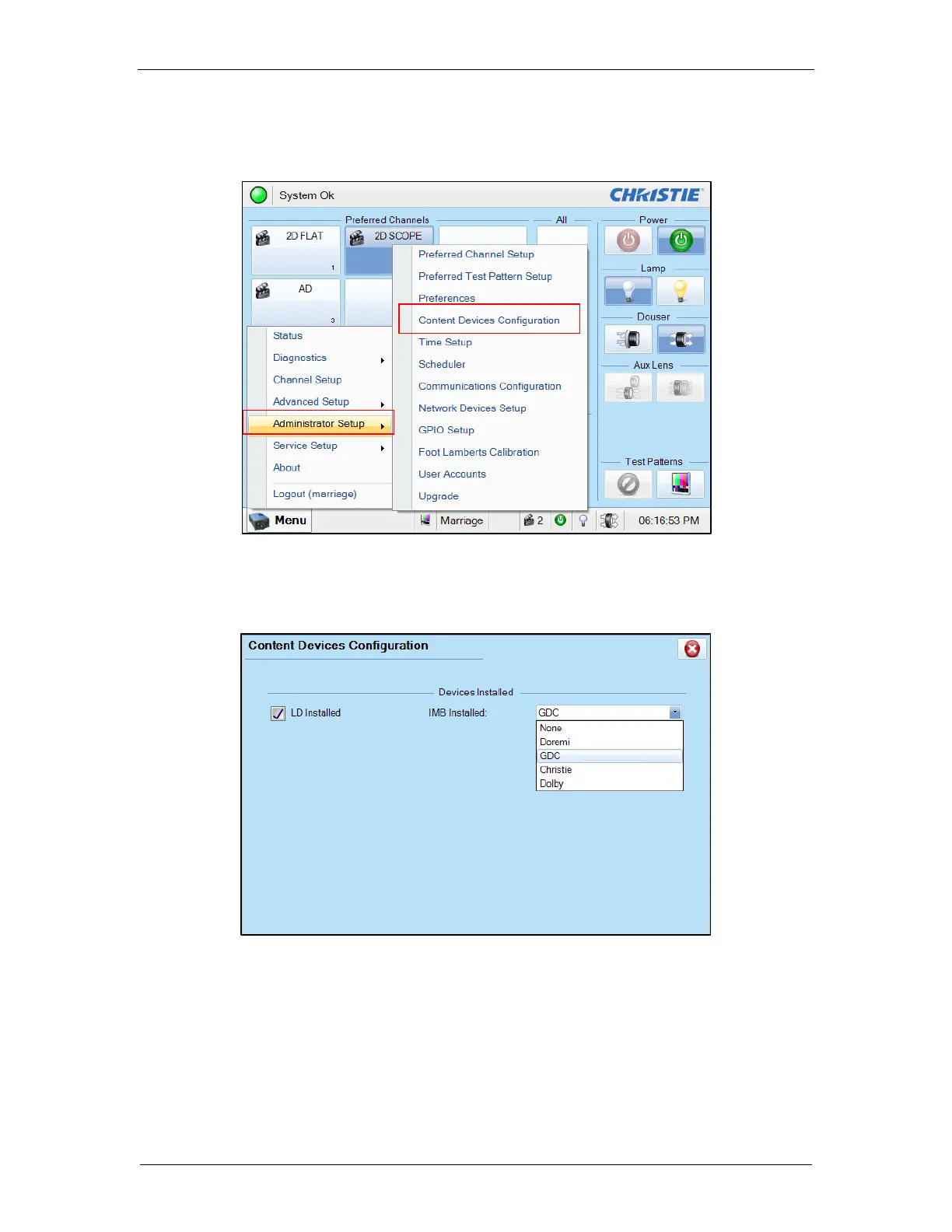
4. Select [Menu] → [Administrator Setup] → [Content Devices Configuration] (as
shown in Figure 24).
Figure 24: Content Devices Configuration
5. Select [GDC] for the [IMB Installed] (as shown in Figure 25).
Figure 25: Content Devices Configuration
6. Clear the Service Door/Marriage Tamper on the SR-1000.
To use the SR-1000 for content playback, the INPUT for projector channel must be set to [IMB-
Generic].



 To Next Page