12. AUTOMATION SETUP
12.3 Automation setup for eCNA devices
The SR-1000 supports the eCNA-10 automation system. Follow the steps below to configure an
eCNA device in the server automation interface.
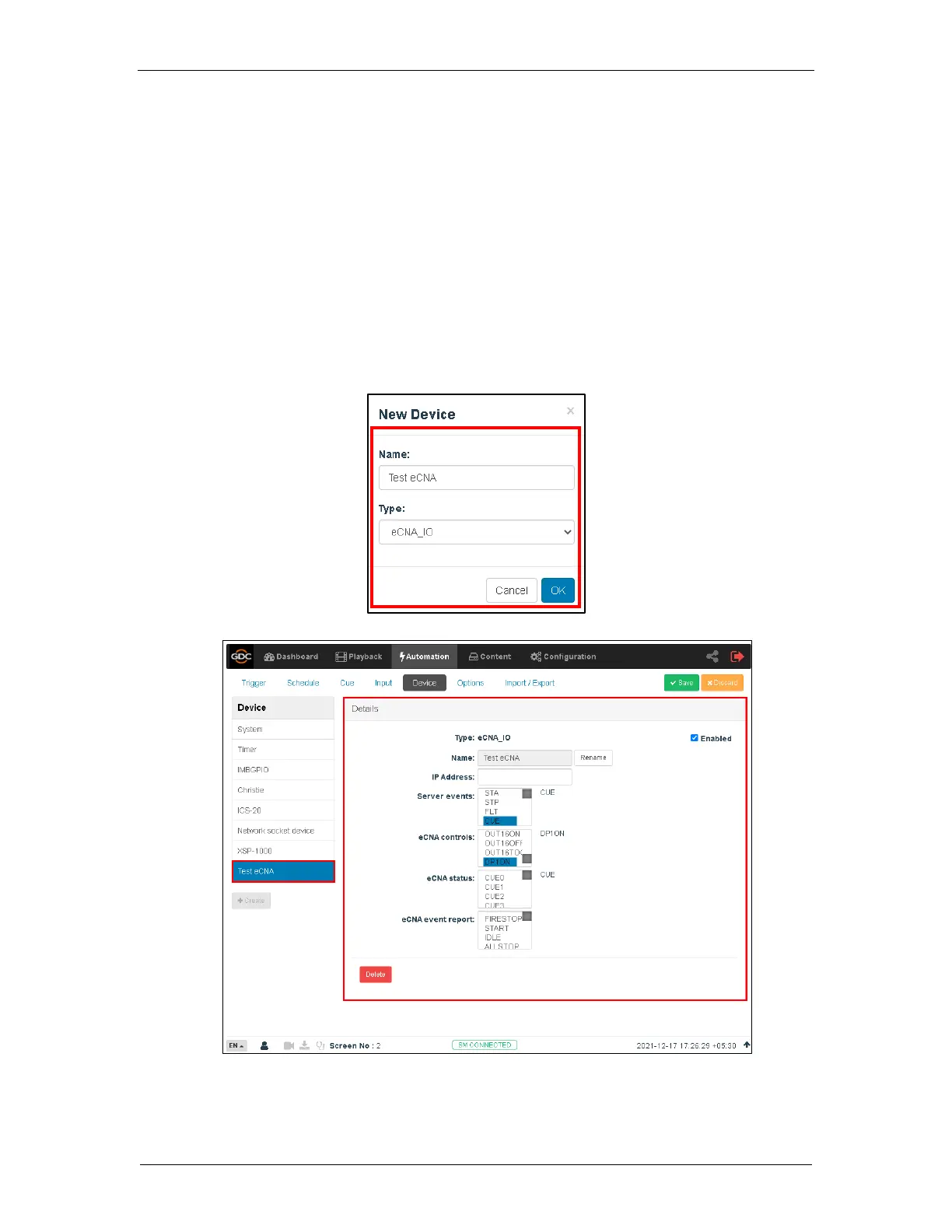
1. Under the Automation tab in the menu, click the Device sub-tab.
2. On the left column, click create.
3. Select eCNA_IO as the device type. Enter the name of the eCNA device and click OK.
4. Enter the IP address of the eCNA device.
5. The eCNA device has many cues available for automation. These cues can be enabled
or disabled by selecting them after clicking the buttons in Server events, eCNA
controls, eCNA status, and eCNA event report. All cues are disabled by default.
6. Click Save to save the settings.



 To Next Page