9. CONTENT INGEST MANAGEMENT SETUP
9 CONTENT INGEST MANAGEMENT SETUP
An ingest source must be configured before content can be transferred to the SR-1000. This
section shows the configuration for content ingest from two different source types. The same
steps can be used to set up content ingest sources using other sources.
9.1 Content Ingest from USB disk
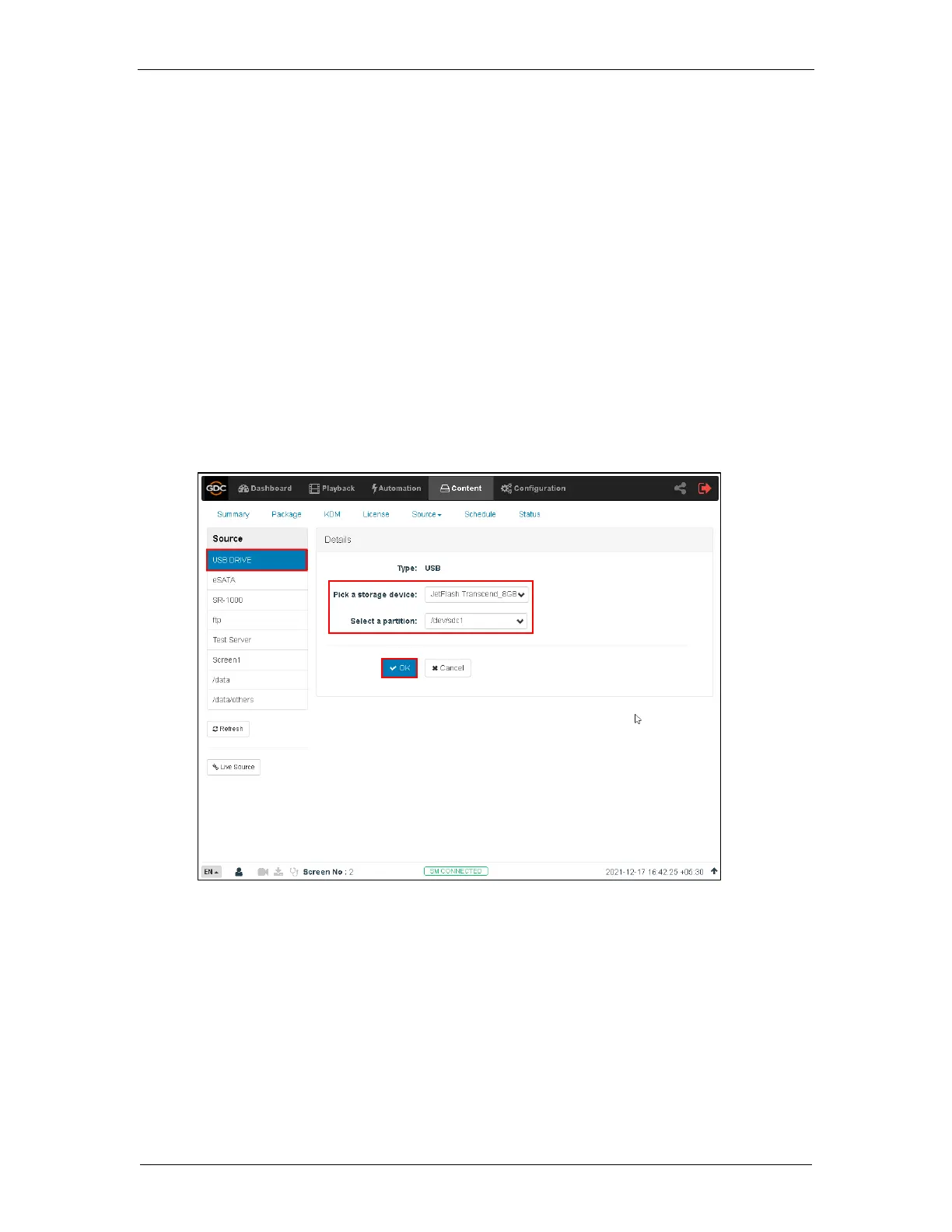
The following steps describe the content ingestion from an external USB hard drive:
1. Under the Content tab in the menu, click the Source drop-down and select the Ingest
option.
2. On the left column, select USB Drive.
3. Select the USB storage device and partition from the respective drop-downs.
4. Click OK to choose content to be ingested from the USB disk.



 To Next Page