3.CONNECTING PORTABLE STORAGE/ENTERPRISE STORAGE WITH THE SR-1000
3.2 Connecting the Enterprise Storage
1. Take out the power cord from the packaging and connect to the power connector of
Enterprise Storage.
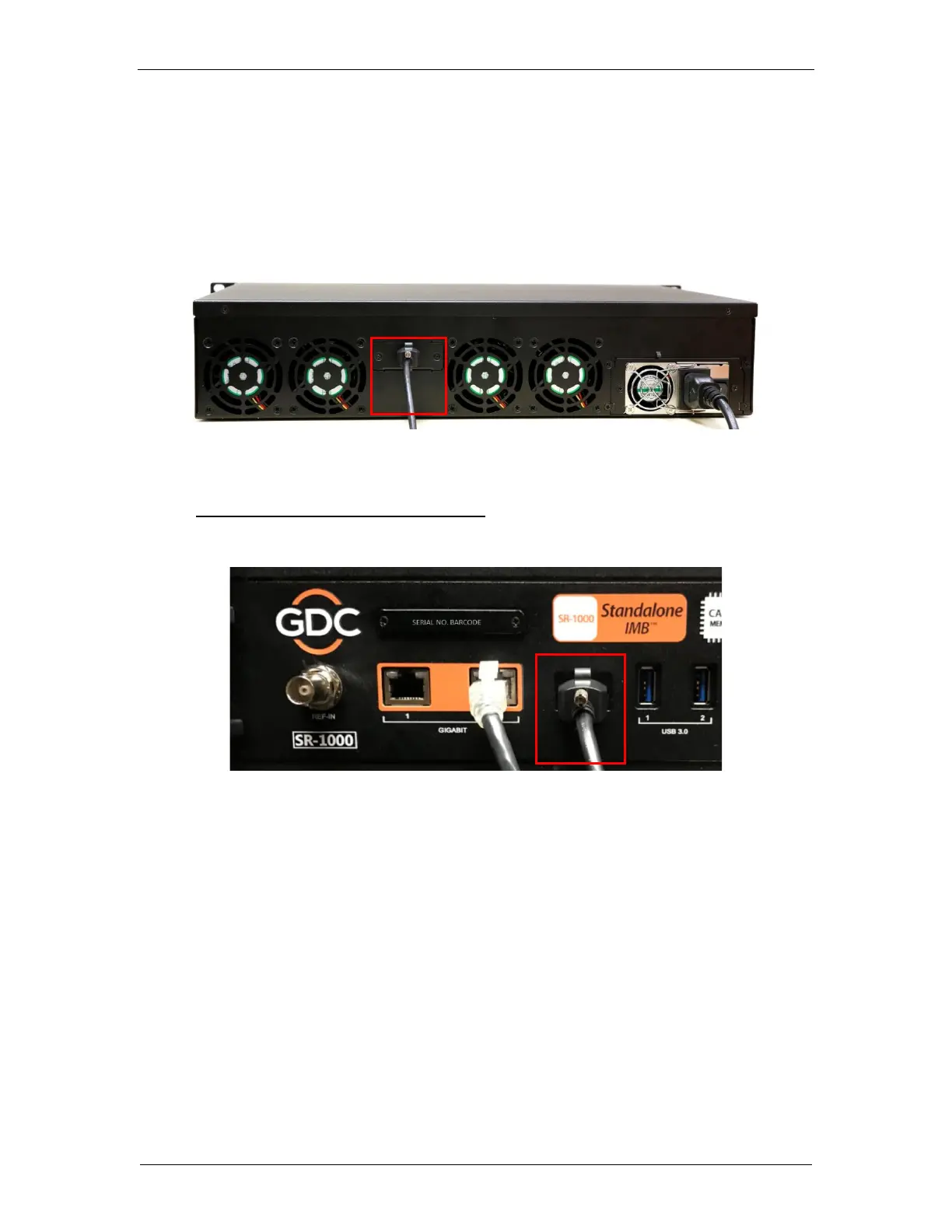
2. Connect the eSATA cable to the back panel of the Enterprise Storage for data transfer.
Figure 10: Connect eSATA cable to the Enterprise Storage
Making the connections to the SR-1000
3. Insert the eSATA cable into the SR-1000 eSATA port.
Figure 11: Insert eSATA cable into SR-1000 eSATA port
NOTE: To use the Enterprise Storage as the content source, it MUST be connected to the
eSATA port of the SR-1000 board.



 To Next Page