2.INSTALLING SR-1000 INTO THE PROJECTOR
2.1 Remove existing interface board/placeholders from the
projector
Before installing the SR-1000, check the sections below to ensure proper placement.
2.1.1 Barco Projector Placement
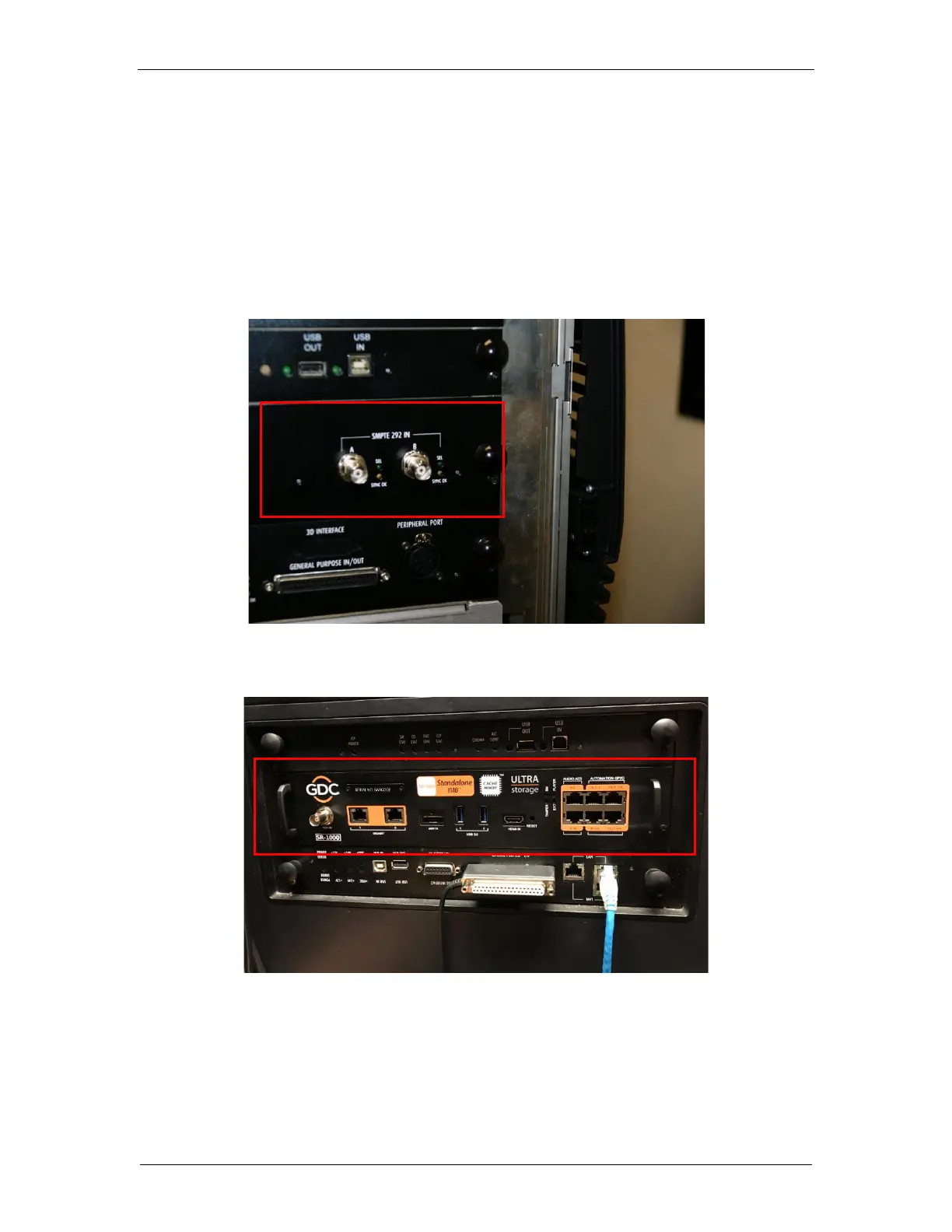
Figure 3 shows an interface board (with SMPTE 292 inputs) connected to a Barco projector.
This board must be removed in order to install the SR-1000, as shown in Figure 4.
Figure 3: Remove interface board from Barco projector



 To Next Page