12. AUTOMATION SETUP
12 AUTOMATION SETUP
The SR-1000 is able to control external devices using its automation interface. This can be used
to automate repetitive tasks for the cinema operator to prevent user error.
12.1 Automation setup for server GPIO
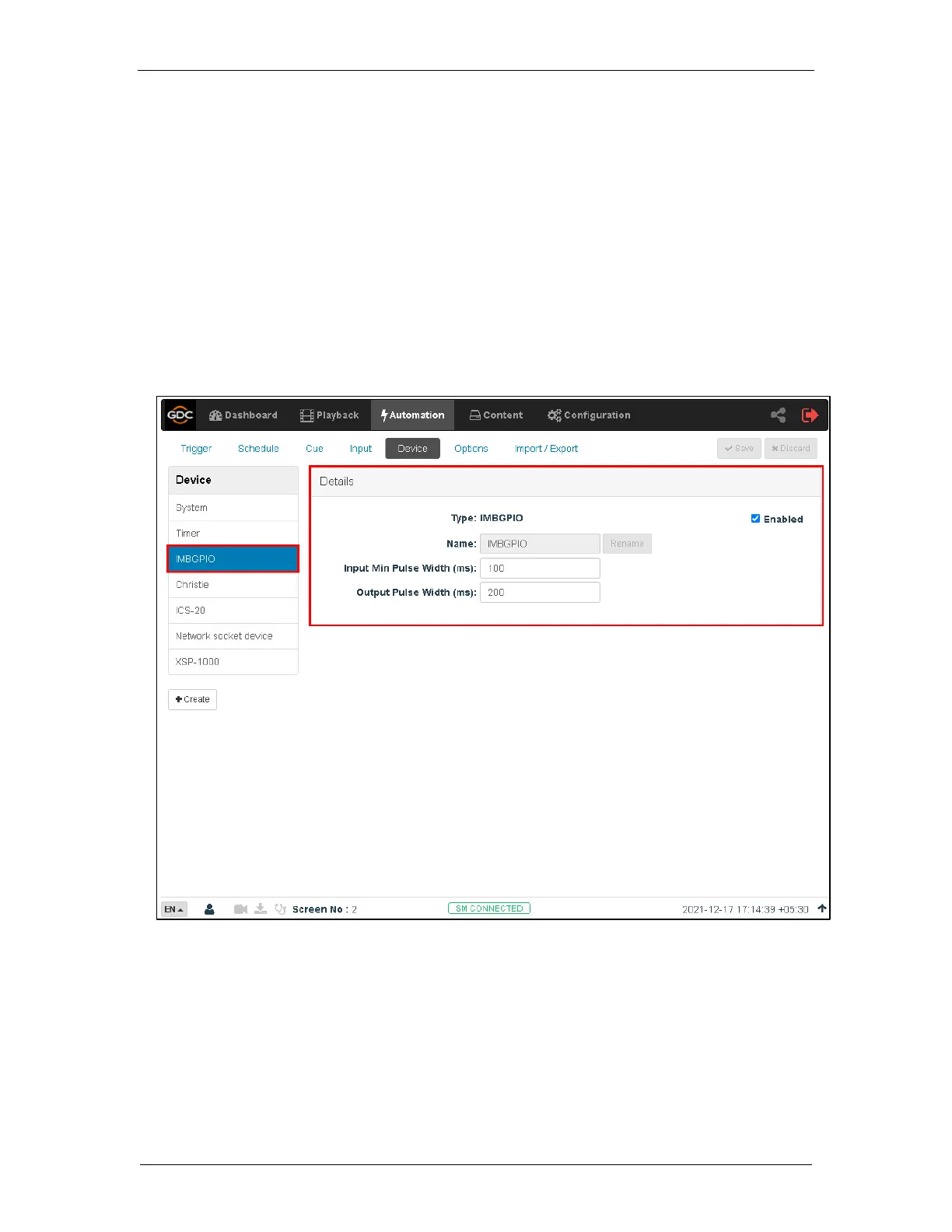
The SR-1000 GPIO automation device settings can be configured using the steps below:
1. Under the Automation tab in the menu, click the Device sub-tab.
2. On the left column, click IMBGPIO.
3. Enter the device Name, Input Min Pulse width, Output Pulse Width.
The output pulse width must be at least 100ms. If a different output pulse width is required, the
value can be entered in the ‘Output Pulse Width’ setting. Click the [Save] button to save any
changes made.



 To Next Page