9. CONTENT INGEST MANAGEMENT SETUP
9.2 Content Ingest from FTP
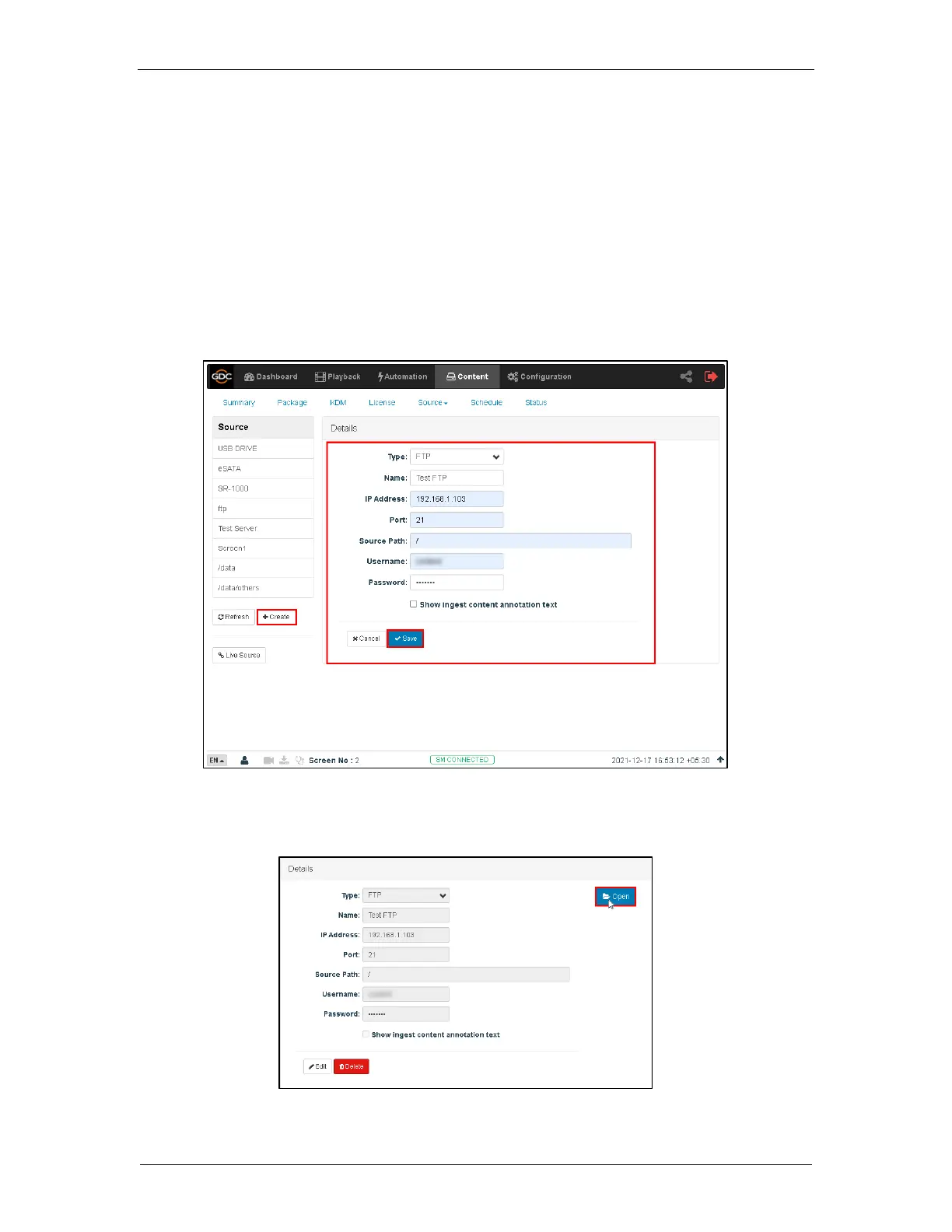
Follow the steps below to setup content ingestion from an FTP server:
1. Under the Content tab in the menu, click the Source drop-down and select the Manage
option.
2. On the left column, click Create button.
3. Select FTP as the source type. Enter the FTP name, in this case, we use “Test FTP”.
4. Enter the respective parameters for IP Address, Port, Source Path, Username,
Password.
5. Click Save to save the setting.
6. Click Open to connect to the FTP server and choose the content for ingest.



 To Next Page