7. SERIES 2 PROJECTOR SETUP
To use the SR-1000 for content playback, the INPUT source of the projector macros must be set
to IMB.
7.4 Christie Series 2 Projector
In order to configure a Christie Series 2 projector to work with the SR-1000, the following steps
must be taken:
1. Switch on the projector.
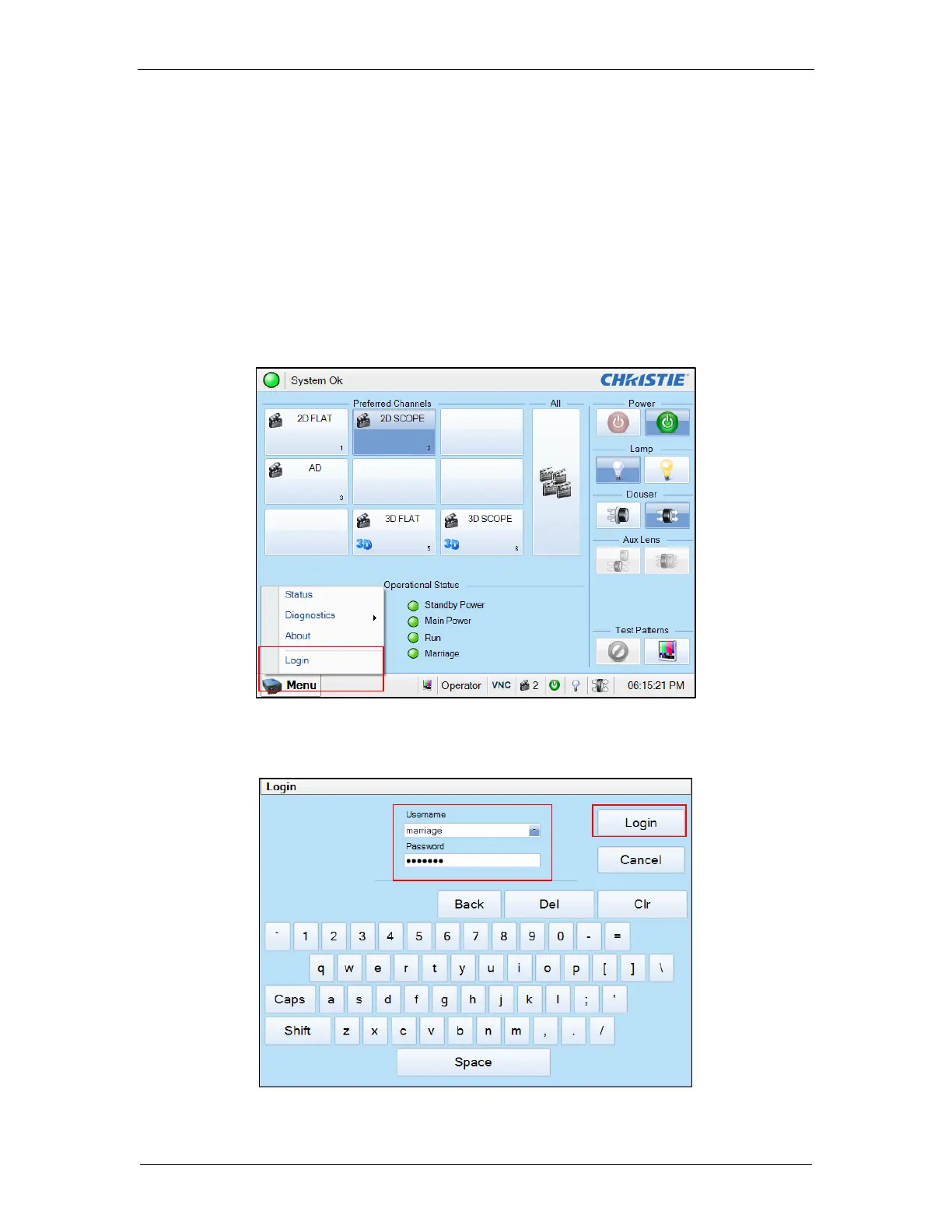
2. Log in to the [Marriage] account on the projector TPC. Select [Menu] → [Login] (as
shown in Figure 22).
Figure 22: Marriage account
3. Enter Username as [marriage] and its password and click [Login] button (as shown in
Figure 23).
Figure 23: Marriage account login



 To Next Page