5. SR-1000 IP ADDRESS SETUP
5 SR-1000 IP ADDRESS SETUP
The IP address of the SR-1000 IMB will need to be set for proper operation.
5.1 IMB Network Setup
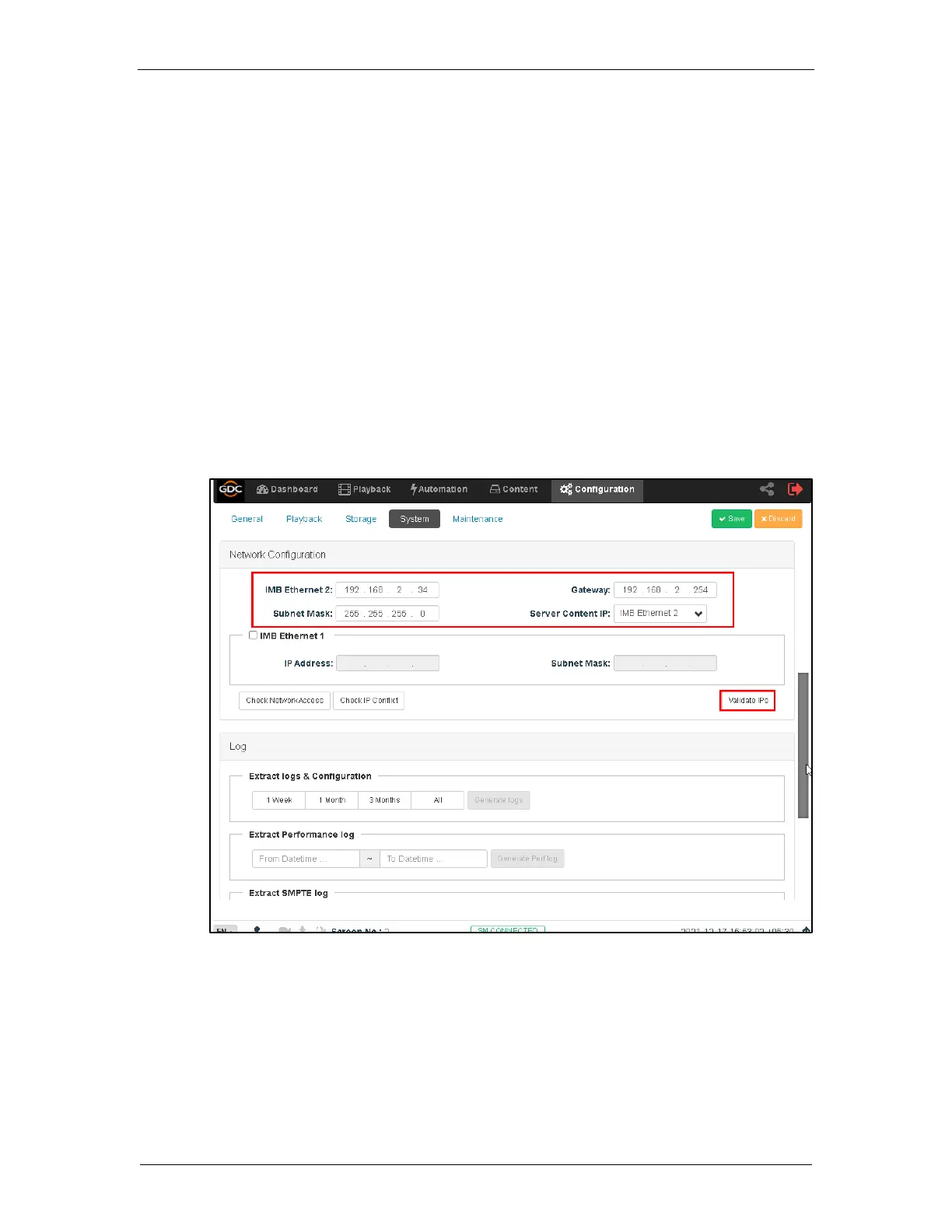
Change the IP addresses of the SR-1000 using the following steps:
1. Login as Maintenance user.
2. Under the Configuration tab in the menu, click the System sub-tab.
3. Go to Network Configuration section.
4. Enter the IP values for Subnet Mask, Gateway and IMB Ethernet 2 fields.
5. Once the settings have been entered, click Validate IPs.



 To Next Page