6. STORAGE CONFIGURATION
6 STORAGE CONFIGURATION
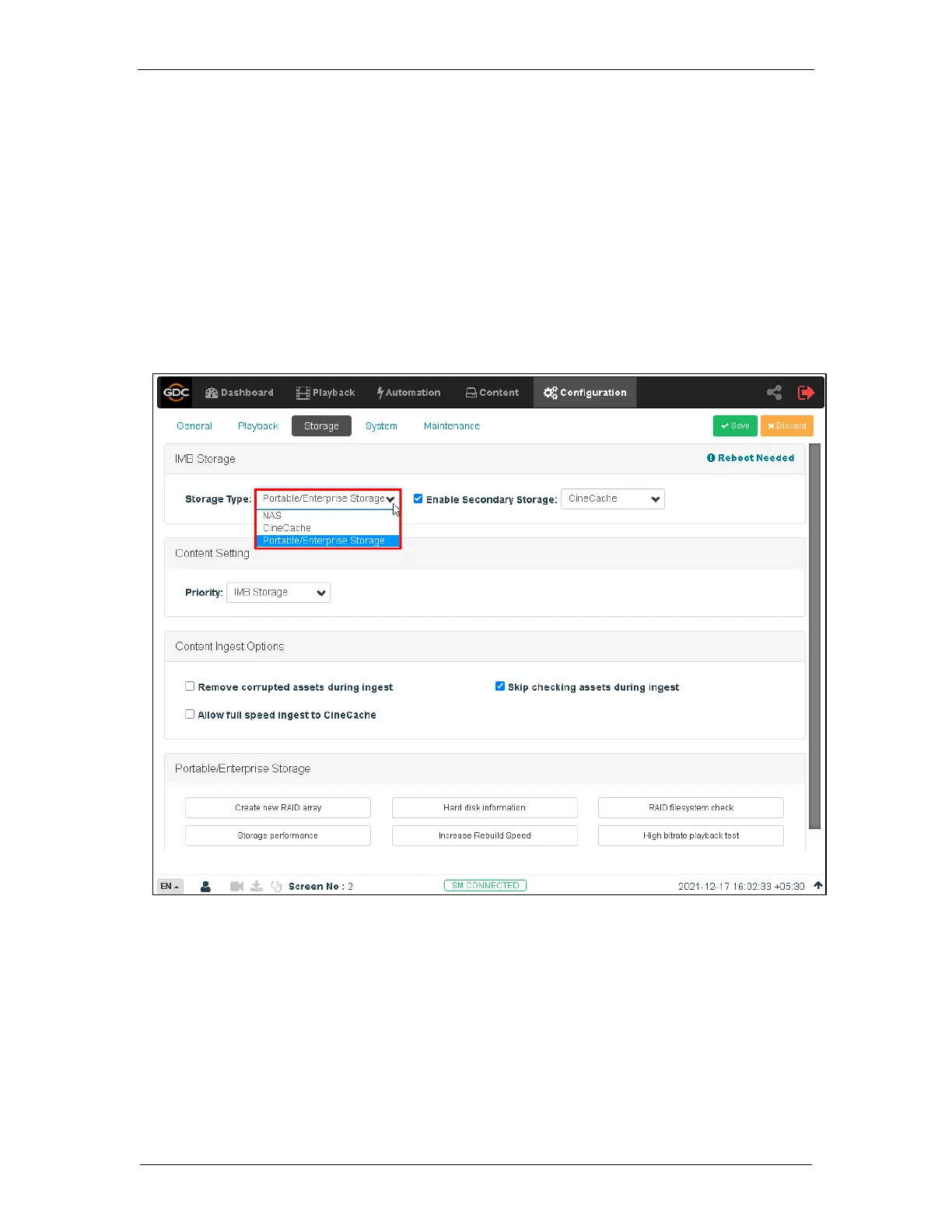
SR-1000 Storage can be configured using the Configuration tab’s Storage sub-tab.
1. Go to IMB Storage section and select the required Storage Type option.
2. The following options are available:
• NAS: Connect to NFS server for storage
• CineCache
TM
: Use CineCache
TM
for storage (For SR-1000 with CineCache
TM
installed only)
• Portable/Enterprise Storage: Configure the SR-1000 to use Portable or Enterprise Storage
3. Go to Dashboard, click Restart, followed by OK to confirm. This is to ensure all
components in the SR-1000 are able to detect the selected storage after restart.
4. The SR-1000 will restart and use the selected option for storage.



 To Next Page