12. AUTOMATION SETUP
12.4 Automation setup for JNIOR devices
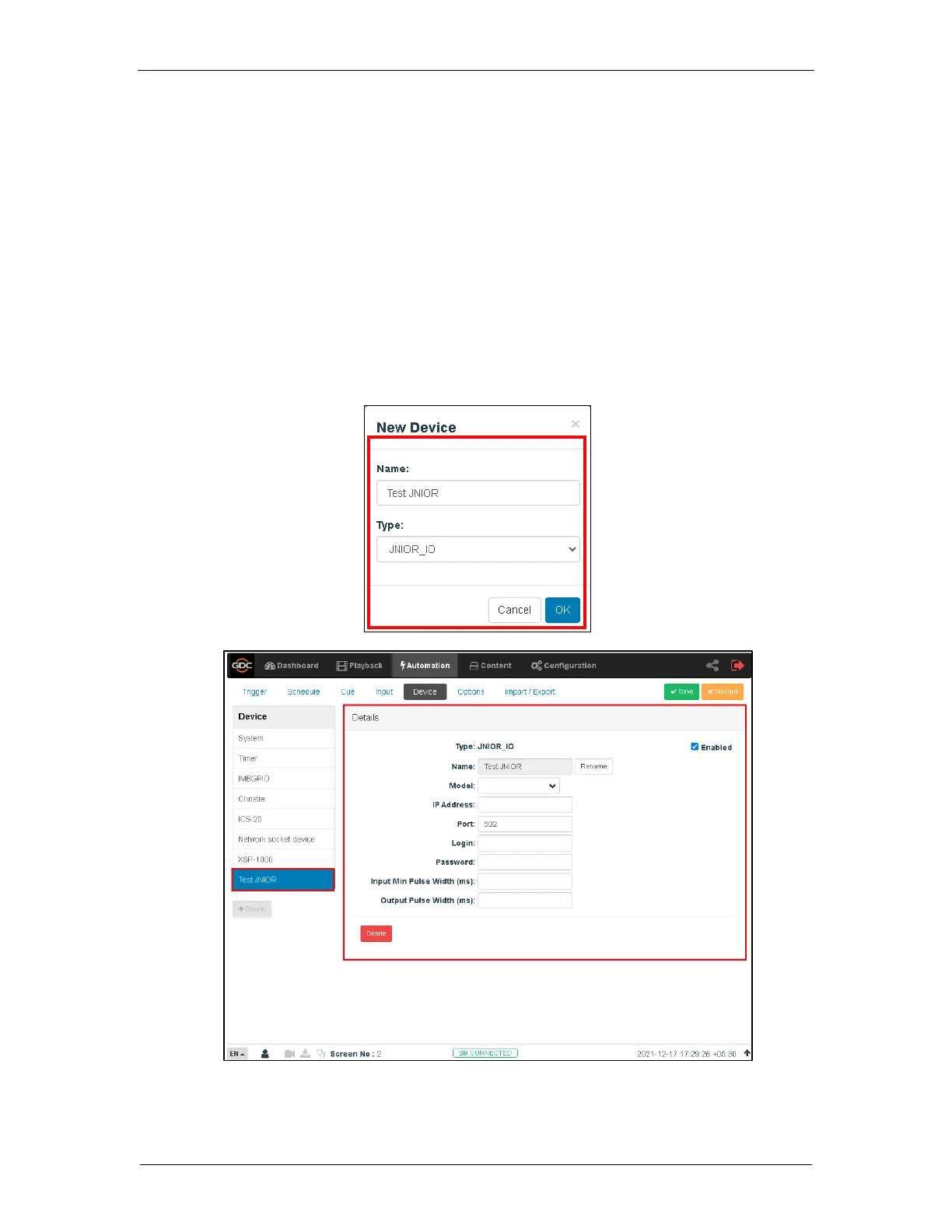
The SR-1000 supports the JNIOR Ethernet I/O controller device. Follow the steps below to
configure a JNIOR device in the server automation interface.
1. Under the Automation tab in the menu, click the Device sub-tab.
2. On the left column, click create.
3. Select JNIOR_IO as the device type. Enter the name of the JNIOR device, and click
OK.
4. Enter the IP address of the JNIOR device.
5. The settings for Port, Login and Password are set to the default values for JUNIOR
device if left empty.
6. Click Save to save the settings.



 To Next Page