ActionStep
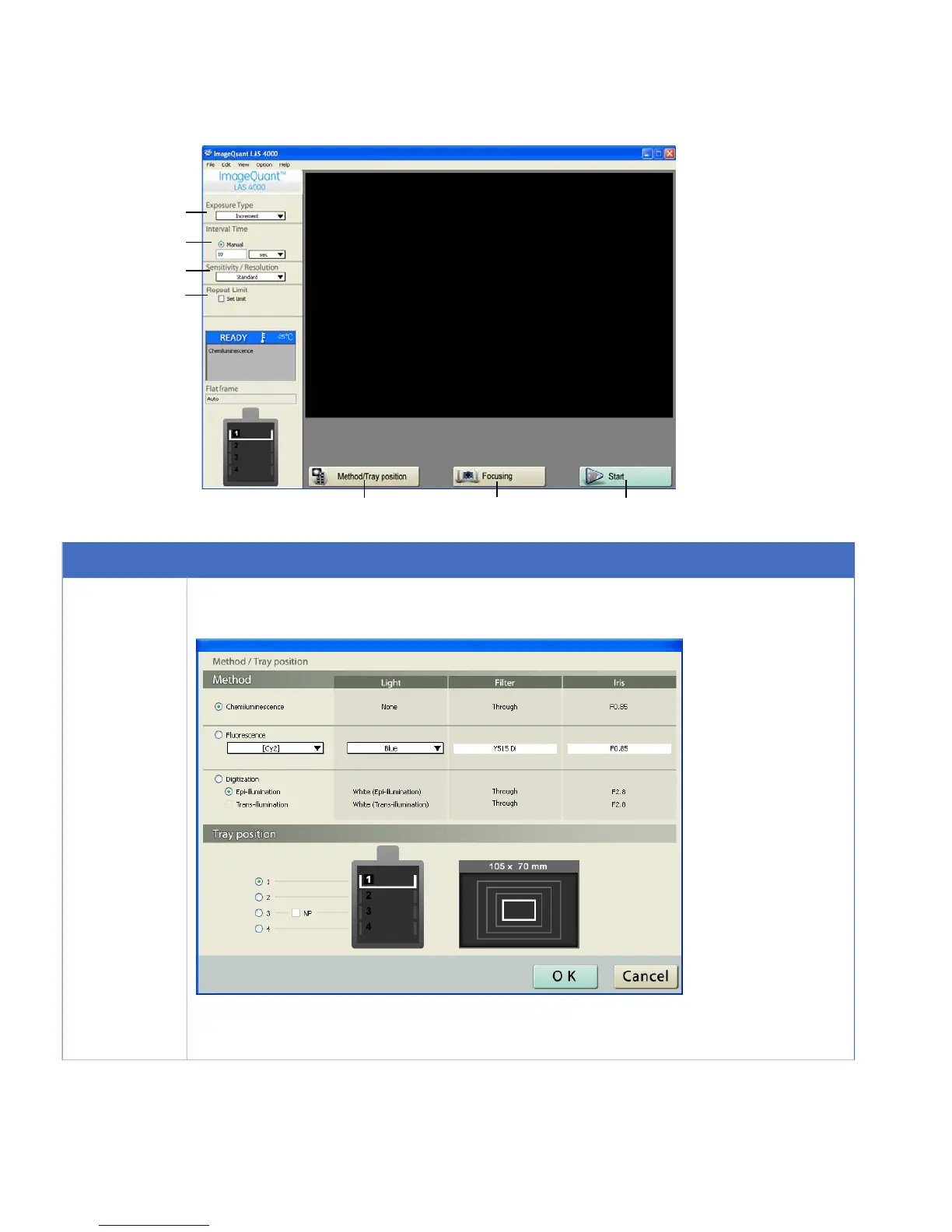
Click the Method/Tray position button.
1
Result: The Method/Tray position dialog is opened.
Select the Method and Tray Position.
Click the OK button.
60 ImageQuant LAS 4000 User Manual 28-9607-42 AB
4 Operating the ImageQuant LAS 4000
4.10 Exposing consecutively (Increment)



 To Next Page