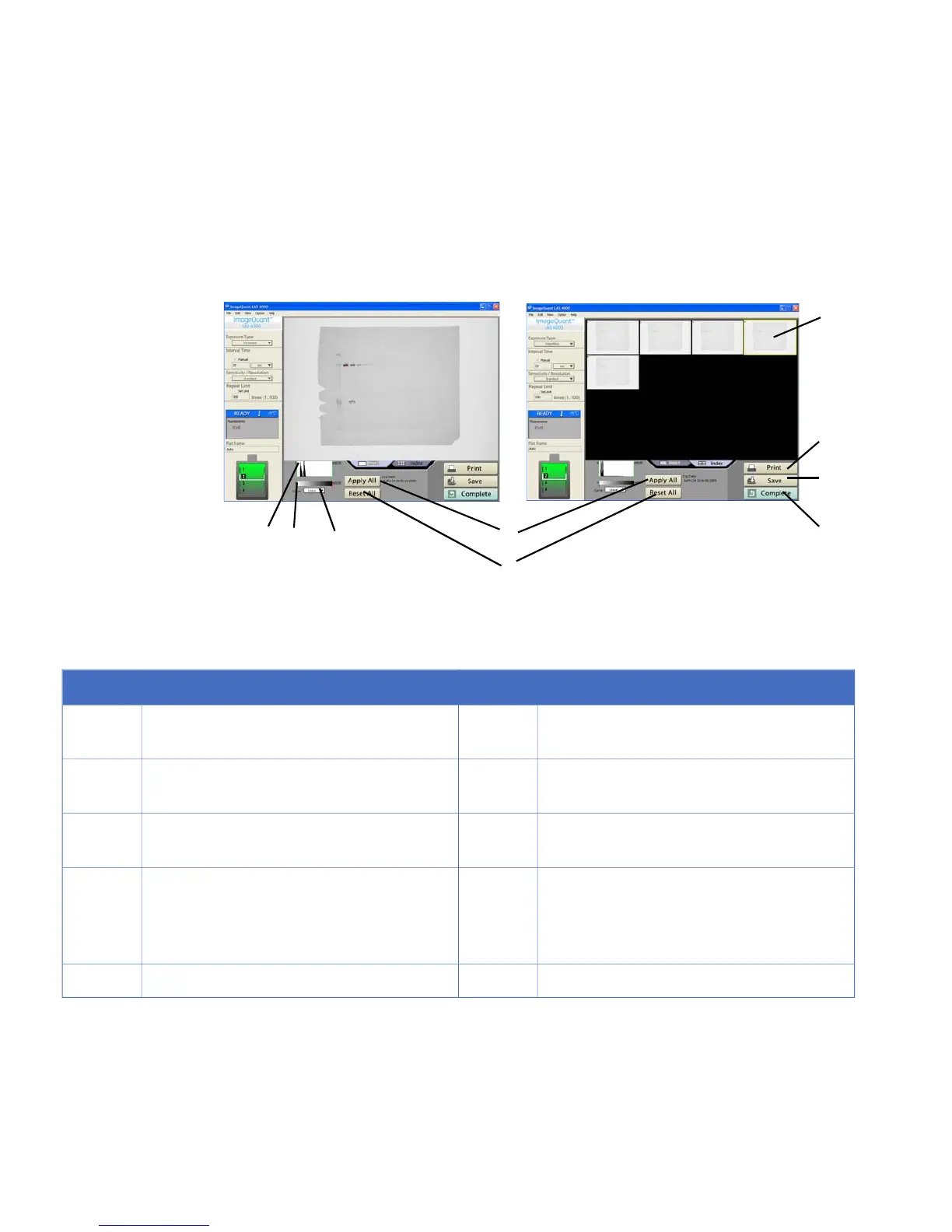
DescriptionNo.DescriptionNo.
Return to main screen.6The range can be changed by dragging the
mouse.
1
Save image.7Gradation can be changed by dragging the
mouse.
2
Print image or screen.8The gradation conversion curve can be
changed (linear or sigmoidal).
3
The selected image is marked by a yellow
frame. Click on an image to select it. Double-
click an image or click the Image tab to open
the magnified image view.
9The changed gradation is applied to all im-
ages.
4
Returns the gradation to the initial setting.5
5.7 Sensitivity/Resolution
This function sets the sensitivity and resolution.
90 ImageQuant LAS 4000 User Manual 28-9607-42 AB
5 Software reference guide
5.6 Start



 To Next Page