GE Power Management LPS-O Line Protection System 3-
7
3 HARDWARE DESCRIPTION 3.2 INSTALLATION
3
3.2 INSTALLATION 3.2.1 RECEIVING, HANDLING, & STORAGE
Immediately upon receipt, the equipment should be unpacked and examined for any damage sustained in tran-
sit. If damage resulting from rough handling is evident, file a damage claim at once with the transportation com-
pany and promptly notify the nearest GE Sales Office.
If the equipment is not to be installed immediately, it should be stored indoors in a location that is dry and pro-
tected from dust, metallic chips, and severe atmospheric conditions.
3.2.2 ENVIRONMENT
The LPS-O should be installed in a clean and dry location, free from dust and excessive vibration, and well
lighted to facilitate inspection and testing.
3.2.3 MOUNTING
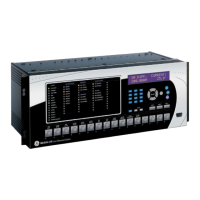
The LPS-O case has been designed for standard rack mounting. The case is three Rack Units (3 RU) high.
Figure 3–2: LPS-O OUTLINE – HORIZONTAL on page 3–2 shows the outline and mounting dimensions.
3.2.4 EXTERNAL CONNECTIONS
External connections are made according to the elementary diagram shown in Figure 1–11: ELEMENTARY
DIAGRAM on page 1–25. These are default diagram incorporating all of the available options. Since the relay
is programmable, some outputs and inputs may need to be re-programmed. Refer to Chapter 2: CALCULA-
TION OF SETTINGS for more details.
3.2.5 SURGE GROUND CONNECTIONS
CAUTION:
LPS-O Terminals
A2
(case ground) and
A18
(surge ground) must be tied
together, with terminal
A18
tied to station ground, as shown in the elementary diagram
Figure 1–11: ELEMENTARY DIAGRAM on page 1–25. The connection to the ground
bus must be made as short as possible, using #12 wire or larger.



 To Next Page