10-
14
LPS-O Line Protection System GE Power Management
10.6 TOOLS MENU 10 ALPS-TEST PROGRAM
10
10.6 TOOLS MENU 10.6.1 DESCRIPTION
There is one menu item
Setup
. Click on
Setup
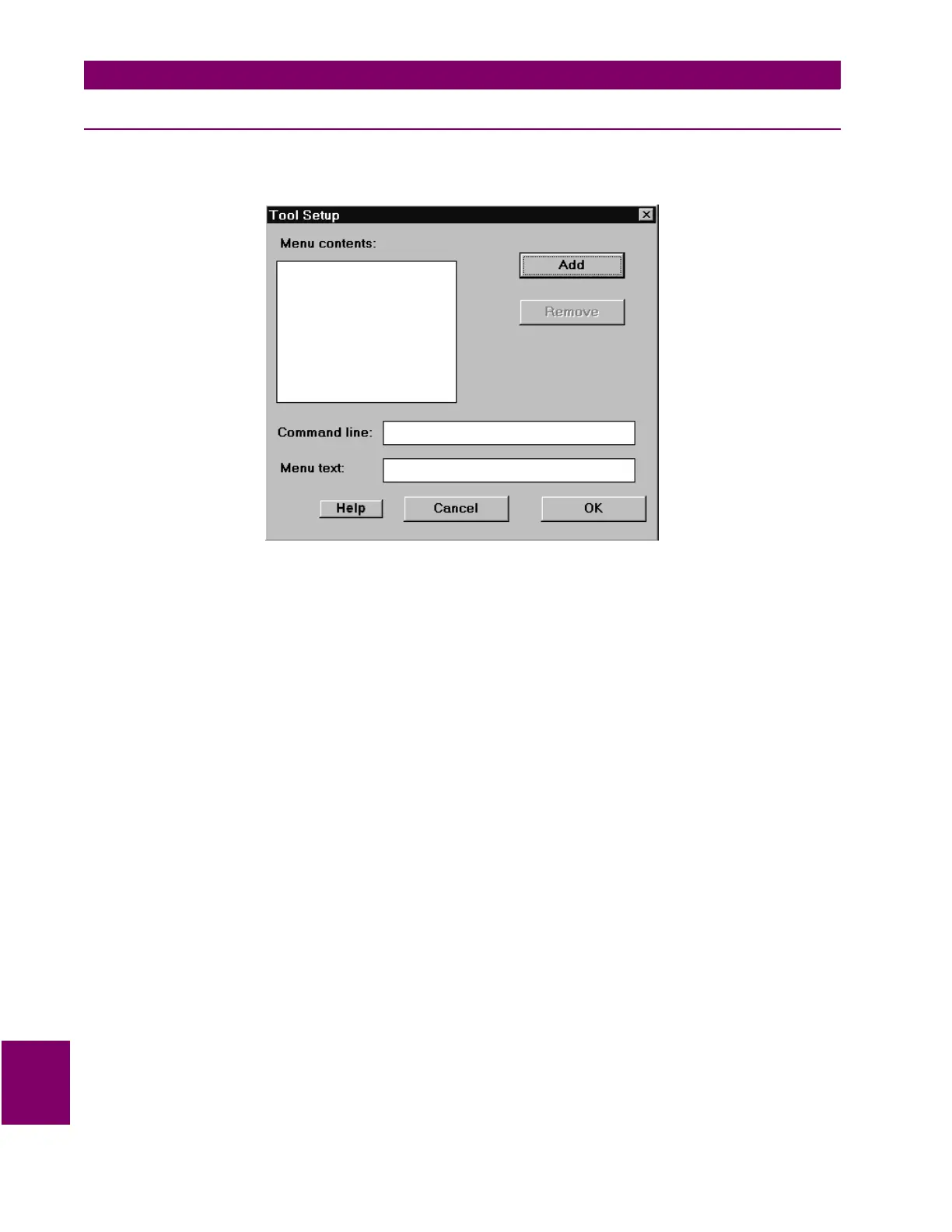
and the following dialog box is displayed.
Figure 10–16: TOOL SETUP DIALOG BOX
The
Remove
button and the
Command line
and
Menu text
boxes are disabled, and that the focus is set to
the
Add
button.
Type the
Enter
key or click on the
Add
button. The
Add Tool
dialog box is displayed. This is a standard MS-
Windows dialog box. Select an executable windows program and click on the
OK
button.
• The full path and name is in the
Command line
text box
• The program name less the extension is in the
Menu text
box
• The program name less the extension is the
Menu contents
list box
• The
Remove
button is enabled
• The focus is set to the
Menu
text box.
Change the text in the
Menu
text box to text suitable for the tools menu. Click anywhere in the
Command line
text box.
• Verify that the new menu name is displayed in the
Menu contents
list box.
Change the command line so that it is invalid (for example, remove a character from the program name). Click
on the
OK
button. Pull down the
Tools
menu.
Verify the following:
• There is one tool followed by a separator bar and the
Setup
menu item.
• The tool's name is correct.
Click on the tool.
• Verify that an error message is displayed indicating that the program couldn't be started.
Select the
Setup
menu item again.



 To Next Page