2-
54
LPS-O Line Protection System GE Power Management
2.5 REFERENCE TABLES 2 CALCULATION OF SETTINGS
2
2.5.5 GENERAL SETTINGS DATA SHEET
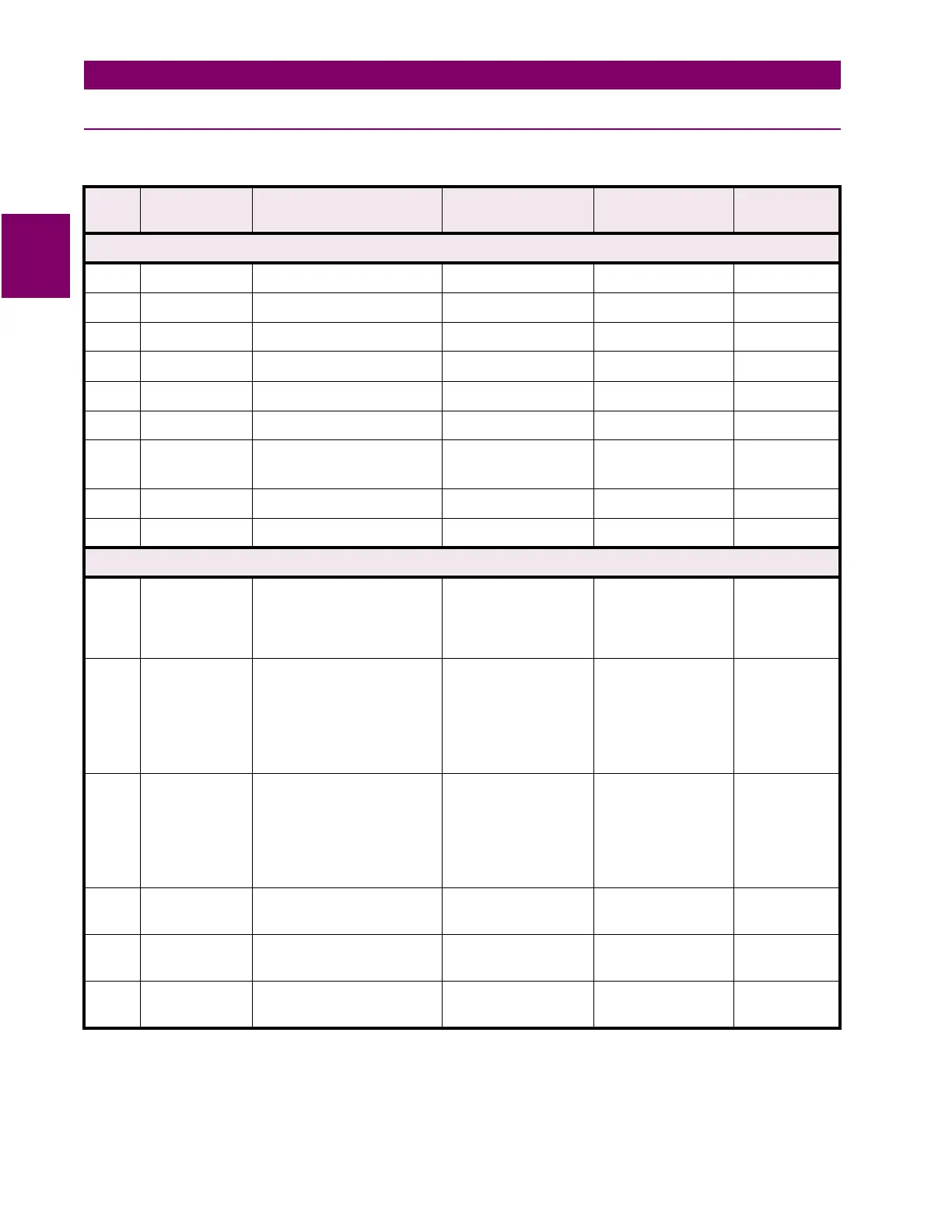
Table 2–10: GENERAL SETTINGS DATA SHEET (Sheet 1 of 3)
No.
Mnemonic
Description Range
(5A & 1A)
Step User Setting
CONFIGURE
101
UNITID
Unit ID 0000 to 9999 1
102 SYSFREQ System Frequency 50 Hz, 60 Hz none
103 PHASROTATE Phase Rotation ABC, ACB none
104 TIMESYNCH Time Synch Source INTERNAL, IRIG-B none
105 NUM_BKR Number of Breakers 1, 2 none
106 NUM_TC Number of Trip Circuits 1, 2 none
107 NUM_MON Number of Trip Circuit
Monitors
(T4
→
T1)
format = abcd
a-d = 0 (on) or
1(off)
108 DISPLAYVAL Value Display Mode PRI, SEC none
109 LANGUAGE Language Option ENGLISH, SPANISH none
COMMPORTS
201
COMPORT1
Communications Port #1
Settings
Baud Rate (xx),
Parity (y), Stop Bits
(z)
format = xxyz
xx = 03, 12, 24, 48,
96, 19; y = 0
(none), 1 (odd), 2
(even); z = 1, 2
202 COMPORT2 Communications Port #2
Settings
Interface (i), Baud
Rate (xx), Parity (y),
Stop Bits (z)
format = ixxyz
i = 0 (RS232), 1
(RS485); xx = 03,
12, 24, 48, 96, 19;
y = 0 (none), 1
(odd), 2 (even);
z = 1, 2
203 COMPORT3 Communications Port #3
Settings
Interface (i), Baud
Rate (xx), Parity (y),
Stop bits (z)
format = ixxyz
i = 0 (RS232), 1
(RS485); xx = 03,
12, 24, 48, 96, 19;
y = 0 (none), 1
(odd), 2 (even);
z = 1, 2
204 PROTOCOL1 Communications Port #1
Protocol
GE-MODEM, ASCII none
205 PROTOCOL2 Communications Port #2
Protocol
GE-MODEM, ASCII none
206 PROTOCOL3 Communications Port #3
Protocol
GE-MODEM, ASCII none
‡
Contact Converter output normally appears as a Logic 1 with normally open contact connected; to invert
output to Logic 0, add 1000 to the number



 To Next Page