GE Power Management LPS-O Line Protection System 11-
19
11 LPSO-LINK USER GUIDE 11.6 SETTINGS
11
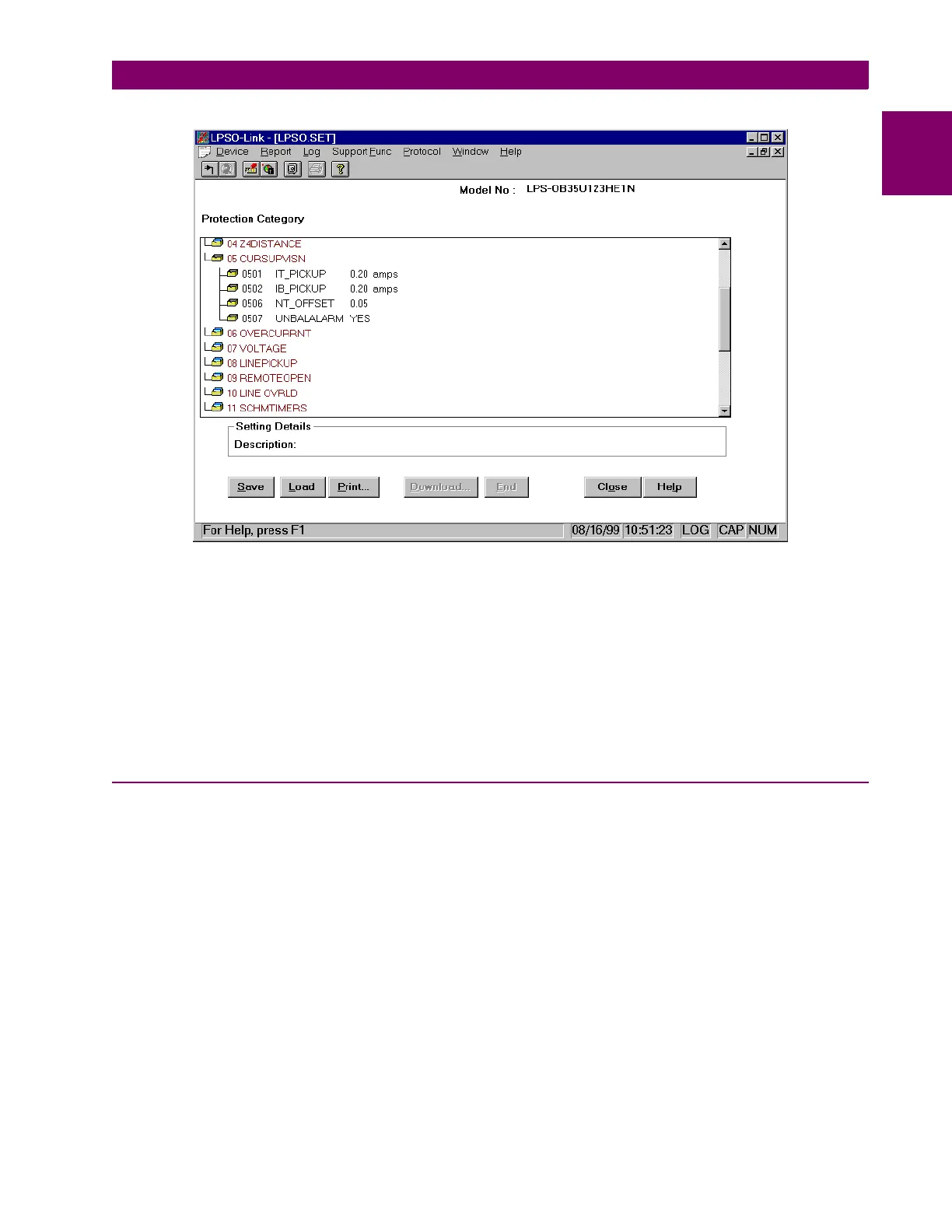
Figure 11–13: PROTECTION CATEGORY SCROLL LIST
A hard copy of the settings can be obtained by choosing the
Print
button in the
Settings
dialog box.
While you are working on a set of settings uploaded from the device, if you wish to load the settings from a file
and use them for modifications and download, choose the
Load
button. A
File Open
dialog box appears for
you to choose the file.
NOTE: If more than one user is logged in to the relay, it may be possible to have more than one set of
settings group being edited locally. However, only one user may download and end settings
changes at a time.
11.6.3 LOAD LOCAL SETTINGS
You can view, modify and print settings loaded from a local file. It is not essential to connect to the device for
loading local settings. The file from which the settings are to be loaded is user selectable. A file open dialog
box helps in locating the necessary file.
The download and END options in the settings dialog box will be disabled in this option.
To load local settings when not connected to a device:
•From the
Device
menu, choose the
Local Settings
item.
If you are already connected to a device,
•From the
Device
menu, choose
Settings
.
• From the drop down menu, choose
Get Settings
• Choose
Load Local settings
from the pop up menu.



 To Next Page