10-
2
LPS-O Line Protection System GE Power Management
10.1 INTRODUCTION 10 ALPS-TEST PROGRAM
10
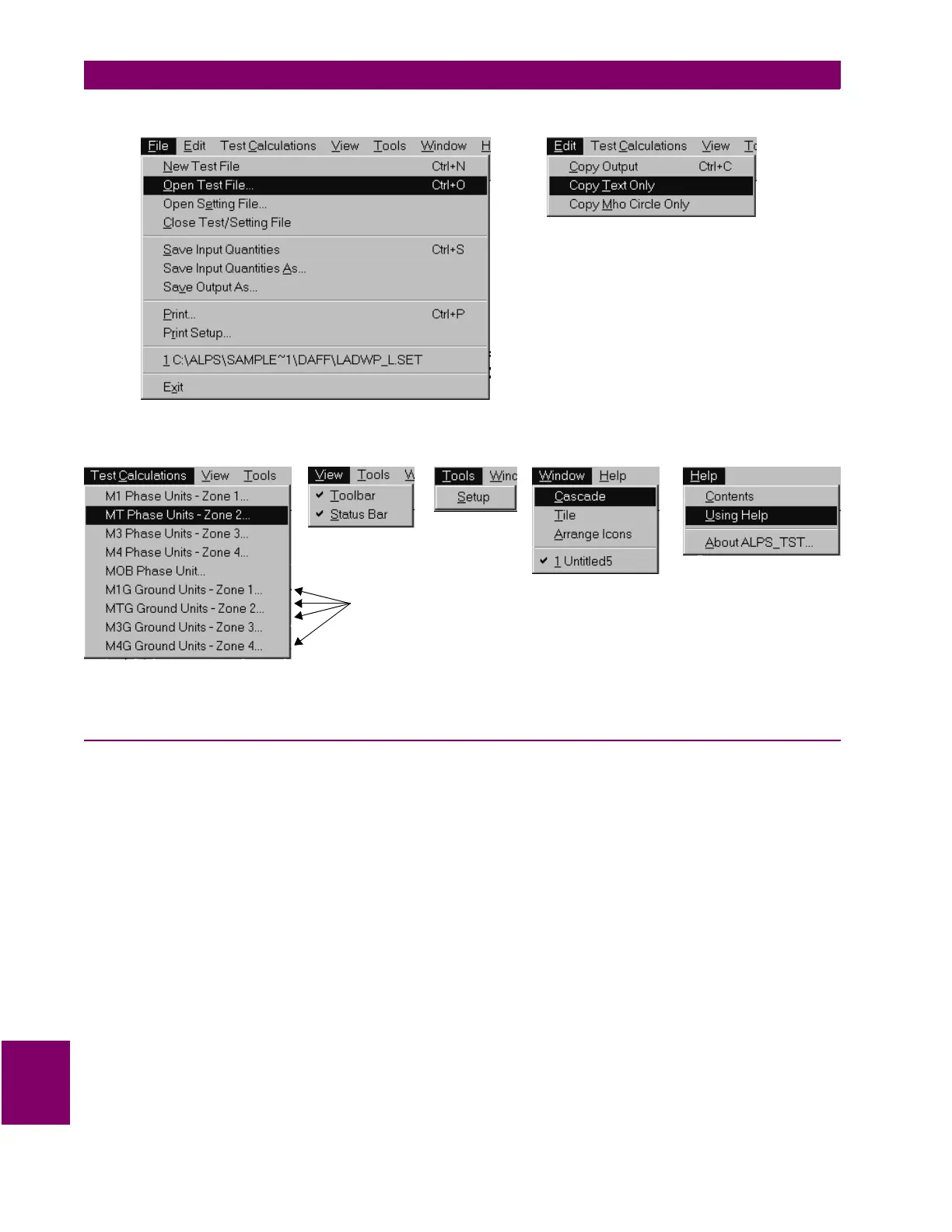
Figure 10–2: FILE AND EDIT MENUS
Figure 10–3: ADDITIONAL ALPS-TEST MENUS
10.1.3 STARTING PROGRAM AFTER THE FIRST TIME
Start the program as in the previous section. When the program is started, the opening screen is displayed as
in Figure 10–1: ALPS-TEST INITIAL SCREEN on page 10–1.
• The title bar of the main window has the currently opened file name which is the file name the user
selected
• Pull down the
File
menu. The most recent file is this same file name.
Note
: Settings groups M1G, MTG, M3G, and M4G are
NOT applicable to the LPS-O relay. Ignore these set-
tings groups while performing tests.



 To Next Page