MDS 05-4846A01, Rev. D SD Series Technical Manual 41
• Transmit/Receive Frequency—The receive and transmit frequencies
may be viewed or set here. If no frequencies have been entered,
the fields will be blank and the radio’s PWR led will flash, indi-
cating that an entry is needed. Frequencies must be entered for the
radio to operate. Consult your station license to determine the
authorized frequencies for your system, and enter them exactly as
listed.
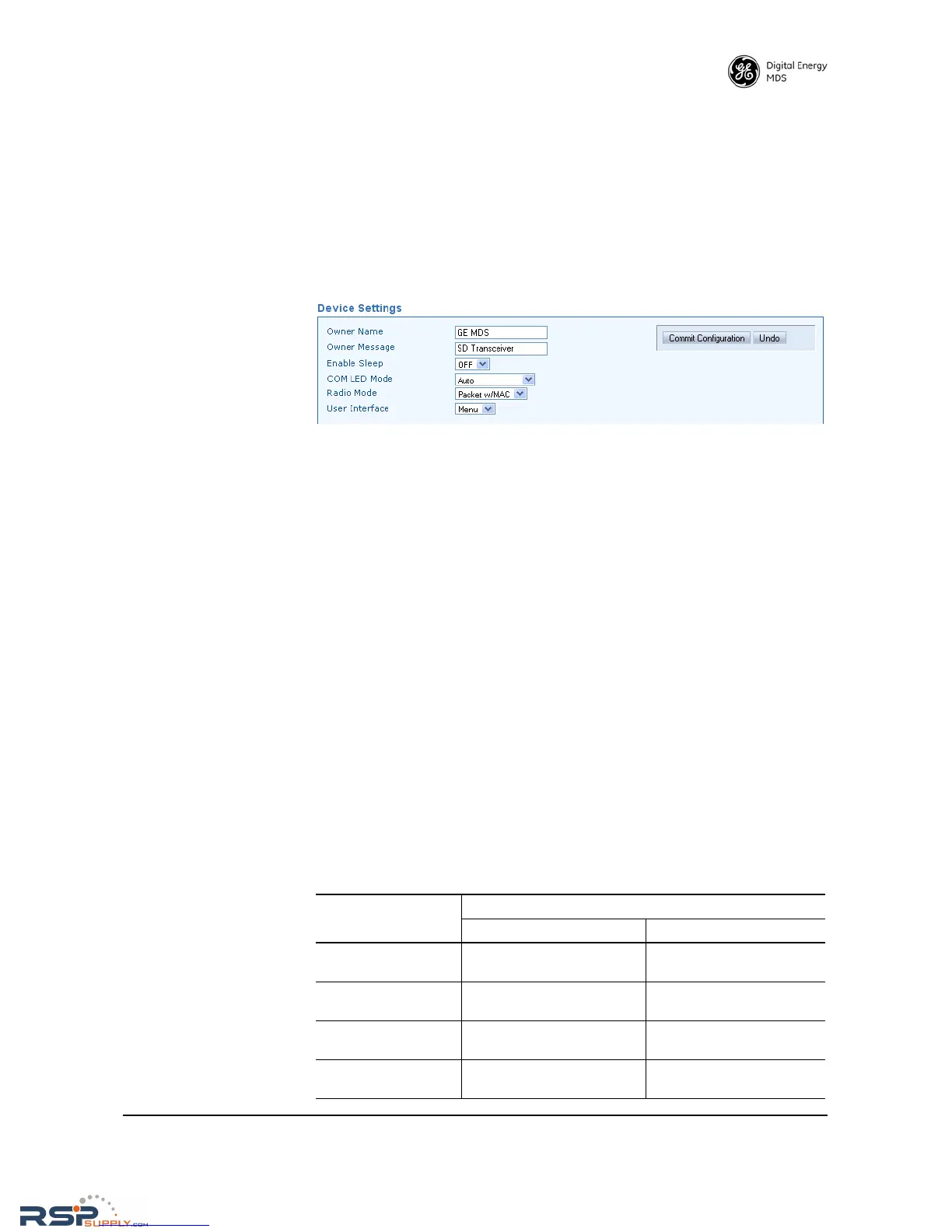
Device Settings
• Owner Name/Owner Message—An owner name and message may
be entered for the radio for informational purposes. These are
“free-form” fields which do not affect the operation of the radio
in any way. Such fields might be used to identify the network
administrator/company name, and include a site-specific message
(i.e., Unit 2 at North Tower site). A limit of 30 alpha-numeric charac-
ters may be entered (there is no minimum), and any printable
characters may be used.
• Enable Sleep—Sleep Mode places the transceiver into a “hiber-
nated” low power state, with a nominal current draw of less than
10 mA (at 13 Vdc). “Wake-up” time is approximately 50 milli-
seconds. Sleep Mode is often used at battery/solar-powered
remote sites to conserve power. An active low on Pin 4 of the
COM2 port is what actually puts the radio to sleep. This signal
must be supplied by the equipment connected to the radio (i.e.,
RTU, PLC, etc.). Sleep mode is not intended for use on master
radios.
• COM LED Mode—The behavior of the radio’s COM/DATA LEDs
may be configured using this box. By default, the LEDs show
dual port activity (
Auto). Four LED modes may be selected as
summarized in Table 13.
Table 13. COM/DATA LED Modes vs. Behavior
LED Mode Selection
Serial COM/DATA LED Behavior
LED1 Function LED2 Function
x710 Monitors TXD on COM2
port
Monitors RXD on COM2
port
COM1 Activity Monitors any COM1 RX or
TX activity
OFF
COM2 Activity OFF Monitors any COM2 RX or
TX activity
Dual Port Activity
(Auto Default)
Monitors any COM1 RX or
TX activity
Monitors any COM2 RX or
TX activity



 To Next Page