44 SD Series Technical Manual MDS 05-4846A01, Rev. D
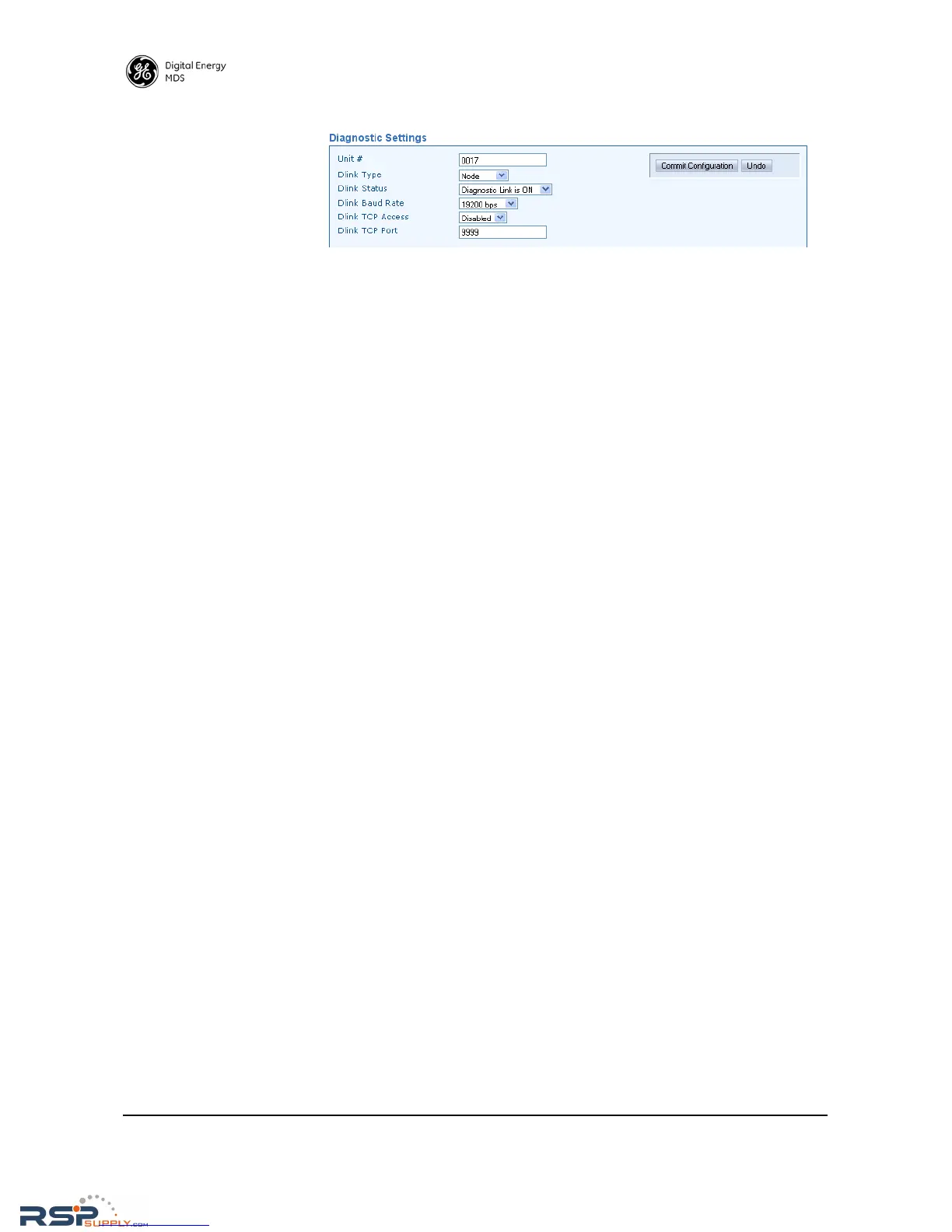
Diagnostic Settings
• Unit #—This parameter identifies the radio in the wireless network
with a specific ID during diagnostic sessions.
• Dlink Type—This setting identifies the radio as either a Node, Root,
Repeater, Peer, or Gate. Each of these are operating modes of the
transceiver with respect to diagnostic/management activities.
(See “Performing Network-Wide Remote Diagnostics” on
Page 75 for details.
• Dlink Status—This item is used to enable or disable diagnostics
functionality. Setting it to ON configures the radio to pass the
diagnostic link protocol (DLINK) over the radio’s COM1 manage-
ment port.
• Dlink Baud Rate—This setting determines the COM1 serial data
diagnostics communication rate in bits-per-second (bps).
• Dlink TCP Access—This setting enables DLINK over Ethernet via
TCP. This allows an external NMS to manage the radio without
tieing up a serial port.
• Dlink TCP Port—This setting specifies the TCP port for DLINK
communication. The address for Ethernet-based DLINK commu-
nication is given by the radio's IP address (from the general set-
tings menu) and the port number specified here.



 To Next Page