56 SD Series Technical Manual MDS 05-4846A01, Rev. D
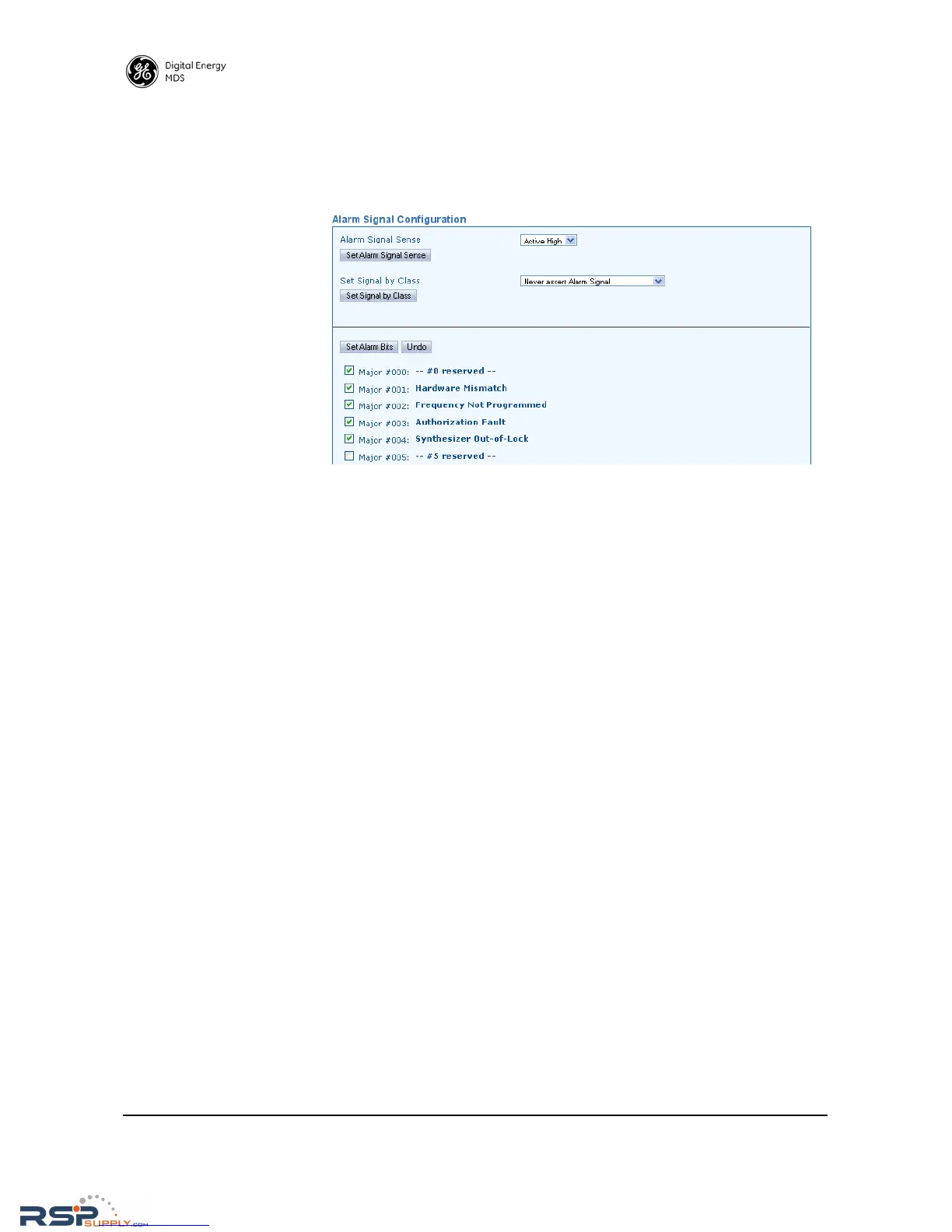
Alarm Signal
Configuration
This screen contains settings to determine what events are detected, and
what will be done with them. At the bottom section of the screen are
selections for displaying specific alarms, conditions, and informational
events that will be reported. Select events to be reported by clicking the
box to the left of the item.
• Alarm Signal Sense—This parameter may set to either Active High or
Active Low. An active high means that Pin 6 on the COM2 port will
output a high DC signal when an alarm exists. (This is the default
behavior.) An active low means that Pin 6 on the COM2 port will
output a low DC signal when an alarm exists. Select the desired
behavior in the drop-down box and click Set Alarm Signal Sense to
apply the setting.
• Set Signal by Class—Here, you to specify what classes of alarms
result in an signal being produced by the alarm output line. The
choices are:
Never assert Alarm Signal
Assert signal on Major Alarm
Assert Signal on Major or Minor Alarm
Assert Signal on Any Alarm or Status
• Set Alarm Bits—This button is used to set the selections made in
the check box list below it. First, you must select which specific
alarms will result in a signal being produced by the alarm output
line. To set an alarm/message for reporting by the output line,
simply click the check box next to an item of interest. To clear a
check box, simply click it again. When you are finished with the
selections, click the Set Alarm Bits button.
• Undo—This button may be used to return the screen to its original
selections. It clears any selections made prior to clicking the Set
Alarm Bits
button.



 To Next Page