60 SD Series Technical Manual MDS 05-4846A01, Rev. D
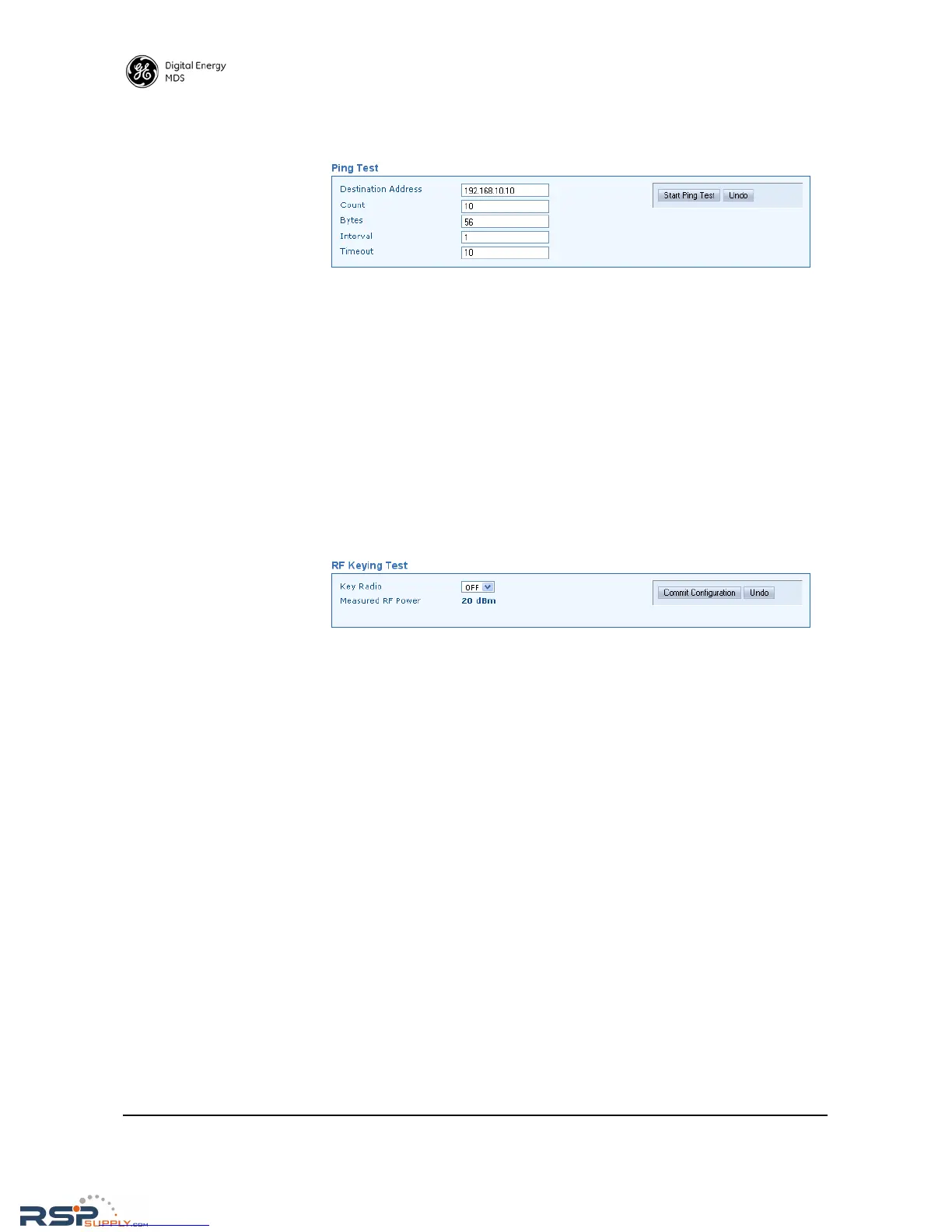
Ping Test A connectivity test to a specific destination address may be performed
using the radio’s Ping Test screen.
• Destination Address—Enter the IP Address of the other radio being
ping tested.
• Count—Enter the number of pings to send across the radio link.
• Bytes—Enter the number of bytes in each ping.
• Interval—Use this box to specify how long (in seconds) between
ping transmissions after a response is received.
• Timeout—Use this box to specify how long (in seconds) to wait
for a ping response before a timeout occurs.
RF Keying Test The RF Keying Test screen provides a way to place the transmitter on
the air to check the measured RF power output, measure reflected power
from an antenna system, or to provide a signal at a receiving station so
that RSSI can be checked.
• Key Radio—Set to ON to enable the RF keying test; OFF to disable
it. The Commit Configuration button must be clicked to apply the
setting.
• Measured RF Power—Provides an indication (in dBm) of the mea-
sured power output of the transmitter.
Spectrum Graph A unique feature of the transceiver is the ability to view the RF spectrum
above and below the operating frequency using its built-in Spectrum
Graph. Often, this can assist in diagnosing the cause of interference, or
to view other signals near your operating frequency.



 To Next Page