64 SD Series Technical Manual MDS 05-4846A01, Rev. D
Remote
Reprogramming
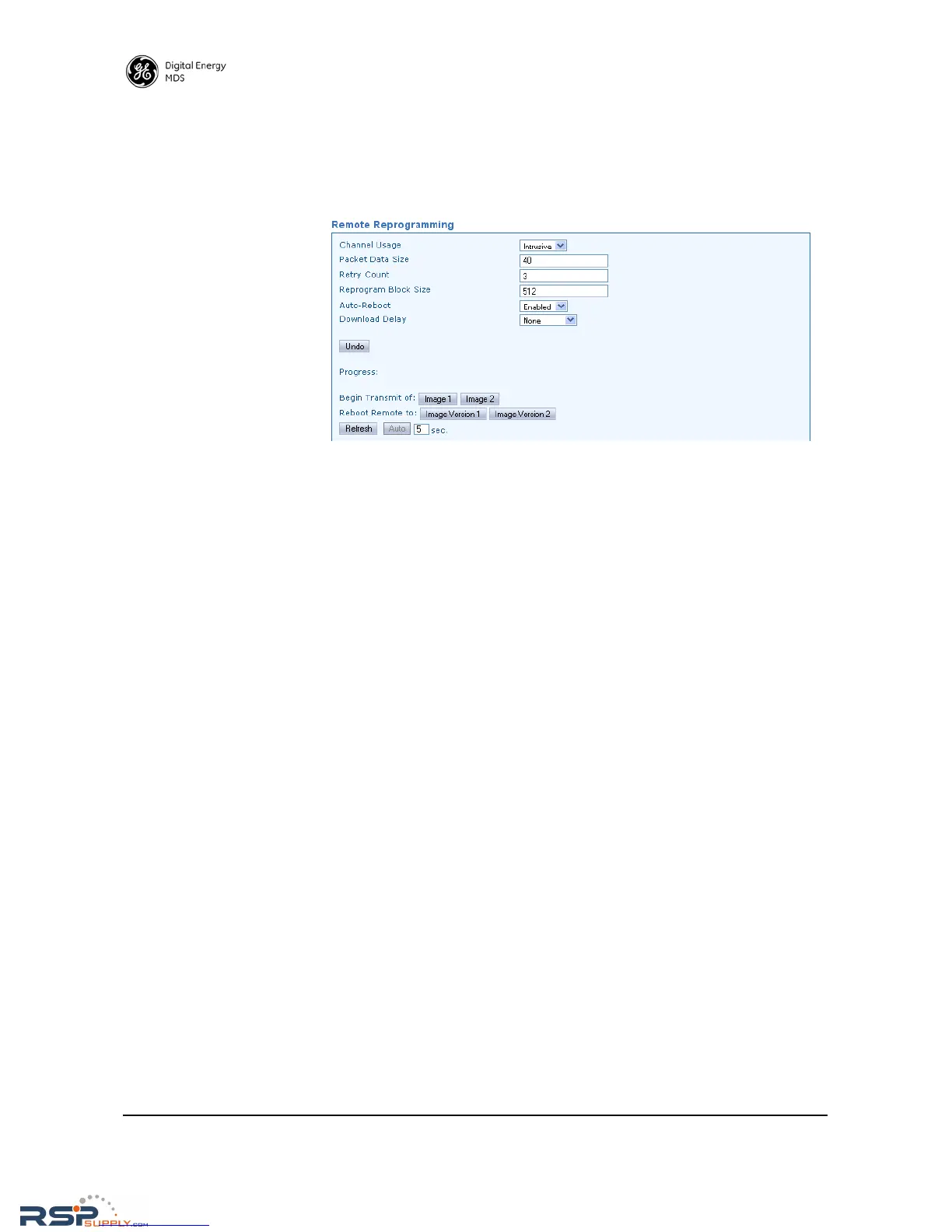
The transceiver has facilities for reprogramming key settings of other
radios in the network. These functions are contained on the Remote
Reprogramming screen shown below. Additional information on remote
reprogramming is given in “Over-the-Air Firmware Upgrades” on
Page 76.
• Channel Usage—Set to either intrusive or passive as desired.
• Packet Data Size—Used to specify the size of the reprogramming
data packets. Default size is 40.
• Retry Count—Used to specify the number of times a transmission
is repeated when a packet is not received correctly. Default set-
ting is 3.
• Reprogram Block Size—Sets the overall block size (in bytes) of
each data packet. Default setting is 512.
• Auto-Reboot—When enabled, causes the transceiver to automati-
cally reboot after a firmware image upgrade. If disabled, the
newly loaded image will not become valid until the transceiver is
rebooted.
• Download Delay—This field can be used to introduce a time delay
as to when reprogramming begins. Typically, it is set to
None, but
may be increased incrementally by selecting one of the extended
delay times from the drop-down box (Extended Delay-1, 2, 3)



 To Next Page