MDS 05-4846A01, Rev. D SD Series Technical Manual 59
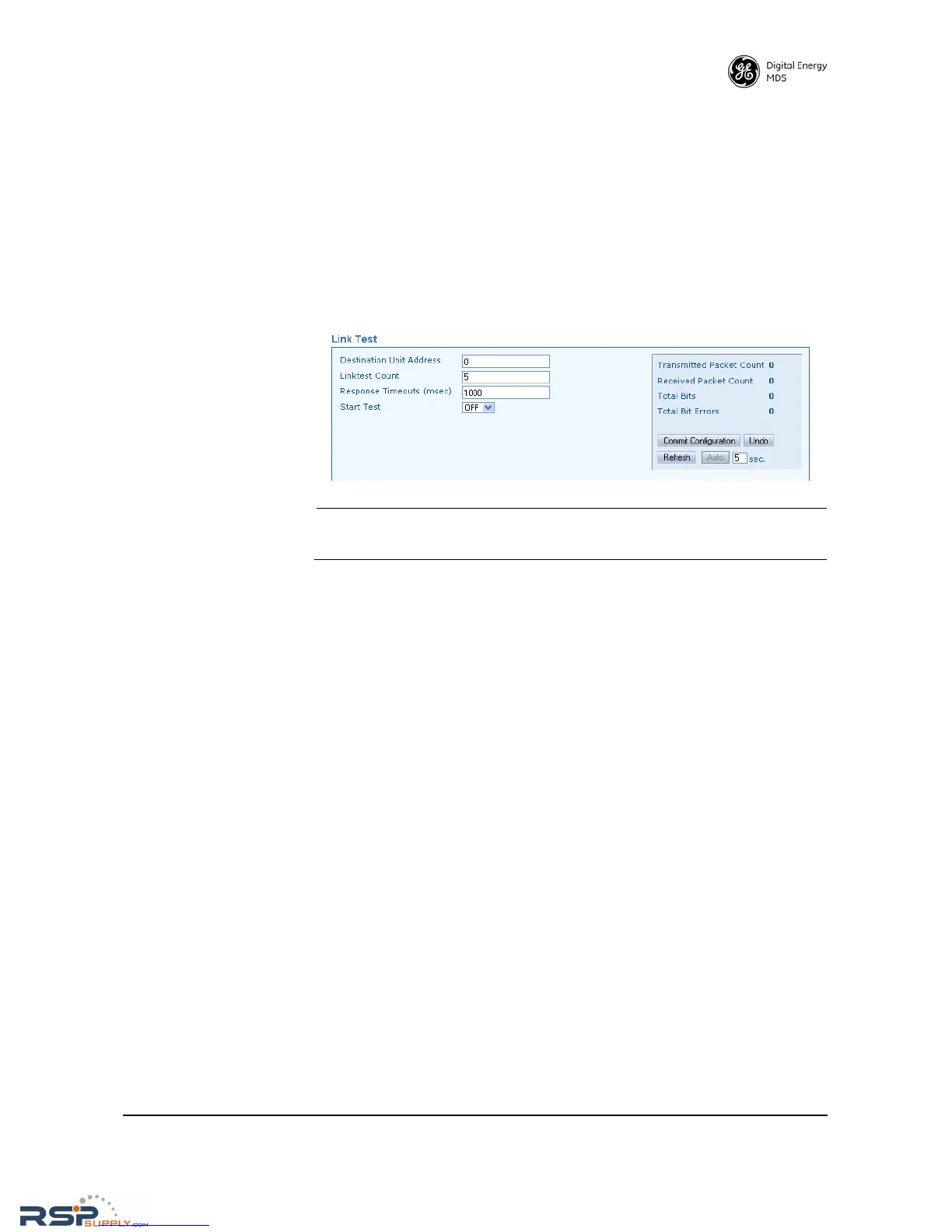
Link Test The primary use of the Link Test is to verify that a specific radio's set-
tings are consistent with the initiator including: Assigned frequency,
unit number setting, encryption (if enabled), etc. Also collected at the
same time is an indication of link quality. All radios are always ready to
respond to a Link Test message. Only the initiating radio requires con-
figuration when using the Link Test screen, and it is only available when
operating in packet mode.
A summary of data statistics is displayed on the right side of the screen,
including transmit/receive packet counts, total bits, and total number of
bit errors.
NOTE: No other data traffic should be active when performing a Link-
test.
• Destination Unit Address—Enter the Unit Address of the other radio
being tested.
• Linktest Count—Enter the number of times for the message to be
sent across the radio link.
• Response Timeouts (msec)—Enter the time (in milliseconds) that
will result in a timeout if no response is received in within that
period.
• Start Test—Set this box to ON to start the Link Test, or OFF to stop
the test.
When you are done with the settings above, press
Commit Configuration to
apply the changes.
• Refresh—Clicking this button updates the displayed statistics on
demand.
•
Auto—Initiates automatic updating of statistics. A time (in sec-
onds) may be entered in the box provided, to specify how often
the display is updated.



 To Next Page