80 SD Series Technical Manual MDS 05-4846A01, Rev. D
Invisible place holder
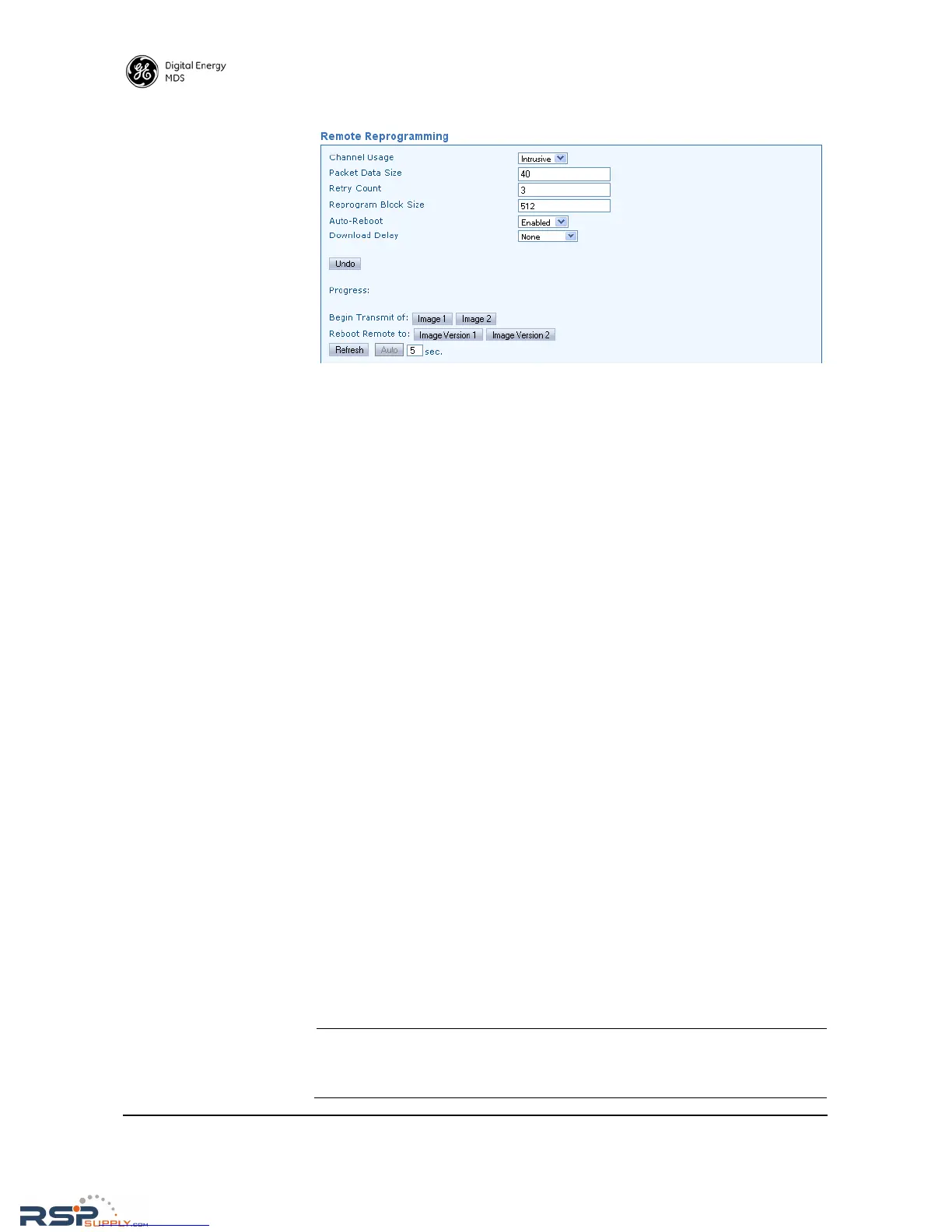
Figure 29. Remote Reprogramming Screen
8.3 COM1 Operating Modes
The COM1 port can operate in one of several possible modes. From the
user's perspective, it can be considered to be in Data mode or Manage-
ment mode, where user input can be accepted via either a menu inter-
face, a command line interface, or a diagnostic interface such as GE
MDS-proprietary DLINK protocol. The list below shows all possible
modes for the COM1 port:
• Menu mode—For serial-based “console terminal” control of the
radio. Menu screens are presented where you make selections and
apply them with the Enter key.
• Data mode—Where COM1 is used for payload data, and not user
control/management of the transceiver.
• DLINK (diagnostics) mode—Where a PC running InSite or
NETview management software is connected to
COM1.
• Command line/scripting mode—Where text-based commands
are used to manage the radio, typically by means of an automated
“scripting” system, rather than by manual entry. (Refer to SD
Serial/Telnet Management Supplement, Part No. 05-6193A01 for
a summary of text commands.)
Changing COM1 Modes
The Device Manager may be used to change the
COM1 operating mode
by accessing the
Configuration>>Communication Ports>>Com 1 Port Settings
screen (see “COM1 Port Settings” on Page 50). Using this screen, the
Startup Mode and Current Mode may be set to either Console or Data from
the drop-down selections.
NOTE: The COM1 operating mode may also be set using a PC
terminal connected directly to the port. See SD Serial/Telnet
Management Supplement, Part No. 05-6193A01 for details.



 To Next Page